What is the AI ceiling fan trend?+
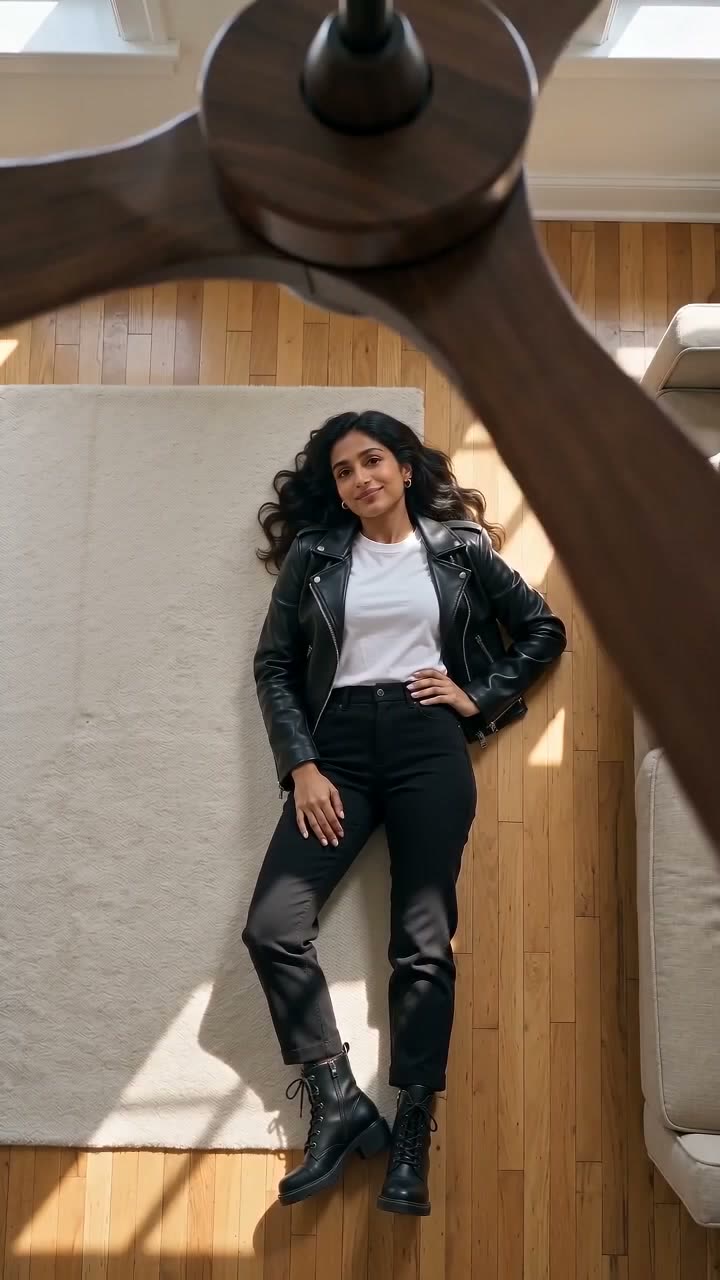
It is a TikTok outfit-change trend from September 2026. The camera looks straight down through a slowly turning ceiling fan at a person lying on the floor, and each time a blade sweeps across the lens, the person appears in a new outfit. The AI version makes the whole clip from one photo, with no fan and no filming.
Is the ceiling fan transition real or AI?+
Both exist. Some creators really tape a phone to the ceiling and change clothes between takes, but most of the clips since late September 2026 come from AI apps and CapCut templates. The most-watched clip, with 8.1 million plays, is @amyrebeccaowen's real attempt, captioned "trying the ceiling fan trend but I didn't realise people were using AI".
Is the ceiling fan trend the same as the fan transition trend?+
Yes. People call it the ceiling fan trend, the ceiling fan transition, the fan transition, the fan outfit trend and "under the fan". They all mean the overhead clip where a fan blade wipes to a new outfit. On TikTok the most used tag is #ceilingfantransition.
How do I do the ceiling fan trend without a ceiling fan?+
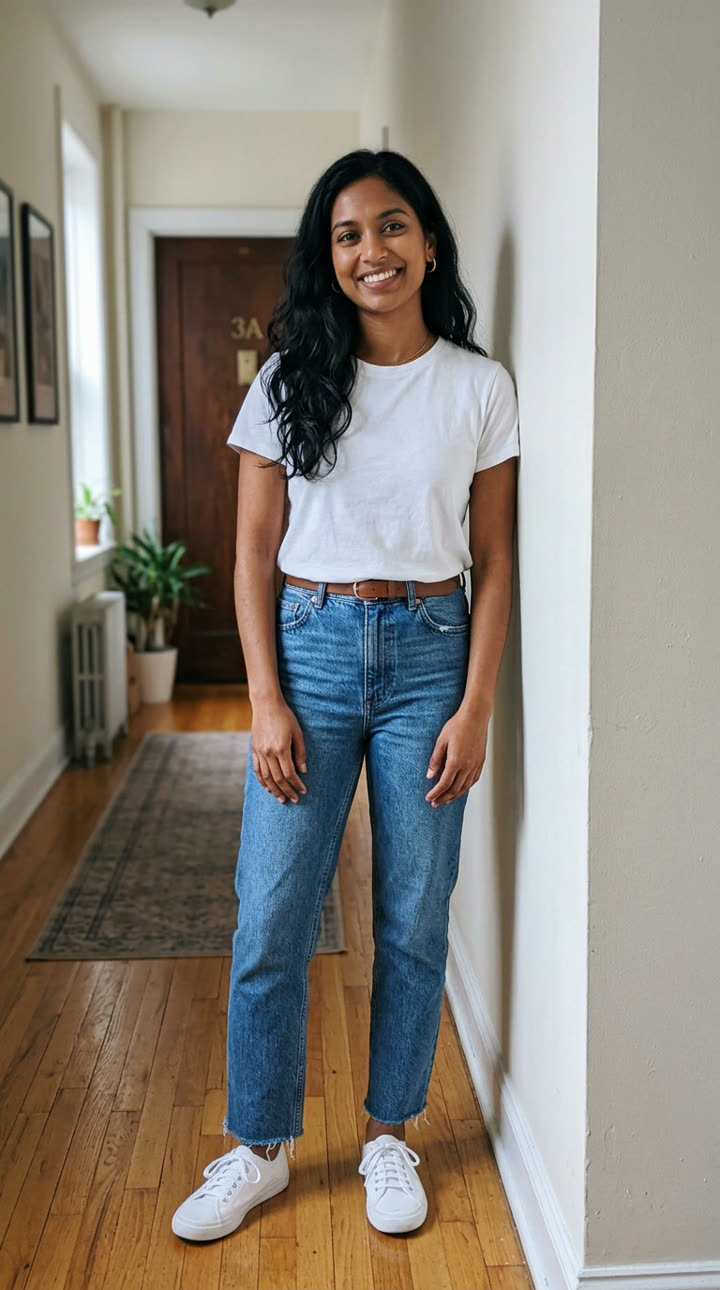
Use AI. Press "Create your own" on this page, add one full-body photo and press Generate. MakeViral builds the overhead view with a wooden fan close to the lens, then animates three blade passes, each with a new outfit. You write no prompt, and the clip lands in your Library as a vertical MP4.
How do you do the ceiling fan trend for real?+
Fix your phone to the ceiling or a tall stand above the fan, pointing straight down, and make sure nothing can touch the blades. Lie in the same spot for every take, change outfits between takes, then cut the takes together in an editor on the frames where a blade covers the lens. It takes a lot of takes, which is why most people use AI.
How many outfits are in the video?+
Four looks: the outfit from your photo, then three new ones, one after each blade pass. The clips we sampled on TikTok have three to five changes in 13 to 16 seconds, so four looks fit the trend.
Can I choose the outfits?+
Yes. Use "Edit the prompts yourself" and change the three outfit lines in the video prompt, for example "a yellow raincoat and green boots". Name the garments and colors plainly. The one-tap version uses a cream knit sweater, a black leather jacket and a deep red evening look.
Will it still look like me in every outfit?+
The photo step keeps your face, hair and body from your photo, and the video prompt keeps them the same through every change. A sharp photo with your face clear helps most. If a look drifts, run it again: every run is different.
Is there a Halloween version of the ceiling fan trend?+
Yes. Pick "Halloween costumes": after each blade pass you are a witch, then a vampire, then a pumpkin, with your face always uncovered, under a slow fan with a few carved pumpkins on the floor.
What song is used for the ceiling fan trend?+
There is no single song. Most clips use an original sound, and creators change it with whatever is trending. Your MakeViral clip has the fan's whir and an original pop instrumental; add a trending sound in TikTok or Reels when you post.
How long is the video?+
The clip is 10 seconds long, vertical 9:16, with sound. It is ready in a few minutes: first the overhead still, then the video. You can leave the page while it runs, and the finished clip waits in your Library.
Does the ceiling fan video cost credits?+
Yes. Each video costs credits, and the create page shows the exact price on the Generate button before you spend anything. The default Standard option (Seedance 2.0 Mini) is the cheaper one; the Best option uses the bigger Seedance 2.5 model and costs more. If a video fails, the credits come back.
Can I post my ceiling fan video on TikTok or Instagram?+
Yes. The MP4 has no watermark and carries original sound, so you can post it to TikTok, Reels or Shorts as it is. Keep the platform's AI label on, and tag it #ceilingfantransition or #ceilingfantrend.