Back

Reaching Out Cat Trend: Put Your Pet in the Viral Clip

A hand reaches up to the ceiling on "reaching out", then the cut, and the cat gets whisked out of the frame. Add one photo, and your cat, your dog or you sit in that spot, with the trend's sound. Your real pet never gets picked up.

The original Reaching Out Cat reel by @slyerstar_Original reel
  • 1 photo you add
  • 6 s clip with sound
  • 9:16 for TikTok, Reels, Shorts
  • No watermark

No prompt to write: Add your photo and tap once

Create your own

Ready in up to several minutes · 92 credits

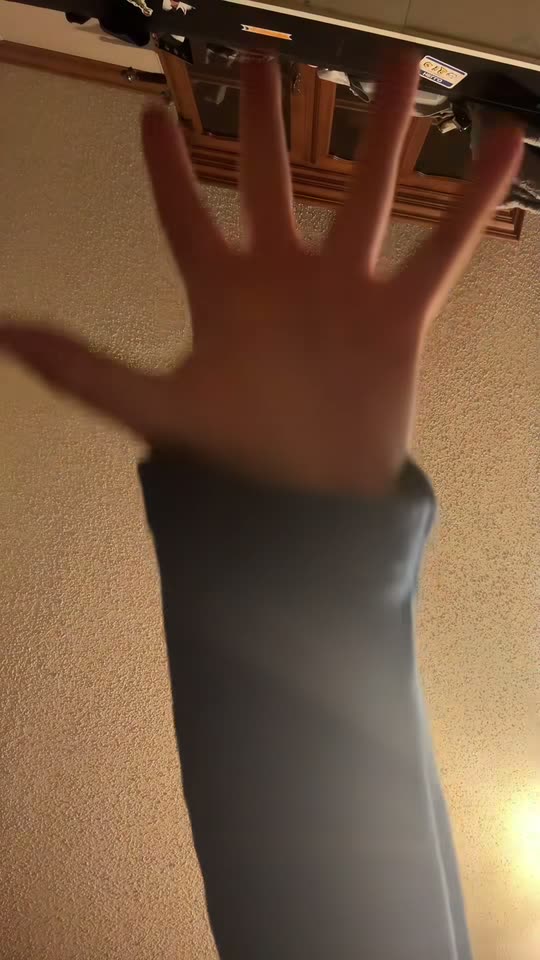
The reaching out cat trend is a two-shot TikTok gag: a phone on the floor films a hand that reaches up to the ceiling on the line "reaching out", then it cuts to a calm cat that an arm whisks out of the frame on "to touch a stranger". Add one photo, and your cat, dog or you take the cat's place.

Also called Reaching out trend · Reaching out to touch a stranger · Touch a stranger trend · Reaching out Michael Jackson trend · Cat yank trend

Example

What the Reaching Out Cat video looks like

This is the original reel. Your photos replace its characters, so your video follows the same shots with your faces. No two runs come out the same.

Original reel by @slyerstar_, 5 s

The reel that started the cat wave, by @slyerstar_ (8 November 2026, 4.2 million views): a hand reaches up toward the ceiling, then the cut, and an arm whisks the grey tabby out of the frame.

Original reel by @basic_orange_cats, 6 s

"Simba's turn" by @basic_orange_cats (12 November 2026, 3.0 million views): the hand reaches up to the ceiling fan, then an arm lifts the orange cat away from the Christmas tree. Every version copies this clip; Cat and Dog put your pet in Simba's spot.

Use this reference
Step by step

How to make the Reaching Out Cat video on MakeViral

Everything runs in the browser. No editing app, no prompt to write, no watermark.

  1. Add your photo

    Press "Create your own" and add you, face clear. Take it with the camera or pick it from your library.

  2. Press Generate

    The button shows the price. Seedance 2.5 puts your photos into the Reaching Out Cat trend clip and copies it shot by shot for 6 seconds, with the reel's original song. You write no prompt.

  3. Download or share

    The video is ready in up to several minutes as a 9:16 MP4. Download it, share it from your phone, or find it later in My videos.

Which photo works best?

Upload one photo: of your cat for Cat, your dog for Dog, or yourself for Human.

  • Cat or Dog: one animal, the whole body or at least the head and chest in view, eyes open, sharp and in good light. A pet that sits upright, like Simba in the clip, works best. The fur colors, ears and markings come from your photo.
  • Human: you alone, face to the camera, sharp, no sunglasses and no beauty filter. A photo from the waist up or a full-body photo works; your clothes come from it.
  • Any background works: the ceiling fan, the room, the Christmas tree and the arm come from the clip.
  • Use your own pet, your own photo or a friend who said yes. Never a stranger or a celebrity.

Where did the Reaching Out Cat trend start?

The sound is a short clip of the line "reaching out to touch a stranger" from a Michael Jackson song. On TikTok it is called "original sound", and it was first posted on 23 July 2026 by @his_stories_7277: a hand reaches up, then a man laughs into the selfie camera. That clip has 527,200 views.

In late October cat owners started to use it. The phone lies on the floor and films a hand that reaches for the ceiling, then the video cuts to the family cat sitting calmly in the room, and on "touch a stranger" an arm sweeps in and lifts it out of the frame. @kb_rose24 posted a take called "Touch a stranger" on 4 November (439,700 views).

The reaching out cat trend broke out on 8 November, when @slyerstar_ posted her grey tabby: 4.2 million views and 1.2 million likes, with the caption "she's ok no kitty's were harmed". Within a week the cat posts reached millions each: @thehurtfam's black cat 4.6 million views, @im.mal.1k 3.4 million and @basic_orange_cats' "Simba's turn" by the Christmas tree 3.0 million, the clip this template copies. Many owners say they sped the clip up and never yanked the cat. On 15 November the sound held 30,100 videos.

  1. @his_stories_7277 posts the clip that becomes the trend's sound: a hand reaches up on "reaching out", then a laugh into the camera. It has 527,200 views by 15 November. TikTok

  2. @kb_rose24 posts "Touch a stranger": the hand reaches up, then a cat curled on the floor gets swept out of the frame. 439,700 views. TikTok

  3. @slyerstar_ posts her grey tabby getting whisked away ("she's ok no kitty's were harmed"). It reaches 4.2 million views and 1.2 million likes, and the cat version takes off. TikTok

  4. @thehurtfam's black cat take becomes the biggest post on the sound: 4.6 million views and 1.3 million likes by 15 November. TikTok

  5. @basic_orange_cats posts "Simba's turn", an orange cat lifted away from the Christmas tree: 3.0 million views and 988,300 likes. This template copies it. TikTok

  6. The sound holds 30,100 TikTok videos, and #reachingout holds 19,852 videos with 116.8 million views. ViralRemix counted about 400 new videos a day on 13 November. ViralRemix

Copy and paste

The Reaching Out Cat prompts

You do not need these: the one-tap flow runs them for you, together with the trend clip. [Image 1] and [Image 2] are your two photos, and [Video 1] is the trend clip the video copies.

Human

1 photo: you, face clearSeedance 2.56 s · 720p · 9:1692 credits
Video prompt

Recreate the reference video [Video 1] shot for shot: the same two shots filmed by a phone on the floor. The ONLY change: the cat that sits on the floor in the second shot is now the person in [Image 1]. [Image 1] is the sole identity reference for that person; [Video 1] is for the shots, the arm, the room, the timing and the camera only. Replace the person that gets grabbed in the second shot of [Video 1] with the person in [Image 1], in the same spot. Keep both shots exactly as [Video 1] has them: first the hand rising slowly toward the ceiling, then the hard cut to the room, where the arm reaches in and whisks the person out of frame at the same moment and the same speed, leaving the same empty spot behind. The person sits and looks around the way the cat in [Video 1] does, and comes to no harm. Keep the framing, the room, the light, the hands, the timing and the length of [Video 1] exactly as they are. The person = the person in [Image 1], in EVERY frame of shot 2: copy the exact face from [Image 1]: face shape, eye color and eye shape, eyebrows, nose, mouth, skin tone, age, hair color, hair length and hairstyle, and any beard, moustache, glasses or freckles exactly as in the photo. They wear the clothes from [Image 1]; if [Image 1] shows only the head or the upper body, invent the rest so it matches naturally. The same real person in every frame, so their friends recognize them at once. The person is a grown adult with an adult's full body size and proportions, as big as a real adult sitting on that floor, never a small or child-sized body, never cat ears, fur or whiskers. Shot 1 [0-2.6 s]: the phone lies on its back on the floor, looking up at a white plank ceiling with a spinning ceiling fan and fairy lights. From about 1 s, one hand rises slowly from the bottom of the frame, fingers spread, reaching toward the fan. Shot 2 [2.6-5.8 s]: hard cut. The phone stands low on the floor of a living room with a light grey floor, a lit Christmas tree on the left and a door behind. The person from [Image 1] sits cross-legged in the middle of the floor where the cat sat, calm and unbothered, looking around, face toward the camera. At about 3.6 s one arm in a light blue sleeve reaches in from the left, hooks gently around their shoulders and pulls them smoothly sideways out of the frame to the left; they slide across the smooth floor and are gone by about 4.3 s. Then the empty floor until the end. Gentle hands only: the arm supports the body under the chest and never grabs the neck, scruff, tail, a leg or the hair, never squeezes, shakes or throws. Nobody comes to any harm. Anatomy rules: one head only, on the person's shoulders. Two arms, two legs, five fingers on each hand. Exactly one person on the floor and one reaching arm in shot 2. No cat, no other animals, no other people. Keep everything else the same. Two shots, one hard cut at 2.6 s. No dialogue throughout the entire video. No background music. No text, no captions, no logos, no watermark.

3004 characters

Cat

1 photo: your cat (or any pet)Seedance 2.56 s · 720p · 9:1692 credits
Video prompt

Recreate the reference video [Video 1] shot for shot: the same two shots filmed by a phone on the floor. The ONLY change: the cat that sits on the floor in the second shot is now the pet in [Image 1]. [Image 1] is the sole identity reference for the pet; [Video 1] is for the shots, the arm, the room, the timing and the camera only. Replace the pet that gets grabbed in the second shot of [Video 1] with the pet in [Image 1], in the same spot and the same pose. Keep it recognisably that animal: the same species and breed, the same face, ears, eye colour, fur colour and markings, at the size it would really be in that room. Keep both shots exactly as [Video 1] has them: first the hand rising slowly toward the ceiling, then the hard cut to the room, where the arm reaches in and whisks the pet out of frame at the same moment and the same speed, leaving the same empty spot behind. The pet sits, looks and reacts the way the one in [Video 1] does, and comes to no harm. Keep the framing, the room, the light, the hands, the timing and the length of [Video 1] exactly as they are. No extra animals, no text, no app interface, no watermark. The pet = the pet in [Image 1], in EVERY frame of shot 2: the same species and breed, face, eyes, ears, muzzle, fur colors, fur length and markings as in [Image 1], with the natural body volume and proportions of that animal: never flattened, squashed, stretched or merged with anything. Whether [Image 1] shows a cat, a dog or another animal, it stays that animal. Its owner recognizes it at once. Never drift back to the cat in the video: not the coat, the face or the eye color of the cat in the video unless [Image 1] shows them. Shot 1 [0-2.6 s]: the phone lies on its back on the floor, looking up at a white plank ceiling with a spinning ceiling fan and fairy lights. From about 1 s, one hand rises slowly from the bottom of the frame, fingers spread, reaching toward the fan. Shot 2 [2.6-5.8 s]: hard cut. The phone stands low on the floor of a living room with a light grey floor, a lit Christmas tree on the left and a door behind. The pet from [Image 1] sits upright in the middle of the floor, calm and still, looking around. At about 3.6 s one arm in a light blue sleeve reaches in from the left, slips gently under the pet's chest and lifts it smoothly up and out of the frame to the left; the pet is gone by about 4.3 s. Then the empty floor until the end. Gentle hands only: the arm supports the body under the chest and never grabs the neck, scruff, tail, a leg or the hair, never squeezes, shakes or throws. Nobody comes to any harm. Anatomy rules: one head only, one muzzle, four legs, one tail if the animal has one. Exactly one animal, and one reaching arm with five fingers in shot 2. No other animals, no other people. Keep everything else the same. Two shots, one hard cut at 2.6 s. No dialogue throughout the entire video. No background music. No text, no captions, no logos, no watermark.

2964 characters

Dog

1 photo: your dogSeedance 2.56 s · 720p · 9:1692 credits
Video prompt

Recreate the reference video [Video 1] shot for shot: the same two shots filmed by a phone on the floor. The ONLY change: the cat that sits on the floor in the second shot is now the dog in [Image 1]. [Image 1] is the sole identity reference for the dog; [Video 1] is for the shots, the arm, the room, the timing and the camera only. Replace the pet that gets grabbed in the second shot of [Video 1] with the dog in [Image 1], in the same spot and the same pose. Keep it recognisably that animal: the same species and breed, the same face, ears, eye colour, fur colour and markings, at the size it would really be in that room. Keep both shots exactly as [Video 1] has them: first the hand rising slowly toward the ceiling, then the hard cut to the room, where the arm reaches in and whisks the dog out of frame at the same moment and the same speed, leaving the same empty spot behind. The dog sits, looks and reacts the way the cat in [Video 1] does, and comes to no harm. Keep the framing, the room, the light, the hands, the timing and the length of [Video 1] exactly as they are. No extra animals, no text, no app interface, no watermark. The dog = the dog in [Image 1], in EVERY frame of shot 2: the same breed, face, eyes, ears, muzzle, fur colors, fur length and markings as in [Image 1], with the natural body volume and proportions of that dog at its real size: never flattened, squashed, stretched, shrunk to a cat's size or merged with anything. If [Image 1] shows another animal, it stays that animal. It is a dog, never a cat: no cat face, no cat ears, no whiskers, not the orange coat of the cat in the video unless [Image 1] shows it. Shot 1 [0-2.6 s]: the phone lies on its back on the floor, looking up at a white plank ceiling with a spinning ceiling fan and fairy lights. From about 1 s, one hand rises slowly from the bottom of the frame, fingers spread, reaching toward the fan. Shot 2 [2.6-5.8 s]: hard cut. The phone stands low on the floor of a living room with a light grey floor, a lit Christmas tree on the left and a door behind. The dog from [Image 1] sits on its haunches in the middle of the floor, calm and still, looking around. At about 3.6 s one arm in a light blue sleeve reaches in from the left and wraps gently around the dog's chest: a small dog is lifted smoothly up and out of the frame to the left, a big dog slides smoothly out of the frame to the left along the floor. The dog is gone by about 4.3 s. Then the empty floor until the end. Gentle hands only: the arm supports the body under the chest and never grabs the neck, scruff, tail, a leg or the hair, never squeezes, shakes or throws. Nobody comes to any harm. Anatomy rules: one head only, one muzzle, four legs, one tail. Exactly one dog, and one reaching arm with five fingers in shot 2. No cat, no other animals, no other people. Keep everything else the same. Two shots, one hard cut at 2.6 s. No dialogue throughout the entire video. No background music. No text, no captions, no logos, no watermark.

3014 characters
How many credits does it cost?

You pay per video in credits, and the create page shows the exact price on the Generate button before you spend anything. The one-tap price covers the video, made in one step from your photos and the trend clip, charged once. One video is 92 credits, so the smallest one-time pack that covers it is $9.99 for 100 credits, with no subscription. The cheaper models are there if you run the prompts by hand in AI Video.

Video modelSettingsCredits
Seedance 2.5 (this template)6 s, 720p, copies the trend clip, one tap92

One-time packs and plans are on the pricing page. A failed video gives its credits back.

What happens in the reaching out cat video, second by second?

Every version copies @basic_orange_cats' clip, the one with the Christmas tree, about 6 seconds in two shots. Your photo takes the cat's place in the second shot:

TimeWhat you hearWhat you see
0 to 2.6 s"Reaching out..."The phone lies on the floor and looks up at a spinning ceiling fan. A hand rises slowly from the bottom of the frame, fingers spread, toward the fan.
2.6 to 3.6 s"...to touch a stranger"Hard cut: your cat, dog or you sit calmly on the floor in front of the lit Christmas tree.
3.6 to 4.3 sAn arm in a light blue sleeve reaches in from the left and whisks them out of the frame.
4.3 to 5.8 sThe empty floor. The joke lands.

How it works: the best AI video models available edit the clip itself. They swap the cat for the pet or the person in your photo and keep the room, the arm, the cut and the timing. The video is about 6 seconds, vertical, at 720p, and the trend's sound goes back on after the run, so it is ready to post. A run takes 5 to 15 minutes, and the exact price shows on the Generate button before you spend anything. Every run is a new take, so results differ.

Cat, Dog or Human: which one should you make?

  • Cat is the reaching out cat trend as everyone posts it: your cat sits by the tree and a gentle arm lifts it away under the chest. It works with any pet, not only cats.
  • Dog is the reaching out dog trend: dog owners joined the trend too. A small dog gets lifted out like the cat; a big dog slides out of the frame along the floor.
  • Human is the touch a stranger trend with you as the "stranger": you sit on the floor where the cat sat, and the arm pulls you out of the frame. Tag the friend who would do it.

The best part: your real pet never has to be picked up, so a cat that hates being held can still join the trend.

Caption ideas: "Simba's turn" with your pet's name, "No cats were harmed", "He did not ask for this", "Reaching out". Or write your own.

More pet pranks: give your pet a fake shock in the electric shock meme, or put your cat under the cat shower.

What goes wrong, and how do you fix it?

ProblemFix
Your cat comes out orange like SimbaThe cat in the clip is an orange tabby, and an orange cat in your photo is the hardest case. Use a sharp photo where the face and markings are clear, and run it again.
The pet looks too small or too bigThe prompt asks for your pet's real size in that room. A full-body photo helps most.
A big dog does not leave the frame cleanlyA big dog slides out along the floor instead of being lifted. Run it again for a new take.
The face is small in HumanThe second shot is filmed from the floor across the room, so the face is not a close-up. A sharp photo with the face to the camera helps.
The model refuses a photoSome photos get refused. The credits come back; try another photo.

Which sound and hashtags should you post it with?

Your clip comes with the trend's own sound, the same seconds as the clip, so the hand rises on "reaching out" and the grab lands on "touch a stranger". You can turn the sound off on the result screen. The sound belongs to its owner, and MakeViral gives you no rights to it; on TikTok you can also post the video silent and add the original sound in the app.

Hashtags: #reachingout (19,852 TikTok videos and 116.8 million views on 15 November 2026), #reachingouttouchastranger, #touchastranger and #catsoftiktok. Keep the platform's AI label on.

FAQ

Reaching Out Cat trend questions

What is the reaching out cat trend?
It is a TikTok trend from November 2026. A phone on the floor films a hand that reaches up to the ceiling on the line "reaching out", then the video cuts to a calm cat, and on "to touch a stranger" an arm whisks the cat out of the frame. The first cat take to reach millions was @slyerstar_'s on 8 November (4.2 million views).
What song is the reaching out trend? Michael Jackson?
Yes. "Reaching out to touch a stranger" is a line from Michael Jackson's song "Human Nature" (1982). On TikTok the trend uses a short clip of that line called "original sound", first posted by @his_stories_7277 on 23 July 2026. That is why people search for the reaching out Michael Jackson trend, the reaching out Michael Jackson meme or the reaching out to touch a stranger song, and why many posts tag #michaeljackson.
Why is it called the reaching out Michael Jackson cat trend?
Because the sound is a Michael Jackson line and the star of most posts is a cat. The reaching out Michael Jackson TikTok posts with the most views in November 2026 are nearly all cats getting whisked out of the frame, with a few dogs and people.
Where did the reaching out tiktok trend start?
The sound comes from a people clip that @his_stories_7277 posted on 23 July 2026. Cat owners took it over from late October 2026, @kb_rose24's "Touch a stranger" got 439,700 views on 4 November, and @slyerstar_'s grey tabby made the reaching out cat trend blow up on 8 November.
Is the reaching out cat meme the same as the crying cat reaching out meme?
No. The older cat reaching out meme is a still picture of a crying or screaming cat that reaches out a paw. The reaching out cat meme on TikTok in 2026 is the video trend on this page: the hand, the cut, and the cat that gets whisked away. When you see "cat reaching out meme tiktok" in November 2026, it is usually this one.
Can I make the reaching out cat trend without picking up my cat?
Yes, that is the point of this template. Upload one photo of your cat, and AI puts it into the viral clip in Simba's spot, with the arm, the room and the sound. Your real cat stays where it is.
Does the reaching out dog trend work too?
Yes. Pick Dog. Your dog sits by the Christmas tree and the arm whisks it out of the frame: a small dog gets lifted, a big dog slides out along the floor. Use a sharp photo of one dog with its face and body in view.
What is the touch a stranger trend?
It is another name for the same trend, from the second half of the line, "to touch a stranger". In the cat takes the cat is the "stranger" who gets touched. Pick Human to be the stranger yourself: you sit on the floor and get pulled out of the frame.
Is the cat in the trend hurt?
The owners say no: many captions read "no cats were harmed", and several say they sped the clip up so the lift looks faster than it was. In your AI video the arm only lifts gently under the chest, and no real animal is touched at all.
How do I make the reaching out cat AI video?
Press "Create your own", pick Cat, Dog or Human and add one clear photo. Press Generate; the button shows the price first. You get a clip of about 6 seconds with the trend's sound, and it waits in My videos when it is ready. You write no prompt.
Which prompt does this template use?
No creator of the trend shared a prompt: the viral takes are real phone videos. This template starts from the prompt that the ViralRemix trend page published for its pet swap, in its own words, and adds rules that keep your pet's face, fur and markings or your own face, keep the arm gentle, and copy the clip's two shots second by second.
Is the reaching out cat AI video real?
No. Your pet or you are put into the clip by AI from one still photo, and nobody filmed it. Keep the AI label on when you post it.
Does it cost credits?
Yes. Each video costs credits, and the create page shows the exact price on the Generate button before you spend anything. If a video fails, the credits come back.
More trends

Other AI video templates

Make your own Reaching Out Cat video

Add one photo and tap once. No prompt to write. 92 credits.

No watermark. A failed video gives its credits back. Secure checkout by Stripe.