Audio to video AI

Audio to Video AI for Beats, Podcasts and Voice Notes

Your sound, with pictures. Add a beat, a song, a podcast part or a voice note, and the AI makes clips that fit the mood and change with the rhythm.

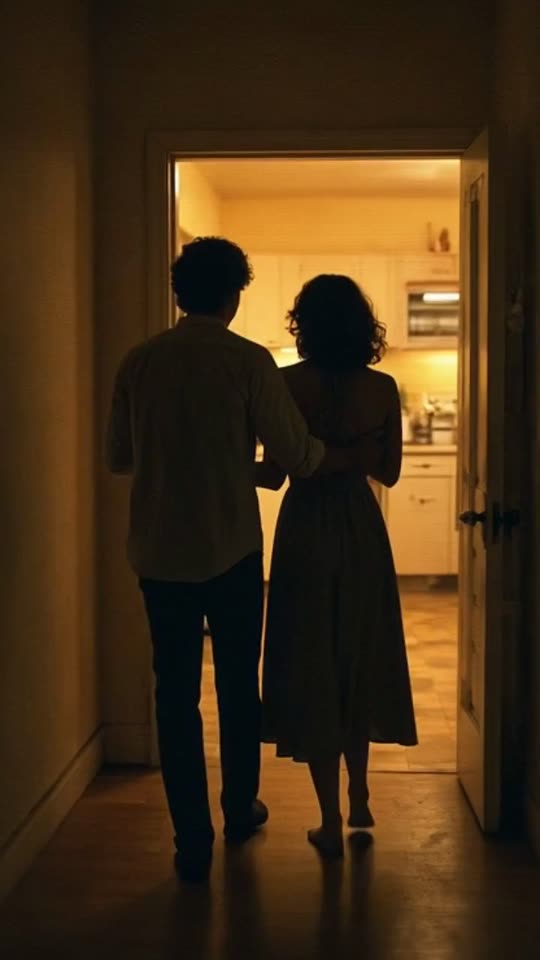
An AI music video of the lo-fi R&B song "Midnight Kitchen" in the Retro VHS look, made with MakeViral
Made with MakeViral: an AI-made lo-fi R&B song, Full song, Retro VHS look, no photo. Tap for sound.
Made with MakeViral

Music videos made with MakeViral

We made these from 30-second songs made with AI, in Full song mode on Fast quality, with no edits after. Every person in them is AI-made. Tap a video for sound.

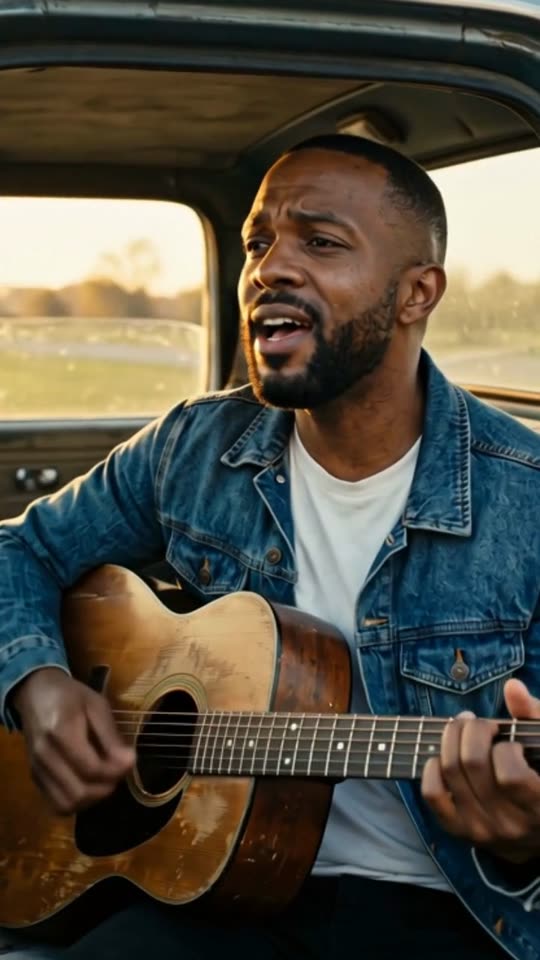
An AI music video of the country song "Dust Road Home" in the Cinematic look, made with MakeViral
Country, Cinematic, with a photo"Dust Road Home", 30 s, 11 shots cut on the beat
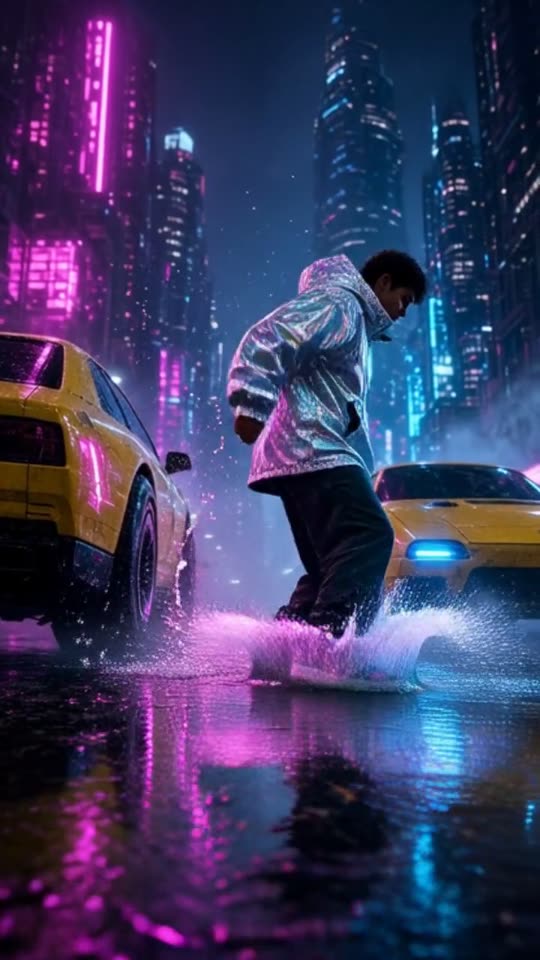
An AI music video of the hip hop song "Night Shift City" in the Neon city look, made with MakeViral
Hip hop, Neon city, no photo"Night Shift City", 30 s, 11 shots cut on the beat
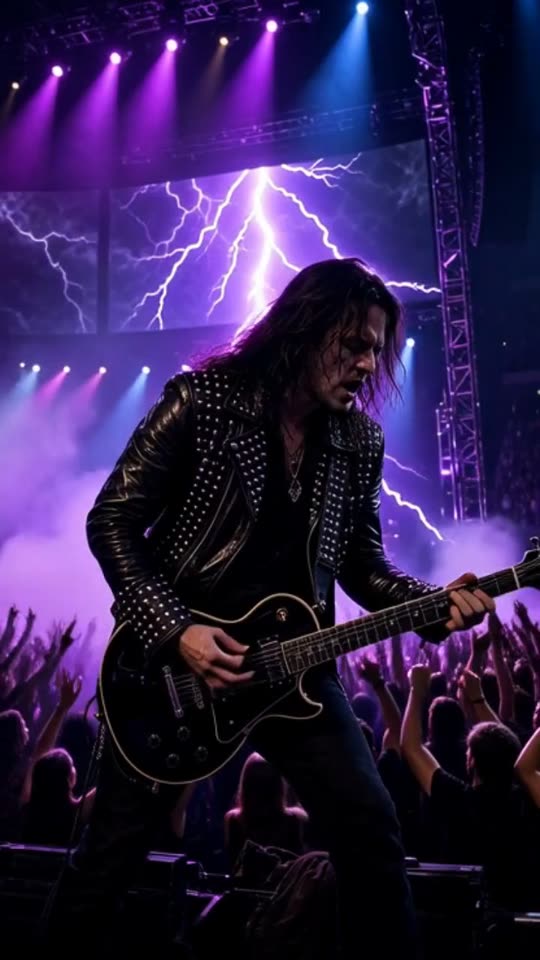
An AI music video of the rock song "Engine Heart" in the Concert stage look, made with MakeViral
Rock, Concert stage, no photo"Engine Heart", 30 s, 9 shots cut on the beat
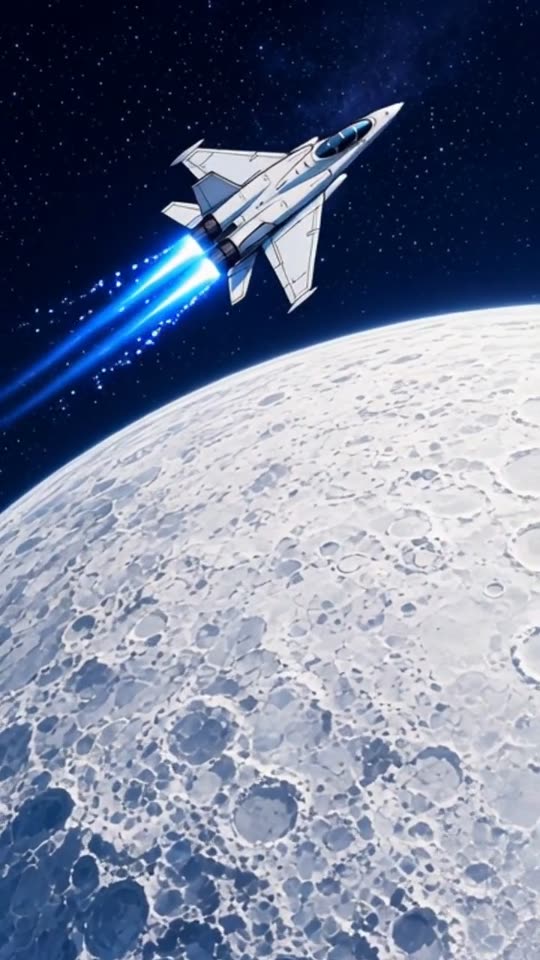
An AI music video of the EDM song "Starlight Run" in the Anime look, made with MakeViral
EDM, Anime, no photo"Starlight Run", 30 s, 8 shots cut on the beat
200 billionViews a day on YouTube ShortsYouTube, 2026
189 millionPeople TikTok reaches in the EU every monthTikTok, 2026
2.60%Average engagement on TikTok, against 0.45% on Reels and 0.30% on ShortsSocialinsider, 2026
4,200+Videos rendered on MakeViral so farCounted on this site, hourly
Sources

Every figure was read on the page it links to on 2026-09-18. The MakeViral counts come from this site and update every hour.

Audio to video AI takes a sound file and adds moving pictures, so you can post it where only video plays. On MakeViral you add a song, a beat, a podcast part or a voice note, pick up to 60 seconds, and the AI makes new clips that match the mood and change with the rhythm. You download an MP4.

Also called Audio to video AI · Audio to video converter · Sound to video

Who turns audio into video?

Anyone whose work is a sound, and whose audience is in a video feed.

WhoWhat they addWhat they post
Beatmakers and producersA beat or an instrumentalA beat preview with a look that sells the mood
Singers and rappersA song or a demoA teaser for a release, or the hook as a Reel
PodcastersOne strong minute of an episodeA clip that sends listeners to the full episode
Poets and spoken word artistsA recorded pieceThe words with images that follow them
Voice note fansA message, a toast, a birthday wishA video to share with a friend or family
DJsA part of a mix they have the rights toA drop with stage lights and a crowd

All of them use the same page. What changes is the audio and the look.

Music or speech: how the AI cuts your audio

This audio to video AI was built for music, and it works best with a beat. It still handles speech, but you should know what changes.

With a beat. Your browser detects the tempo and the beat times. Every shot starts on a beat and lasts 2 to 5 seconds, so the pictures move with the rhythm.

Without a beat. A podcast, a voice note or a poem has no steady beat. Then the shots change at an even pace, every 2 to 4 seconds. It feels calm and steady, not cut to a rhythm.

The words matter in both. Speech recognition reads the words in your part, and the AI writes the shots from them. So a story about the sea can get pictures of the sea, and a wedding toast can get the feeling of a wedding. An instrumental gets its mood from the sound and the style you pick.

What this audio to video tool does not do

Be sure it is the right tool before you pay.

  • No captions. The words are not written on screen. If your podcast clip needs subtitles, add them in an editor app or with the caption tool of the platform.
  • No waveform graphic. There is no moving sound wave or progress bar on the video. The pictures are AI clips.
  • No talking person. Nobody on screen speaks your words or moves their lips with them.
  • Not a full episode. One video covers 15, 30 or 60 seconds, or a full file of up to 6 minutes. Pick the best minute, not the whole hour.

If your audio is a song and you want the music video side of this, read the AI music video generator page.

Audio files that work best

  • Formats. MP3, M4A, WAV or AAC, up to 25 MB and 10 minutes. A voice memo saved as M4A works as it is.
  • Long recordings. A podcast episode is often longer than 10 minutes. Cut out the part you want first, or export it as a shorter file.
  • Links. A direct link to the audio file works. Links to podcast apps, video sites and streaming services do not.
  • Clean sound. The AI reads the words, so clear speech gives it a better shot list. Music under speech is fine.
  • A strong first second. The video starts where your part starts. Start on a word or a beat, not on silence.

Audio to video ideas

  1. Podcast to video: the best 30 seconds of your episode, in Cinematic, posted the day it goes live.
  2. A new beat in Neon city, 15 seconds, to show the mood before the full preview.
  3. Voice note to video: a birthday message, in Dreamy, with a photo of the person it is for (if they said yes).
  4. A spoken word piece in Retro VHS, the full 60 seconds.
  5. A choir or a band rehearsal in Concert stage, to announce the next show.
  6. A bedtime story you recorded, in Storybook, for the family group chat.
  7. A sound or a jingle you made, in 16:9, for your portfolio site.
Why it works

What the audio to video ai for beats, podcasts and voice notes does for you

Any sound, not only songs

Beats, songs, podcast parts, voice notes and spoken word all work.

Shots from your words

The AI reads the speech or the lyrics in your part and plans the pictures from them.

Moves with the rhythm

With a beat, every cut lands on it. Without one, the pace stays even.

14 looks, or your own

From Cinematic and Lo-fi to Claymation and Nature, or a style you describe yourself. One look for the whole video.

An MP4 for every feed

A 720p MP4: 9:16 Vertical for TikTok, Reels and Shorts, or 16:9 Wide for YouTube.

File or direct link

Upload the audio, or paste a link that points straight to the audio file.

How it works

4 steps from idea to finished file

No editor, no timeline, no export settings to get wrong.

  1. Add the audio

    Upload an MP3, M4A, WAV or AAC file, up to 25 MB, or paste a direct audio link.

  2. Pick the best seconds

    Choose 15, 30 or 60 seconds on the waveform, play it, and move it until it is the strongest part.

  3. Choose a look

    One look (or your own style), 9:16 or 16:9, and a photo if you want a person in every shot.

  4. Create the video

    Price shown before you create, from 35 credits for 15 seconds. Download the MP4 when it is ready.

Who it is for

Works in these niches

  • Podcasters
  • Beatmakers
  • Spoken word and poetry
  • Voice notes and toasts
  • Musicians
  • DJs
  • Storytellers
  • Sound designers
FAQ

Questions people ask

Can I turn a podcast into a video?
Yes, one part at a time: up to 60 seconds per video. The AI reads the words in that part and makes clips that follow them. There are no captions, so add subtitles in an editor if you need them.
Does audio to video AI add captions?
No. The video has your audio and AI clips, without text on screen. Add captions in an editor app or with the caption tool of the platform you post on.
Does it work with speech that has no music?
Yes. Without a beat, the shots change at an even pace, every 2 to 4 seconds, and the pictures follow the words. It works best with music, which gives the cuts a rhythm.
Can I turn a voice note into a video?
Yes. Save it as an MP3, M4A, WAV or AAC file and upload it. A voice memo from a phone is usually M4A, which works as it is.
How long can my audio be?
The file can be up to 10 minutes and 25 MB. The video covers the part you pick (15, 30 or 60 seconds), or the full file when it is 6 minutes or shorter.
Does the AI change my audio?
No. The part you picked plays under the clips at full volume, with a short fade at the very end so the video does not stop on a cut sound.
What does audio to video cost?
Price shown before you create, from 35 credits for 15 seconds. A new account starts with 0 credits, and the smallest top-up is a $9.99 one-time pack of 100 credits.

Give your audio something to watch

Add up to 60 seconds of sound. The AI makes the pictures. Price shown before you create, from 35 credits for 15 seconds.

No watermark. A failed video gives its credits back. Secure checkout by Stripe.