Back

Whoville Character AI: The ChatGPT Whoville Trend From One Selfie

Add one selfie. The AI keeps your face, smile and hair color, piles your hair up into tall Christmas curls with bows and candy canes, and puts you in a fur-trimmed outfit in a snowy town of crooked, glowing houses.

The original Whoville reel by @ad_1981Original reel
  • 1 photo you add
  • 2K photo you can turn into a video
  • 9:16 for TikTok, Reels, Shorts
  • No watermark

No prompt to write: Add your photo and tap once

Create your own

Ready in a few minutes · Photo · From 3 credits

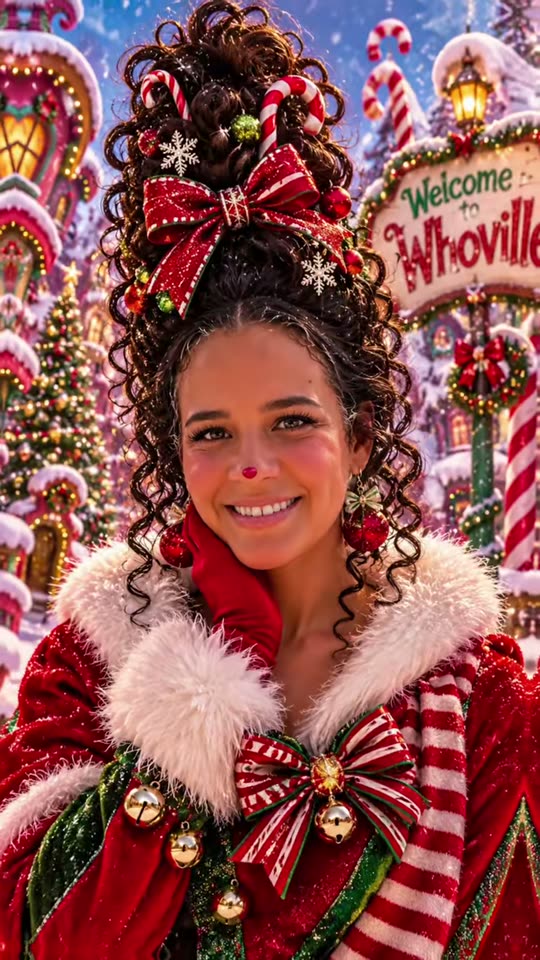
The whoville character trend, or the Whoville AI trend, is a ChatGPT Whoville photo of you: one selfie becomes a Who from Whoville with gravity-defying curly hair, bows, candy canes, rosy cheeks and a fur-trimmed Christmas outfit, in a snowy town of crooked houses. Add one photo and get the portrait, or a 10 second video with the trend's sound.

Also called Whoville makeover · ChatGPT Whoville Christmas transformation · Whoville AI filter · Who from Whoville AI

Example

What the Whoville photo looks like

Both clips are the creators' own ChatGPT portraits from the trend's first posts, with each post's sound; the title card at the start of each post is cut. They are not MakeViral results. Your result is a new portrait made from your photo, or a 10 second video of it.

Original reel by @ad_1981, 4 s

The first post of the trend, by @ad_1981 (13 November 2026): her ChatGPT Whoville portrait, with tall curls, a big red bow, candy canes, a rosy nose tip and a fur-trimmed coat.

Original reel by @thick.n.pretty83, 12 s

The same prompt for @thick.n.pretty83 (15 November 2026): blonde curls piled high with peppermints and bows, a striped scarf and a snowy town behind her.

Step by step

How to make the Whoville photo on MakeViral

Everything runs in the browser. No editing app, no prompt to write, no watermark.

  1. Add your photo

    Press "Create your own" and add you, chest up, face clear. Take it with the camera or pick it from your library.

  2. Press Generate

    The button shows the price. Nano Banana 2.1 puts your photo into the Whoville scene and makes one 2K photo. You write no prompt.

  3. Download or share

    The photo is ready in a few minutes as a 9:16 2K image. Download it, share it from your phone, turn it into a video, or find it later in My videos.

Which photo works best?

Use one sharp selfie of one adult, from the chest up, looking into the camera. The AI keeps your face, smile, eye color, skin tone and hair color, and changes the hairstyle, the outfit and the background.

  • Face the camera, in daylight. A side view or a dark photo loses the likeness.
  • Any hair length works: it becomes tall curls in your own color.
  • No hat and no sunglasses. Glasses are fine.
  • Duo and Trio: one photo per person, in left-to-right order.
  • Pet versions: one pet per photo, the face, both eyes and the ears in view.
  • Adults and pets only. Never upload a child's photo, and only use photos of people who said yes.

Where did the Whoville trend start?

The Whos of Whoville come from Dr. Seuss's 1957 book How the Grinch Stole Christmas!, and their tall, swirly hair became famous with the 2000 live-action film, whose makeup won an Academy Award. Every December since, people search for the look: in December 2025 US Google searches for "whoville character" reached 110,000 a month and "whoville hair" 40,500, for Christmas parties, costumes and hair days.

The AI version started on TikTok on 13 November 2026, when @ad_1981 posted a slideshow titled "Ask ChatGPT which Whoville are you from", with her own ChatGPT portrait and a long prompt in the caption under the words "COPY & PASTE THIS PROMPT WITH YOUR PHOTO". On 14 and 15 November at least nine more accounts posted the same prompt word for word, each with their own Whoville transformation, and on 16 November the first tutorials appeared. The posts are still small (each under 1,500 views on 16 November), but the Whoville trend hashtag #whovilletrend already holds 3.4 million views from earlier Christmas seasons, and searches for "whoville character" stood at 40,500 in October 2026, before the season.

  1. Dr. Seuss publishes How the Grinch Stole Christmas!, the book that introduces Whoville and the Whos. Wikipedia

  2. The live-action film opens in the US; its makeup, including the Whos' faces and hair, later wins the Academy Award for Best Makeup. Wikipedia

  3. US Google searches for "whoville character" reach 110,000 a month, "whoville hair" 40,500 and "whoville costume" 18,100 (Google Ads data).

  4. @ad_1981 posts her ChatGPT Whoville Christmas transformation with the full copy-and-paste prompt in the caption. TikTok

  5. By the end of the day at least ten accounts have posted the same prompt, among them @thick.n.pretty83 and @haleighashtonbetts. TikTok

  6. The first how-to posts for the Whoville character AI trend appear on TikTok. TikTok

Copy and paste

The Whoville prompts

You do not need this: the one-tap flow runs it for you. The photo prompt puts your photo into the scene. Want to change it? Copy it and edit it in AI Photo.

Photo

1 photo: you, chest up, face clearNano Banana 2.1Photo · 2K · 9:163 credits
Photo prompt

Using my uploaded photo as the reference, transform me into an adorable, whimsical resident of a snowy Christmas storybook town! Make me look like I stepped straight into the magical Christmas world of that town! KEEP ME RECOGNIZABLE: Preserve my natural facial features, eye color, skin tone, smile, and overall likeness while giving me the charming, playful appearance of a resident of that storybook town. MY CHRISTMAS TOWN MAKEOVER: Give me an extravagant, gravity-defying Christmas hairstyle with playful curls, festive bows, and candy-cane decorations. Add adorable storybook facial features, a slightly whimsical nose, rosy cheeks, and a joyful Christmas expression. Dress me in a luxurious, colorful Christmas outfit with fluffy fur trim, festive scarves, bells, and beautiful holiday accessories. Choose the colors, hairstyle, and accessories that best complement my appearance. Make my character fun, magical, festive, and full of personality! MAGICAL CHRISTMAS BACKGROUND: Place me in the heart of the town, surrounded by colorful, crooked Christmas houses, glowing windows, sparkling decorations, candy canes, Christmas trees, twinkling lights, and softly falling snow. Include a beautiful, curly, candy-striped wooden welcome sign that reads "Merry Christmas" in the background. IMAGE STYLE: Create an ultra-detailed, cinematic, realistic live-action Christmas fantasy portrait inspired by the magical world of a classic Christmas storybook. Use vibrant Christmas colors, beautiful lighting, realistic textures, and professional photography quality. Make the final image breathtaking, joyful, whimsical, and full of Christmas magic! IMPORTANT: Keep my face recognizable! Make me look like an actual resident of that Christmas storybook town, not a completely different person. FORMAT: Vertical 9:16 portrait, perfect for social videos and Christmas profile pictures. Chest up, my face large and turned to the camera. My hair keeps its own color. My nose keeps its own shape, with only a soft rosy-red tip. Exactly one person, five fingers on each hand. No text other than the sign, no logo, no watermark, no frame. Only the hairstyle, cheeks, nose tip, outfit and background change: the identity rules below apply to the rest of the face.

2251 characters

Video

1 photo: you, chest up, face clearKling 3.010 s · 1080p · 9:1656 credits
Step 1 · Photo prompt

Using my uploaded photo as the reference, transform me into an adorable, whimsical resident of a snowy Christmas storybook town! Make me look like I stepped straight into the magical Christmas world of that town! KEEP ME RECOGNIZABLE: Preserve my natural facial features, eye color, skin tone, smile, and overall likeness while giving me the charming, playful appearance of a resident of that storybook town. MY CHRISTMAS TOWN MAKEOVER: Give me an extravagant, gravity-defying Christmas hairstyle with playful curls, festive bows, and candy-cane decorations. Add adorable storybook facial features, a slightly whimsical nose, rosy cheeks, and a joyful Christmas expression. Dress me in a luxurious, colorful Christmas outfit with fluffy fur trim, festive scarves, bells, and beautiful holiday accessories. Choose the colors, hairstyle, and accessories that best complement my appearance. Make my character fun, magical, festive, and full of personality! MAGICAL CHRISTMAS BACKGROUND: Place me in the heart of the town, surrounded by colorful, crooked Christmas houses, glowing windows, sparkling decorations, candy canes, Christmas trees, twinkling lights, and softly falling snow. Include a beautiful, curly, candy-striped wooden welcome sign that reads "Merry Christmas" in the background. IMAGE STYLE: Create an ultra-detailed, cinematic, realistic live-action Christmas fantasy portrait inspired by the magical world of a classic Christmas storybook. Use vibrant Christmas colors, beautiful lighting, realistic textures, and professional photography quality. Make the final image breathtaking, joyful, whimsical, and full of Christmas magic! IMPORTANT: Keep my face recognizable! Make me look like an actual resident of that Christmas storybook town, not a completely different person. FORMAT: Vertical 9:16 portrait, perfect for social videos and Christmas profile pictures. Chest up, my face large and turned to the camera. My hair keeps its own color. My nose keeps its own shape, with only a soft rosy-red tip. Exactly one person, five fingers on each hand. No text other than the sign, no logo, no watermark, no frame. Only the hairstyle, cheeks, nose tip, outfit and background change: the identity rules below apply to the rest of the face.

2251 characters
Step 2 · Video prompt

A magical, festive Christmas video in one continuous shot, at eye level, like a live-action Christmas movie. Keep the person's face, eye color, tall curly Christmas hairstyle, bows, candy canes and fur-trimmed outfit exactly as in the image, in the same snowy storybook town with the crooked houses and the welcome sign. 0-3 s: soft snow falls, the person smiles warmly into the lens, the windows of the crooked houses glow and the twinkling lights blink. 3-6 s: they sway the head from side to side, the tall curls, the bows and the candy canes bounce, and the little bells on the outfit shake. 6-10 s: they laugh, catch a snowflake on one hand, then give a happy little wave to the camera. The camera slowly pushes in toward the face. The face stays the same person in every frame. Exactly one person, five fingers on each hand. No cuts, no morphing, no new text, no logos.

875 characters

Duo

2 photos: you (left), face clear + your partner or friend (right), face clearNano Banana 2.1Photo · 2K · 9:163 credits
Photo prompt

Using our two uploaded photos as the reference, transform us into two adorable, whimsical residents of a snowy Christmas storybook town! Make us look like we stepped straight into the magical Christmas world of that town! The person in the first photo stands on the LEFT and the person in the second photo stands on the RIGHT, side by side and close together, both from the chest up. KEEP US RECOGNIZABLE: Preserve each person's natural facial features, eye color, skin tone, smile, and overall likeness from their own photo while giving us the charming, playful appearance of residents of that storybook town. Never blend our faces. OUR CHRISTMAS TOWN MAKEOVER: Give each of us an extravagant, gravity-defying Christmas hairstyle with playful curls, festive bows, and candy-cane decorations. Add adorable storybook facial features, a slightly whimsical nose, rosy cheeks, and a joyful Christmas expression. Dress us in luxurious, colorful Christmas outfits with fluffy fur trim, festive scarves, bells, and beautiful holiday accessories. Choose the colors, hairstyles, and accessories that best complement each of us. Make our characters fun, magical, festive, and full of personality! MAGICAL CHRISTMAS BACKGROUND: Place us in the heart of the town, surrounded by colorful, crooked Christmas houses, glowing windows, sparkling decorations, candy canes, Christmas trees, twinkling lights, and softly falling snow. Include a beautiful, curly, candy-striped wooden welcome sign that reads "Merry Christmas" in the background. IMAGE STYLE: Create an ultra-detailed, cinematic, realistic live-action Christmas fantasy portrait inspired by the magical world of a classic Christmas storybook. Use vibrant Christmas colors, beautiful lighting, realistic textures, and professional photography quality. Make the final image breathtaking, joyful, whimsical, and full of Christmas magic! IMPORTANT: Keep both faces recognizable! Make us look like actual residents of that Christmas storybook town, not completely different people. FORMAT: Vertical 9:16 portrait, perfect for social videos and Christmas profile pictures. Both faces large and turned to the camera. Each keeps their own hair color and nose shape, with only a soft rosy-red nose tip. Exactly two people, five fingers on each hand. No text other than the sign, no logo, no watermark, no frame. Only the hairstyles, cheeks, nose tips, outfits and background change: the identity rules below apply to the rest of each face.

2475 characters

Trio

3 photos: you (left), face clear + adult 2 (middle), face clear + adult 3 (right), face clearNano Banana 2.1Photo · 2K · 9:163 credits
Photo prompt

Using our three uploaded photos as the reference, transform us into three adorable, whimsical residents of a snowy Christmas storybook town! Make us look like we stepped straight into the magical Christmas world of that town! The person in the first photo stands on the LEFT, the person in the second photo in the MIDDLE and the person in the third photo on the RIGHT, close together, all from the chest up. KEEP US RECOGNIZABLE: Preserve each person's natural facial features, eye color, skin tone, smile, and overall likeness from their own photo while giving us the charming, playful appearance of residents of that storybook town. Never blend our faces. OUR CHRISTMAS TOWN MAKEOVER: Give each of us an extravagant, gravity-defying Christmas hairstyle with playful curls, festive bows, and candy-cane decorations. Add adorable storybook facial features, a slightly whimsical nose, rosy cheeks, and a joyful Christmas expression. Dress us in luxurious, colorful Christmas outfits with fluffy fur trim, festive scarves, bells, and beautiful holiday accessories. Choose the colors, hairstyles, and accessories that best complement each of us. Make our characters fun, magical, festive, and full of personality! MAGICAL CHRISTMAS BACKGROUND: Place us in the heart of the town, surrounded by colorful, crooked Christmas houses, glowing windows, sparkling decorations, candy canes, Christmas trees, twinkling lights, and softly falling snow. Include a beautiful, curly, candy-striped wooden welcome sign that reads "Merry Christmas" in the background. IMAGE STYLE: Create an ultra-detailed, cinematic, realistic live-action Christmas fantasy portrait inspired by the magical world of a classic Christmas storybook. Use vibrant Christmas colors, beautiful lighting, realistic textures, and professional photography quality. Make the final image breathtaking, joyful, whimsical, and full of Christmas magic! IMPORTANT: Keep every face recognizable! Make us look like actual residents of that Christmas storybook town, not completely different people. FORMAT: Vertical 9:16 portrait, perfect for social videos and Christmas profile pictures. All three faces large and turned to the camera. Each keeps their own hair color and nose shape, with only a soft rosy-red nose tip. Exactly three adults, five fingers on each hand. No text other than the sign, no logo, no watermark, no frame. Only the hairstyles, cheeks, nose tips, outfits and background change: the identity rules below apply to the rest of each face.

2506 characters
Pet photo

1 photo: your pet, face and ears clearNano Banana 2.1Photo · 2K · 9:163 credits
Photo prompt

Using my pet's uploaded photo as the reference, transform my pet into an adorable, whimsical resident of a snowy Christmas storybook town! Make my pet look like it stepped straight into the magical Christmas world of that town! KEEP MY PET RECOGNIZABLE: Preserve its natural face, eye color, fur colors, markings, and overall likeness while giving it the charming, playful appearance of a resident of that storybook town. MY PET'S CHRISTMAS TOWN MAKEOVER: Give it an extravagant, gravity-defying Christmas hairdo: the fur on top of its head swept up into a tall tuft with playful curls, festive bows, and candy-cane decorations. Add rosy cheeks and a joyful Christmas expression. Dress it in a luxurious, colorful little Christmas outfit with fluffy fur trim, a festive scarf, bells, and beautiful holiday accessories. Choose the colors, hairdo, and accessories that best complement its fur. Make the character fun, magical, festive, and full of personality! MAGICAL CHRISTMAS BACKGROUND: Place my pet in the heart of the town, surrounded by colorful, crooked Christmas houses, glowing windows, sparkling decorations, candy canes, Christmas trees, twinkling lights, and softly falling snow. Include a beautiful, curly, candy-striped wooden welcome sign that reads "Merry Christmas" in the background. IMAGE STYLE: Create an ultra-detailed, cinematic, realistic live-action Christmas fantasy portrait inspired by the magical world of a classic Christmas storybook. Use vibrant Christmas colors, beautiful lighting, realistic textures, and professional photography quality. Make the final image breathtaking, joyful, whimsical, and full of Christmas magic! IMPORTANT: Keep my pet recognizable! Make it look like an actual resident of that Christmas storybook town, not a different animal. FORMAT: Vertical 9:16 portrait, perfect for social videos and Christmas profile pictures. The pet sits, its face large and turned to the camera, the same breed, head shape, ears and muzzle as in the photo. A real animal in a costume: not a cartoon, not a plush toy. Exactly one animal and no people. No text other than the sign, no logo, no watermark, no frame. Only the curly tuft, the outfit and the background change: the identity rules below apply to the rest.

2251 characters

Pet video

1 photo: your pet, face and ears clearSeedance 2.510 s · 720p · 9:16128 credits
Step 1 · Photo prompt

Using my pet's uploaded photo as the reference, transform my pet into an adorable, whimsical resident of a snowy Christmas storybook town! Make my pet look like it stepped straight into the magical Christmas world of that town! KEEP MY PET RECOGNIZABLE: Preserve its natural face, eye color, fur colors, markings, and overall likeness while giving it the charming, playful appearance of a resident of that storybook town. MY PET'S CHRISTMAS TOWN MAKEOVER: Give it an extravagant, gravity-defying Christmas hairdo: the fur on top of its head swept up into a tall tuft with playful curls, festive bows, and candy-cane decorations. Add rosy cheeks and a joyful Christmas expression. Dress it in a luxurious, colorful little Christmas outfit with fluffy fur trim, a festive scarf, bells, and beautiful holiday accessories. Choose the colors, hairdo, and accessories that best complement its fur. Make the character fun, magical, festive, and full of personality! MAGICAL CHRISTMAS BACKGROUND: Place my pet in the heart of the town, surrounded by colorful, crooked Christmas houses, glowing windows, sparkling decorations, candy canes, Christmas trees, twinkling lights, and softly falling snow. Include a beautiful, curly, candy-striped wooden welcome sign that reads "Merry Christmas" in the background. IMAGE STYLE: Create an ultra-detailed, cinematic, realistic live-action Christmas fantasy portrait inspired by the magical world of a classic Christmas storybook. Use vibrant Christmas colors, beautiful lighting, realistic textures, and professional photography quality. Make the final image breathtaking, joyful, whimsical, and full of Christmas magic! IMPORTANT: Keep my pet recognizable! Make it look like an actual resident of that Christmas storybook town, not a different animal. FORMAT: Vertical 9:16 portrait, perfect for social videos and Christmas profile pictures. The pet sits, its face large and turned to the camera, the same breed, head shape, ears and muzzle as in the photo. A real animal in a costume: not a cartoon, not a plush toy. Exactly one animal and no people. No text other than the sign, no logo, no watermark, no frame. Only the curly tuft, the outfit and the background change: the identity rules below apply to the rest.

2251 characters
Step 2 · Video prompt

A magical, festive Christmas video in one continuous shot, at the pet's eye level, like a live-action Christmas movie. Keep the animal's face, eyes, fur colors, markings, the tall curly tuft with bows and candy canes and the fur-trimmed outfit exactly as in the image, in the same snowy storybook town with the crooked houses and the welcome sign. 0-3 s: soft snow falls, the pet looks into the lens with bright eyes, the windows of the crooked houses glow and the twinkling lights blink. 3-6 s: it tilts its head from side to side, the curly tuft, the bows and the candy canes bounce, and the little bells on the outfit shake. 6-10 s: a snowflake lands on its nose, it blinks, then looks back into the lens with a happy face. The camera slowly pushes in toward the face. The pet stays the same animal in every frame, with its own paws. Exactly one animal, no people, no human hands. No cuts, no morphing, no new text, no logos.

928 characters

How many credits does it cost?

You pay per photo in credits, and the create page shows the exact price on the Generate button before you spend anything. The one-tap price covers one 2K photo, charged once. One photo is 3 credits, so the smallest one-time pack that covers it is $9.99 for 100 credits, with no subscription. A smaller 1K photo costs less if you run the prompt by hand in AI Photo.

ModelSettingsCredits
Photo: Nano Banana 2.1 (this template)2K photo, 9:16, one tap3
Video: Kling 3.0 (this template)10 s, 1080p + 1 scene photo, one tap56
Duo: Nano Banana 2.1 (this template)2K photo, 9:16, one tap3
Trio: Nano Banana 2.1 (this template)2K photo, 9:16, one tap3
Pet photo: Nano Banana 2.1 (this template)2K photo, 9:16, one tap3
Pet video: Seedance 2.5 (this template)10 s, 720p + 1 scene photo, one tap128
Nano Banana 2.1 (by hand in AI Photo)1K photo, 9:16, same prompt2

One-time packs and plans are on the pricing page. A failed photo gives its credits back.

What each version gives you

Pick the version on the create page. Photo 1 is always you (or your pet), so your photo carries over when you switch.

VersionPhotosWhat you get
Photo (default)1Your Whoville portrait: one tall 9:16 picture, chest up, with the tall curly hair, bows, candy canes, rosy cheeks and nose tip, a fur-trimmed outfit and the snowy town behind you
Video1The same portrait, then 10 seconds of motion: snow falls, your curls and bows bounce, you laugh, catch a snowflake and wave, with the trend's Christmas sound
Duo2Two Whos side by side, each with their own face and their own hairstyle: a couple, two friends, a parent and their adult child
Trio3Three adults in one Christmas town portrait, left, middle and right in your photo order
Pet photo1Your dog or cat as a Who: a curly tuft with bows and candy canes, a little fur-trimmed outfit, the same snowy town
Pet video1The pet portrait, then 10 seconds of snow, a bouncing tuft and a head tilt, with the trend's sound

The video versions use top-quality AI video models, including Seedance 2.5 for Best. The create page shows the price of each version before you start.

The ChatGPT Whoville prompt, and what we changed

We use the prompt from the trend's first post, the one every later post copied, in its own words and order: "Using my uploaded photo as the reference, transform me into an adorable, whimsical resident of ...", the "keep me recognizable" rules, the makeover (an extravagant, gravity-defying Christmas hairstyle with playful curls, festive bows and candy-cane decorations, a slightly whimsical nose, rosy cheeks, a luxurious outfit with fluffy fur trim, scarves and bells), the background of colorful, crooked Christmas houses with glowing windows and falling snow, and the cinematic, live-action portrait style.

What we changed, and why:

  • The names. The book, the film, the town and its sign are trademarks, so our prompt describes the look in words ("a snowy Christmas storybook town") instead of naming them, and the sign says "Merry Christmas". The look is the same.
  • The nose. In the trend's best results the nose keeps its shape and only gets a rosy tip. A longer or pointed nose is the fastest way to lose the likeness, so our prompt asks for your own nose with a soft red tip.
  • Your face. Our identity rules go at the end of every prompt: the face shape, eyes, eye color, skin tone, age and smile stay yours, and only the hair, the outfit and the background change.

You can copy the prompt from the create page and edit it, but the one-tap flow runs it for you.

Whoville hair, makeup and costume ideas

Many people search for Whoville hairstyles, Whoville makeup or a Whoville costume because they want to dress up for a Christmas party, a Christmas play or a themed hair day. Your AI portrait is a quick way to see the look on your own face first.

  • Whoville hair: the classic Who hairdo is tall and gravity-defying, swept up into loops, swirls or a tower of curls. For Whoville hairstyles for adults, a high ponytail or a bun over a hidden frame or foam roll gives the height; bows, candy canes, ornaments and tinsel go in last. Your portrait shows which colors of bows suit your hair color.
  • Whoville makeup: the trend look is light: rosy pink cheeks, a soft red tip on the nose, a little sparkle. The film's prosthetic noses are a costume job, not a makeup one.
  • Whoville costume: red and white, plaid, stripes and lots of fluffy fur trim, with a scarf and small bells, as in the examples above.

What does a Who from Whoville look like? Big swirly hair, a small upturned nose, rosy cheeks and bright, cozy Christmas clothes. The Whoville people of the films have prosthetic faces; the AI trend keeps your own face and adds only the hair, the colors and the fur.

Honest limits

  • The face can drift. A huge new hairstyle is a big change, and a run can come out looking like a relative of you. Use a sharp, front-facing photo, and run it again if it does not look like you. Every run is a little different.
  • The sign. The AI paints the sign itself. Our prompt asks for "Merry Christmas", but now and then a letter comes out wrong.
  • Duo and Trio. Each face has its own photo, but with three faces in one picture each face is smaller, so the likeness is a little weaker than in the one-person portrait.
  • Pets. A pet keeps its breed, fur and markings; the tuft on the head may come out looking like a small wig. Run it again for a different hairdo.
  • Video. 10 seconds, vertical, made from your portrait. The sound is the trend's own Christmas sound, put on after the video; you can turn it off on the result screen.
  • Not the film. It is a fan-style Christmas portrait, not an official picture of the book or the films.
FAQ

Whoville trend questions

What is the Whoville AI trend?
It is a ChatGPT Whoville photo trend that started on TikTok on 13 November 2026: people upload a selfie with a long copy-and-paste prompt and get a portrait of themselves as a Who from Whoville, with tall curly Christmas hair, bows, candy canes, rosy cheeks, a fur-trimmed outfit and a snowy town of crooked houses behind them.
What is the ChatGPT Whoville prompt?
The first post's prompt starts "Using my uploaded photo as the reference, transform me into an adorable, whimsical resident of Whoville", asks to keep your face recognizable, and lists the makeover: an extravagant, gravity-defying Christmas hairstyle with playful curls, festive bows and candy canes, rosy cheeks, a fur-trimmed outfit and a magical Christmas town background. Our Whoville prompt keeps those words in the same order, with the trademarked names described instead.
Do I need ChatGPT for the Whoville character AI trend?
No. MakeViral runs the same Whoville character AI prompt on its own image model, adds rules that keep your face, and gives you the portrait in one tap. To turn yourself into a Whoville character, you only add a photo.
Will my Whoville character still look like me?
That is the goal: the prompt keeps your face shape, eyes, eye color, skin tone, age, smile and hair color, and changes only the hairstyle, the outfit and the background. A big new hairstyle can still make a run look a little off; a sharp, front-facing photo helps, and you can run it again.
What does a Who from Whoville look like?
Whos have tall, swirly, gravity-defying hair, small upturned noses, rosy cheeks and bright, cozy Christmas clothes with fur trim. The Whoville people of the 2000 film wore prosthetic noses; in the AI trend your own nose stays and gets a soft rosy tip.
Is there a Whoville filter app, or a Whoville filter on TikTok?
The trend is not a TikTok filter: people make the picture with an AI image tool and post it as a slideshow. MakeViral works like a Whoville character filter or a Whoville photo filter online, in your browser with no app to install: add a photo, and the AI makes the Whoville face and hair look for you. It is a full AI portrait, not a live face filter or a nose filter on the camera.
Can I make a Whoville character of my dog or cat?
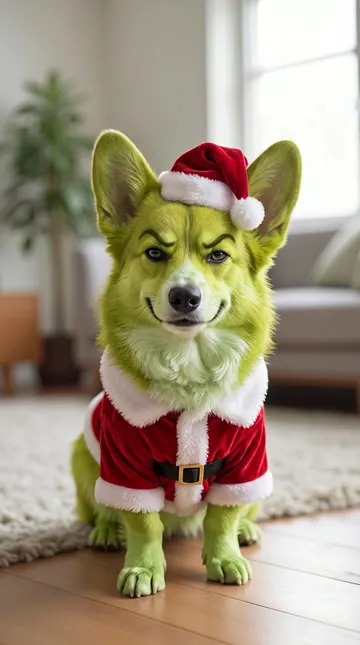
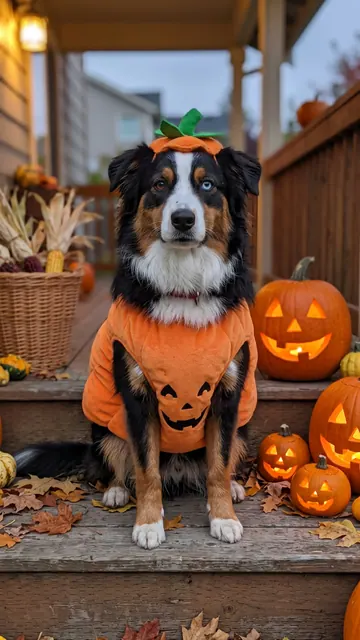
Yes. Pick "Pet photo" for a Whoville dog or cat portrait: your pet keeps its breed, fur and markings and gets a curly tuft with bows and candy canes, a little fur-trimmed outfit and the snowy town. "Pet video" adds 10 seconds of motion with the trend's sound.
Can I do the Whoville trend with my partner or friends?
Yes. "Duo" takes two photos and "Trio" takes three, one photo per adult, and puts everyone side by side in one Christmas town portrait, each with their own face and hairstyle. Add the photos in the order you want, from left to right.
Can I turn my Whoville transformation into a video?
Yes. The "Video" version makes your Whoville Christmas transformation first and then animates it for 10 seconds: snow falls, the curls and bows bounce, and you laugh and wave. The trend's own Christmas sound goes on after the video, and you can turn it off on the result screen.
Can I use my Whoville portrait as a profile picture?
Yes, it works well as a Christmas Whoville pfp: the portrait is a tall 9:16 picture with your face large in the upper half, so it crops cleanly to a square or a circle.
Can I see Whoville hair or a Whoville costume on me before I make it?
Yes, that is a handy use of it. Your portrait shows the tall Whoville character hair, the bows and the fur-trimmed costume on your own face and in your hair color, so you can use it as a guide for a real Christmas party look.
Is this an AI Whoville character generator?
Yes. It is an AI generator for Whoville characters made from your own photo, so the character has your face instead of a random one. For new Whoville characters with no face of yours, a general AI image tool fits better.
Can I upload a photo of my child?
No. This template takes adults and pets only. Use your own photo, or photos of adults who said yes.
Does it cost credits?
Yes. The create page shows the exact price on the Generate button before you spend anything. A photo costs far fewer credits than a video, and if a run fails, the credits come back.
More trends

Other AI video templates

Make your own Whoville photo

Add one photo and tap once. No prompt to write. 3 credits.

No watermark. A failed video gives its credits back. Secure checkout by Stripe.