Back

Symmetry Filter AI: Your Face Mirrored From the Left and the Right

Add one straight-on selfie. AI builds your left-side twin and your right-side twin, each one a mirror copy of one half of your face, and flips between them on the beat, or puts all three faces in one photo.

The original Symmetry Filter reel by @zxlkjy6Original reel
  • 1 photo you add
  • 10 s clip with sound
  • 9:16 for TikTok, Reels, Shorts
  • No watermark

No prompt to write: Add your photo and tap once

Create your own

Ready in a few minutes · From 3 credits

The symmetry filter is a TikTok face trend from October 2026, posted as "Asymmetry vs Symmetry": your face is mirrored from its left half and from its right half, so you see two symmetrical twins of yourself. Here, AI makes it from one selfie, as a short video or as one photo.

Also called Symmetrical face filter · Asymmetry vs Symmetry · Symmetrical face · Mask filter for face · Face symmetry trend

Example

What the Symmetry Filter video looks like

The trend's own clip: the demo at the start of the first CapCut tutorial of the wave (@zxlkjy6, 16 October 2026), cut before its captions. These are real people with the template's mirror effect, not a MakeViral result.

Original reel by @zxlkjy6, 7 s

The symmetry filter in the first tutorial of the wave: three faces, each mirrored down the middle line, the background mirrored with them, flipping on the beat.

Step by step

How to make the Symmetry Filter video on MakeViral

Everything runs in the browser. No editing app, no prompt to write, no watermark.

  1. Add your photo

    Press "Create your own" and add your selfie, face straight to the camera. Take it with the camera or pick it from your library.

  2. Press Generate

    The button shows the price. Seedance 2.5 films the Symmetry Filter scene straight from your photo, with no in-between picture, for 10 seconds with original sound. You write no prompt.

  3. Download or share

    The video is ready in a few minutes as a 9:16 MP4. Download it, share it from your phone, or find it later in My videos.

Which photo works best?

Upload one selfie of yourself, taken straight on. The filter mirrors your face down its middle line, so your head position decides the result.

  • Look straight into the camera. Phone at eye level, head level, not tilted or turned. A turned head gives one wide twin and one narrow twin.
  • Chest up, face large and sharp, both eyes and both cheeks in view.
  • Even light from the front, like a window in front of you. Light from one side makes one twin dark.
  • Keep your face clear: no sunglasses, no hand on the face. A side part shows up in both twins, which is part of the fun.
  • A neutral face or a small smile works best.
  • Use your own photo. Adults only: never a child, a celebrity or someone else's photo.

Where did the Symmetry Filter trend start?

Face symmetry videos are an old TikTok genre. In 2021 the Inverted filter had people compare the face they know from the mirror with the flipped face other people see, and many asked "is my face symmetrical?".

The new wave runs on a CapCut template called "symmetrical face | 4 pics". You pick up to four photos or clips, and the 11-second edit shows each face mirrored down its middle line, with the background mirrored too, and flips between the left-side and the right-side version under the caption "symmetry." or "symmetrical face.". CapCut tutorial accounts started to post it on 16 October 2026 as "symmetrical face filter tutorial. mask filter for face Asymmetry vs Symmetry". The first one, from an account in Australia, passed 450,000 views, and the template showed 1.5 million uses on its screen. A Spanish tutorial from Mexico, posted on 17 October, had 904,000 views by 22 October, and a US post of filter clips reached 832,000 views on the day it went up, 22 October. Some creators use the trend with a kind message: every face is a little asymmetrical, and that is normal.

  1. Face symmetry videos spread on TikTok with the Inverted filter, which shows people their face flipped the way others see it. Grazia

  2. The TikTok account @zxlkjy6 (Australia) posts the first symmetrical face filter tutorial of the wave, with the CapCut template "symmetrical face | 4 pics" at 1.5 million uses. It passes 450,000 views. TikTok

  3. A Spanish tutorial by @lyra6773 (Mexico), "mask filter for face Asymmetry vs Symmetry", goes up. By 22 October it has 904,000 views and 34,400 likes, the biggest post of the trend. TikTok

  4. A US compilation of symmetry filter clips by @ark6269 reaches 832,000 views and 20,900 likes on the day it is posted. The #symmetry hashtag has about 73,000 videos. TikTok

Copy and paste

The Symmetry Filter prompts

You do not need this: the one-tap flow runs it for you. [Image 1] is your photo: the video model takes it as a reference and films the scene straight from it, with no photo step first.

Video

1 photo: your selfie, face straight to the cameraSeedance 2.510 s · 720p · 9:16126 credits
Video prompt

A 10-second vertical 9:16 face symmetry filter video, like the symmetry filter trend on TikTok: one straight-on face that flips on the beat between the real face and its two mirror twins. Photorealistic, like a phone selfie video, with hard cuts on the beat: no morphing, no dissolves. The person in the clip is the person in [Image 1], in every frame: copy the exact face from [Image 1] (the face shape, eye color and eye shape, eyebrows, nose, mouth, skin tone, age, hair color, hair length and hairstyle, and any beard, moustache, glasses or freckles) and the clothes from [Image 1], so their friends recognize them at once. Never blend in another face. The framing: a straight-on selfie from the chest up, the face centered, large and level, the eyes looking into the lens, soft even light, the place from [Image 1] behind. In every twin shot the whole frame is mirrored down its vertical center line, like the filter: the background, the shoulders and the clothes on the left are an exact mirror copy of the right, and the edges of the frame show a mirrored copy of the background. The real-face shots are the normal selfie. 0-2 s: the real face, exactly as in [Image 1], a calm, neutral look into the lens. 2-4 s: hard cut to the LEFT-SIDE TWIN: the face rebuilt only from the half of the face on the left side of the frame, mirrored onto the right side across a line through the middle of the nose and the chin, so both eyes, both eyebrows, both cheeks, both ears and both halves of the lips and the hair are mirror copies of that one half. 4-6 s: hard cut to the RIGHT-SIDE TWIN: the same, rebuilt only from the half on the right side of the frame. 6-8.5 s: fast flips on every beat, about every half second: left twin, right twin, left twin, right twin. The head stays still between the flips; one small blink. 8.5-10 s: back to the real face from [Image 1], with a small, confident smile. The twins come only from the person's own face halves: the same skin, skin texture, moles, freckles, eye color, hair color and hairstyle, no retouching, no slimming, no makeup. They differ from each other only because the two real halves differ. The mirror line is invisible: no seam down the face. Audio: a slow, dark, bass-heavy original beat with a deep bass hit on every flip and a soft whoosh. No voice, no lyrics. Exactly one person in the frame, one head only. No text, no captions, no labels, no numbers, no score, no measuring lines or grid on the face, no arrows, no watermark, no app interface.

2510 characters
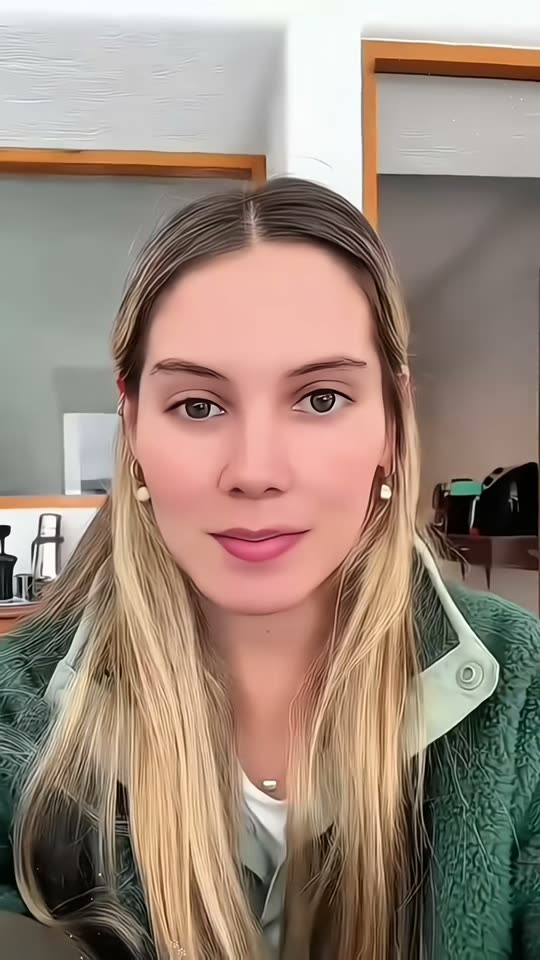
Photo

1 photo: your selfie, face straight to the cameraNano Banana 2.1Photo · 2K · 9:163 credits
Photo prompt

Use the uploaded image as the base: it is a real selfie of one person. Make one vertical 9:16 picture in the look of the TikTok face symmetry filter: three horizontal bands of the same height, stacked from top to bottom like a photo strip, with a thin straight white line between the bands. Every band shows the same straight-on crop of this person, from the top of the hair to the collarbones, with the face centered, large and the same size, in the same light and background as the photo. If the head in the photo is turned or tilted, show it straight and level in all three bands, facing the camera. TOP band, the left-side twin: the face rebuilt only from the half of the face on the LEFT side of the picture. Mirror that half onto the right side across a vertical line through the middle of the nose and the chin, so both halves are exact mirror copies: the same eye, eyebrow, cheek, ear, jaw line, half of the lips and half of the hair on both sides. The background is mirrored the same way. MIDDLE band: the real photo, unchanged. BOTTOM band, the right-side twin: the same, rebuilt only from the half of the face on the RIGHT side of the picture, mirrored onto the left side. The two twins come only from the person's own face halves: they look different from each other only because the two real halves are different. Keep the skin, the skin texture, moles, freckles, the hair color and the eye color of each half. No retouching, no slimming, no makeup, no new features. The mirror line is invisible: no seam, no line down the face. Exactly one person, the same person in all three bands. No text, no labels, no captions, no numbers, no score, no measuring lines or grid on the face, no arrows, no watermark, no app interface.

1735 characters

How many credits does it cost?

You pay per video in credits, and the create page shows the exact price on the Generate button before you spend anything. The one-tap price covers the scene photo and the video, charged once. Each version has its own price: Video 126 credits, Photo 3 credits. The cheaper models are there if you run the prompts by hand in AI Video.

Video modelSettingsCredits
Video: Seedance 2.5 (this template)10 s, 720p, straight from your photos, one tap126
Photo: Nano Banana 2.1 (this template)2K photo, 9:16, one tap3

One-time packs and plans are on the pricing page. A failed video gives its credits back.

What does the symmetry filter template make?

You pick one of two versions, both from the same selfie:

VersionWhat you getLength
VideoYour real face, then your left-side twin, your right-side twin, fast flips between the two on the beat, and back to you with a small smile. The background is mirrored like the filter. With its own beat.10 seconds, vertical
PhotoOne vertical picture like a photo strip: your left-side twin on top, your real selfie in the middle, your right-side twin at the bottom.One 2K image

Left-side twin = the half of your face on the left of the picture, mirrored onto the right side. Right-side twin = the same with the right half. Both twins are a symmetrical face made only from your own face: the same skin, freckles, hair and eye color, with no retouching.

How MakeViral makes it: the video comes straight from your photo with the best AI video models available, so your face stays yours. The photo is one Nano Banana 2.1 image. The create page shows the exact price on the Generate button before you spend anything.

Asymmetry vs symmetry: what the two twins show

No face is perfectly symmetrical. One eye sits a little higher, one eyebrow arches more, the smile pulls to one side, the hair parts on one side. The face symmetry filter makes that easy to see: when one half of the face is mirrored, those small differences double, so the two twins often look like two different people. That is why the asymmetry vs symmetry face posts get so many comments.

It is a game, not a beauty test. The filter gives no score and says nothing about which side is better. Some creators post it with a kind message: everyone has an asymmetrical face, and it is normal. The symmetrical face vs asymmetrical face question is the fun part, not a grade.

On TikTok, most people post the video as it is, with the caption "symmetry." or "Asymmetry vs Symmetry". You can add that text in the TikTok editor before you post.

Where does the prompt come from?

The trend runs on a closed CapCut template, so nobody shared a prompt. We read the captions and comments of the biggest tutorials and watched their frames, and they only show the template buttons. So our prompt is written from what the posts show: one front-facing face, mirrored down a line through the middle of the nose, the background mirrored with it, and hard flips between the left-half and the right-half mirror on the beat.

One honest limit: the CapCut template copies the pixels of half your face, while AI draws each twin from your photo. The twins come out very close to a true mirror, but not always pixel-exact, and a hair part or a mole can land a little off. Run it again for a new take.

What goes wrong, and how do you fix it?

ProblemFix
The two twins look almost the same as your real faceUse a straight-on photo with your head level: the more natural asymmetry your photo shows, the more different the twins look. Run it again.
One twin looks stretched or narrowYour head was turned in the photo. Take a new selfie looking straight into the lens.
One twin is much darkerThe light came from one side. Face a window or a soft lamp.
A seam shows down the middle of the faceRun it again; it changes from take to take.
The face does not look like youUse a sharper, closer photo with your whole face in view.
A run fails, or the model refuses a photoThe credits come back. Try another photo.
FAQ

Symmetry Filter trend questions

What is the symmetry filter?
It is a face filter trend on TikTok, posted as "Asymmetry vs Symmetry" since 16 October 2026. Your face is mirrored from its left half and from its right half, and the clip flips between the two symmetrical twins, usually with the caption "symmetry.". Here you make it from one selfie, as a 10-second video or one photo.
What does "Asymmetry vs Symmetry" mean in the trend?
Your real face is the asymmetry: the two halves are never the same. The two mirrored twins are the symmetry: each one is a perfectly symmetrical face built from one half. The asymmetry vs symmetry face posts show both, and people guess which twin looks more like the real person.
How do I get the symmetry filter on TikTok? Is it a CapCut template?
On TikTok it is a CapCut template, "symmetrical face | 4 pics": the symmetry filter tiktok posts and the symmetrical face filter tiktok tutorials link to it, often with the caption "mask filter for face Asymmetry vs Symmetry". Every symmetry filter capcut tutorial and asymmetry vs symmetry tutorial shows the same steps: open the template, use it in CapCut, pick your photos. Here you need no template and no editing: upload one selfie and press Generate.
Is there a symmetry filter app or a symmetry filter online?
This page is one, and it works in the browser: no app to install. Upload a selfie and you get the video or the photo back, ready to post. It does the job of a face symmetry app without a live camera.
Is this a face symmetry test?
Not a scientific one. A face symmetry test or a face symmetry checker measures your features and gives a number; a face symmetry test ai tool may give a score. This symmetry test gives no score: it is a symmetrical face test for fun, with your two mirror twins next to your real face, so you can see your own asymmetry.
Is there a symmetry filter on Instagram or Snapchat? What is the filter's name?
Many people search for the symmetry filter instagram name or a symmetry filter snapchat lens. The October 2026 TikTok wave is the CapCut template "symmetrical face | 4 pics", and the symmetry filter name in the captions is "mask filter for face". The video or photo you make here can go on Instagram, Snapchat or TikTok.
What is the inverted symmetry filter?
Those are two different effects. The Inverted filter of 2021 flips your whole face like a mirror, to show the face other people see. The symmetry filter mirrors only one half of your face onto the other half. This page makes the symmetry version.
Do I get a perfectly symmetrical face?
Each twin is meant to be a perfectly symmetrical face filter result, built from one half of your own face. AI draws the twins rather than copying pixels, so a small detail can come out a little off. Run it again for a new take.
Is my face symmetrical? Can the filter tell me?
Almost no face is. If you ask "is my face symmetrical", the filter answers with a picture: the more your two twins differ, the more asymmetrical your real face is. That is normal, and it is the joke of the trend, not a flaw. The symmetrical face meme posts and the asymmetry vs symmetry edit videos are about the surprise, not about looks.
Can I use an asymmetrical face filter instead?
The video already does both: it starts and ends on your real, asymmetrical face and flips through the symmetrical twins in between, like an asymmetrical face filter and a symmetry face filter in one clip.
Is it the same as a mirror face filter?
Yes, close to it. A mirror face filter mirrors the camera image down the middle; the symmetry filter does that through the middle of your face, once with the left half and once with the right half. The symmetry trend on TikTok is the same idea set to a beat.
Who can use it?
Adults, with their own selfie. Never use a photo of a child, a celebrity or another person without their yes. The result is AI-made: keep the platform's AI label on when you post.
Does it cost credits?
Yes. The photo costs a few credits, the video costs more because it is an AI video. The create page shows the exact price on the Generate button before you spend anything, and if a run fails, the credits come back.
Is my photo private?
Yes. MakeViral does not post your photo or the result anywhere or show them to other users. The result goes to your private My videos page, and you can delete it there at any time.
More trends

Other AI video templates

Template

Bby Wow Guy AI: Put Your Face in the Guy Dancing at a Quince Meme

Dance up to the camera at a quinceañera, bite the concha, chew with full cheeks while you stare into the lens, then dance away. Add one photo and become the bby wow guy, with the song.

Read more
Template

Bad Times AI Trend: Argue With the Camera From One Photo

Hands on the head, a hand on the hip, stop palms and a long stare at whoever is filming: the viral routine to Imael Angel's "Bad Times". Add one photo of you or your pet and get the clip with the song.

Read more
Template

Tecktonik Dance AI: Your Turn on the String-Light Stage

Arms out wide, hands to the head, both arms up, then a flurry of sharp arm moves on a small stage under string lights: the 2000s electro dance that Cheba Man brought back in 2026. Add one photo of you or your pet and get the dance with the song.

Read more
Template

Anime Face Trend: Your Own Anime Twin in the Star Eye Photo

Add one selfie. AI draws an original anime version of you, cuts a star from its face, puts it right over your eye and adds three or four anime stickers of your twin around you.

Read more
Template

Hand Pinch Filter AI: Close Your Eyes and a Hand Pinches Your Cheek

Eyes closed, a calm face, then a big, realistic hand reaches in from the edge of the frame, pinches your cheek and pulls. You open your eyes: "No way!" One photo, 10 seconds, with sound. A Pet version gives your dog or cat a gentle cheek pinch.

Read more
Template

AI Makeup Filter: Watch Your Full Glam Happen on Video

Add one photo with a bare face. AI makes the 10-second glow-up: a makeup artist's hands do your base, eyes, liner, lashes and lips, then you open your eyes and smile in full glam.

Read more

Make your own Symmetry Filter video

Add one photo and tap once. No prompt to write. 126 credits.

No watermark. A failed video gives its credits back. Secure checkout by Stripe.