AI music video generator

AI Music Video Generator: New Clips Cut on the Beat of Your Song

Add your song. The AI finds the best part, listens to the lyrics, and makes a new clip every few beats, cut exactly on the beat, with your track playing under it.

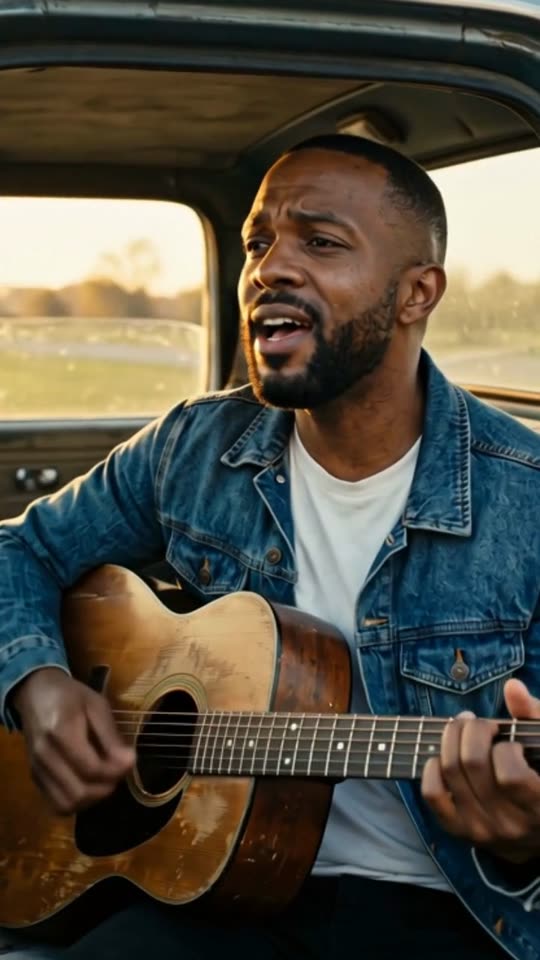
An AI music video of the country song "Dust Road Home" in the Cinematic look, made with MakeViral
Made with MakeViral: an AI-made country song, Full song, Cinematic look, one photo of an AI-made person. Tap for sound.
Made with MakeViral

Music videos made with MakeViral

We made these from 30-second songs made with AI, in Full song mode on Fast quality, with no edits after. Every person in them is AI-made. Tap a video for sound.

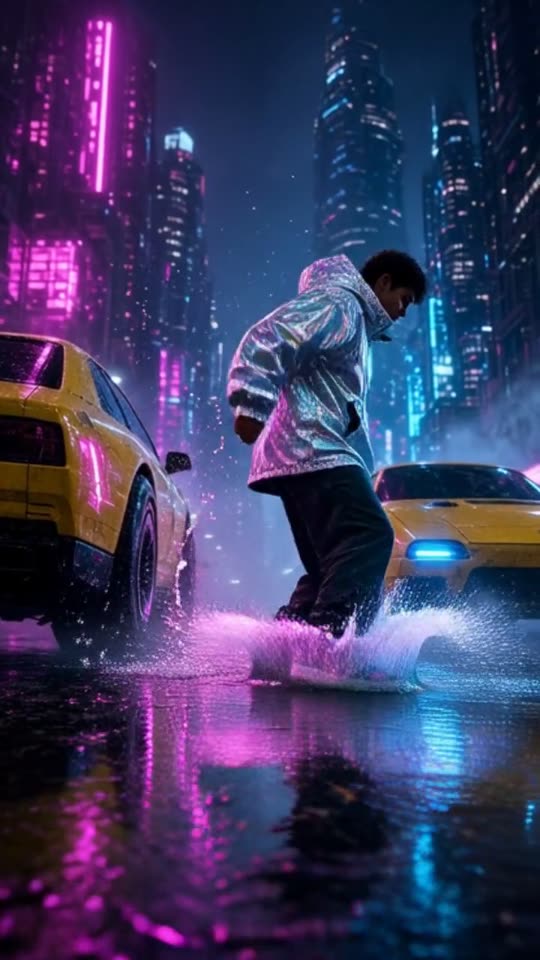
An AI music video of the hip hop song "Night Shift City" in the Neon city look, made with MakeViral
Hip hop, Neon city, no photo"Night Shift City", 30 s, 11 shots cut on the beat
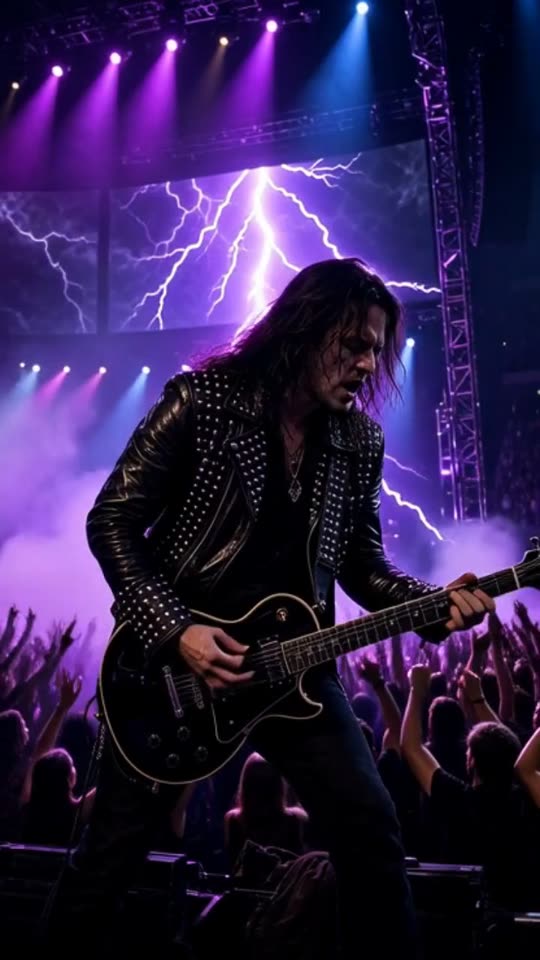
An AI music video of the rock song "Engine Heart" in the Concert stage look, made with MakeViral
Rock, Concert stage, no photo"Engine Heart", 30 s, 9 shots cut on the beat
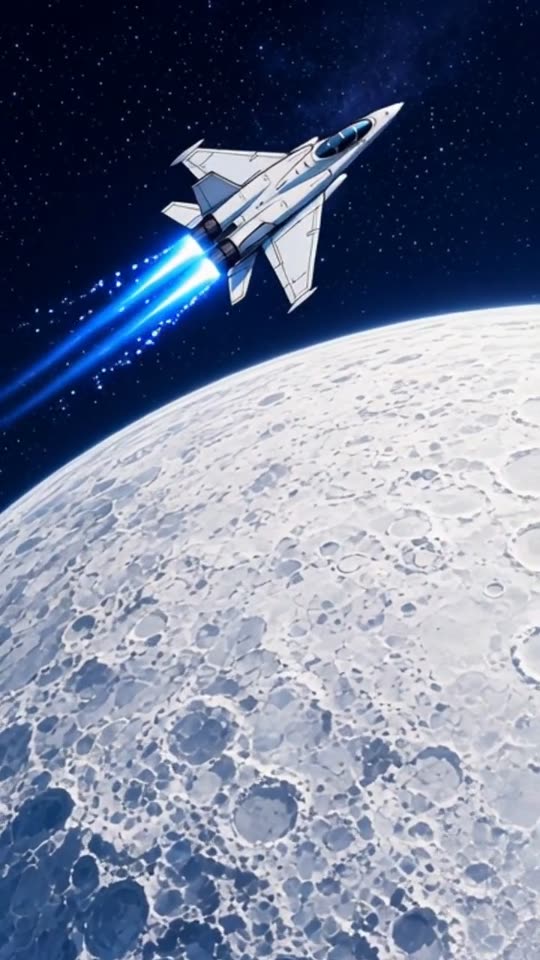
An AI music video of the EDM song "Starlight Run" in the Anime look, made with MakeViral
EDM, Anime, no photo"Starlight Run", 30 s, 8 shots cut on the beat
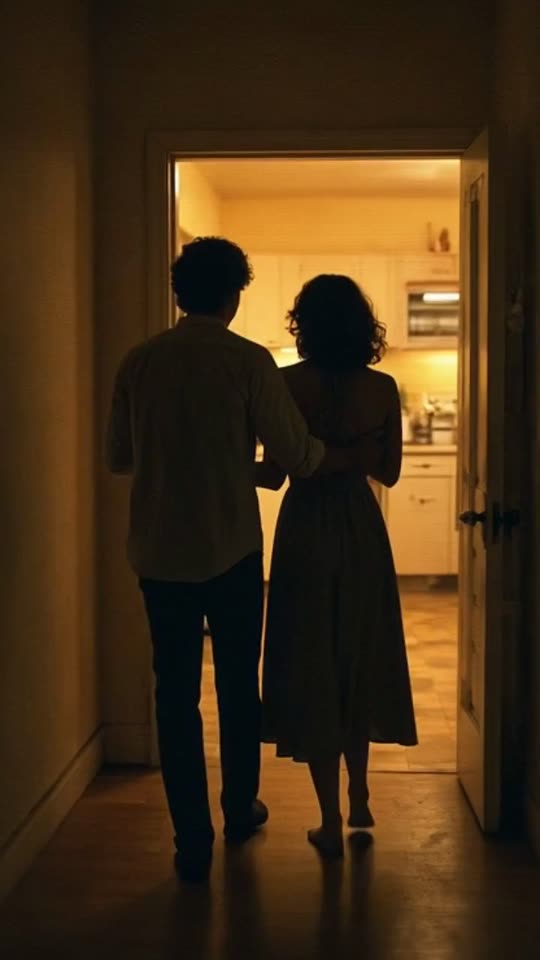
An AI music video of the lo-fi R&B song "Midnight Kitchen" in the Retro VHS look, made with MakeViral
Lo-fi R&B, Retro VHS, no photo"Midnight Kitchen", 30 s, 11 shots cut on the beat
200 billionViews a day on YouTube ShortsYouTube, 2026
189 millionPeople TikTok reaches in the EU every monthTikTok, 2026
2.60%Average engagement on TikTok, against 0.45% on Reels and 0.30% on ShortsSocialinsider, 2026
4,200+Videos rendered on MakeViral so farCounted on this site, hourly
Sources

Every figure was read on the page it links to on 2026-09-18. The MakeViral counts come from this site and update every hour.

An AI music video generator turns a song into a video made of new AI clips that fit its mood. On MakeViral you add your track, pick 15, 30 or 60 seconds of it, and choose a look. The AI listens to the lyrics, writes a shot list, and cuts every clip on the beat, with your song under it.

Also called AI music video maker · Music video AI · Music to video AI

What does an AI music video generator make?

One finished video for one part of your song. Not a slideshow, not a waveform, not a lyric video: a row of short, newly generated clips that change on the beat while your music plays.

What you chooseWhat you get
A part of the song: 15, 30 or 60 secondsA video exactly that long, ending with a short fade
A style: Cinematic, Anime, Lo-fi, 3D cartoon, Neon city, Dreamy, Synthwave, Pixel art, Claymation, Storybook, Dark fantasy, Nature, Concert stage or Retro VHS, or your own in up to 200 charactersEvery clip made in that look
One photo of yourself, or noneThe same person in every shot, or no fixed person
9:16 Vertical or 16:9 WideA vertical video for Reels, TikTok and Shorts, or a wide music video for YouTube

The file is a 720p MP4. Your song is the sound, at full volume and untouched in the middle. The AI is told to add no text and no logos to the clips, so the frame stays clean for your own title or caption.

What it does not do

  • It does not lip sync. Nobody in the clips sings your words. The clips follow the mood and the story of the lyrics, not the mouth movements.
  • The full song has a limit. Full song works for a song of up to 6 minutes. For a longer track, pick a part of 15, 30 or 60 seconds.
  • It does not read streaming links. Add a file, or paste a direct link that ends in an audio file.

How does the AI follow your song?

Music to video AI has to do more than lay clips over a track. Five steps run after you tap Create. You do not see any of them, but each one is why the video feels made for the track and not laid over it.

  1. It finds the beat. Your browser reads the song and detects the tempo, between 70 and 180 BPM, then a grid of beat times inside your part. The server checks those times again. When a song has no clear beat, it cuts at an even pace instead.
  2. It listens. Speech recognition reads the lyrics in your part, and the language. An instrumental works too: then the sound and the style set the mood.
  3. It writes a shot list. An AI writer plans one visual line per shot, in your style, following the mood and the story of the lyrics. Every shot is 2 to 5 seconds and starts on a beat: a cut every 2, 4 or 8 beats, depending on the tempo.
  4. It makes the clips. Each shot becomes a short AI video clip, at the quality you pick: Fast, Standard or Best. Each quality has a backup model that tries again when a clip fails.
  5. It cuts them together. The clips are trimmed to the shot lengths and joined with hard cuts that land on the beat times. Your song plays under them, with a short fade at the very end.

If a clip still fails after the backup, its credits come back to you.

Which AI music video style fits your track?

Pick one style for the whole video. These are starting points, not rules: a ballad in Neon city can look great.

StyleWhat the clips look likeOften fits
CinematicFilm light, real places, slow camera movesBallads, indie, pop, soundtracks
AnimeHand-drawn anime frames, bold colorJ-pop, emotional pop, game music
Lo-fiA cozy anime room, rain on the window, a warm lamp, a slow cameraLo-fi beats, study and chill tracks
3D cartoonBright 3D animated figures and soft round shapesSongs for kids, funny tracks, upbeat pop
Neon cityNight streets, rain, neon lightEDM, hip hop, trap
DreamySoft light, haze, pastel colorBedroom pop, acoustic, R&B
SynthwaveA neon 80s sunset, a glowing grid, chromeSynthwave, retro electronic, outrun
Pixel artA 16-bit game world in pixelsChiptune, game music, playful electronic
ClaymationHandmade clay figures, stop-motion movementIndie, folk, quirky pop
StorybookWatercolor picture-book paintingsLullabies, acoustic, story songs
Dark fantasyMisty forests, castles, moonlightMetal, epic and orchestral tracks, dark pop
NatureCalm landscapes, water and sky, a slow cameraAmbient, piano, meditation music
Concert stageStage lights, smoke, a crowdRock, pop anthems, anything made to be played live
Retro VHSTape grain, 80s and 90s colorThrowback tracks, indie, hyperpop

None of these fits? Pick "Your own style" and describe the look in your own words (up to 200 characters). It is saved, so it is there for your next song, and it costs the same.

Not sure? Make the same part twice in two styles and post the one your audience keeps watching.

Can you star in your own AI music video?

Yes. Add one clear photo of your face and the AI keeps that person in every shot: the same face from the first cut to the last, in the style you picked. It works well for an artist who wants to be in the video without a shoot, which is the main reason to use an AI music video maker.

Leave the photo out and the video has no fixed person. The shots follow the song with places, objects, crowds and changing characters. That suits instrumentals, DJ sets and tracks where the music is the star.

Use a photo of yourself, or of someone who said yes.

Can you use any song?

Use music you made or have the right to use. The video keeps your song as its sound, so the rules of the platform where you post it still apply to the music.

Add the song as an MP3, M4A, WAV or AAC file of up to 25 MB and 10 minutes, or paste a direct link to an audio file. Links to video sites and streaming services do not work: the generator needs the audio file itself.

Why it works

What the ai music video generator: new clips cut on the beat of your song does for you

Cuts on the beat

The tempo and the beat times come from your song, and every cut lands on one of them.

Shots that follow the lyrics

The AI listens to the words in your part, so the shots tell the same story as the song.

The best part, picked for you

The window starts on the loudest part after the intro, usually the chorus. Drag it anywhere.

14 looks, or your own

Cinematic, Anime, Lo-fi, 3D cartoon, Neon city, Dreamy, Synthwave, Pixel art, Claymation, Storybook, Dark fantasy, Nature, Concert stage or Retro VHS. Or describe your own style; it is saved for next time. One tap sets the look of every clip.

You in every shot

Add one photo and the same face stays in the whole video. Or add none.

Credits back on a failed clip

A clip that fails is tried again with a backup model. If it still fails, its credits come back.

How it works

4 steps from idea to finished file

No editor, no timeline, no export settings to get wrong.

  1. Add your song

    Drop an MP3, M4A, WAV or AAC file of up to 25 MB, or paste a direct audio link. The name and length show at once.

  2. Pick the part

    A waveform shows the song with a 15, 30 or 60 seconds window on the best part. Drag it, then play it to check.

  3. Make it yours

    Pick a look or your own style, and 9:16 Vertical or 16:9 Wide for YouTube. Add one photo to star in it, or skip it.

  4. Create and download

    Price shown before you create, from 35 credits for 15 seconds. Tap Create, and download a 720p MP4 when the video is ready.

Who it is for

Works in these niches

  • Independent artists
  • Rappers and singers
  • Producers
  • DJs
  • Bands
  • Music promoters
  • AI music creators
  • Cover artists
FAQ

Questions people ask

Is this AI music video generator free?
No. MakeViral has no free plan, and a new account starts with 0 credits. The smallest top-up is a $9.99 one-time pack of 100 credits, with no subscription. Price shown before you create, from 35 credits for 15 seconds, so you see the cost of your video before you pay.
How long can an AI music video be?
15, 30 or 60 seconds of your song, or the full song if it is 6 minutes or shorter. 15 seconds is the default.
Does the person in the video lip sync to my song?
No. The clips follow the mood and the story of the lyrics, but nobody mouths the words. The cuts land on the beat, which is what makes the video feel tied to the music.
Does the AI understand my lyrics?
It listens to the part you picked and reads the sung words and the language. The shot writer uses them for the mood and the images. An instrumental works too.
Which music video AI models make the clips?
You pick the quality: Fast, Standard or Best. Fast uses Grok Imagine at 480p, Standard uses Wan 3.0 at 720p, and Best uses Kling 3.0 at 720p. If a clip fails, a backup model tries it again. Each option shows its price before you create.
Can I use a song from a streaming link?
No. Add the song as a file (MP3, M4A, WAV or AAC) or paste a direct link to an audio file. Links to video sites and streaming services do not work.
Is the video vertical or wide?
Your choice: 9:16 Vertical for TikTok, Reels and Shorts, or 16:9 Wide for a music video for YouTube or a website. Vertical is the default. The price is the same.
What does an AI music video cost?
It depends on the length, the quality and on whether you add a photo: from 35 credits for 15 seconds, 60 for 30 seconds and 117 for 60 seconds (Fast, no photo). The exact price of your song is on the button before you create. A clip that fails gives its credits back.

Give your song the video it deserves

Add an MP3, M4A, WAV or AAC file, pick the part and a style. Price shown before you create, from 35 credits for 15 seconds, and a clip that fails gives its credits back.

No watermark. A failed video gives its credits back. Secure checkout by Stripe.