AI Baby Dance: Turn One Baby Photo Into the Viral Dance

Wait until your baby starts dancing: hands on the head, a hand on the hip, "talk to the hand" and stop palms, all on the beat. One photo of your baby in, a 10-second clip with the trend's sound out.

AI Baby Dance example video, made with AI-made peopleAI-made
  • 1 photo you add
  • 10 s clip with sound
  • 9:16 for TikTok, Reels, Shorts
  • No watermark

No prompt to write: Add your photo and tap once

Create your own

Ready in a few minutes · 40 credits

The AI baby dance turns one photo of your baby into a short clip where the baby dances on the beat. The viral version copies a sassy routine: hands on the head, a hand on the hip, "talk to the hand" and stop palms. You need one photo of your own baby, and the clip comes with the trend's sound.

Example

What the AI Baby Dance video looks like

The people and pets are AI-made, not real persons. The reel versions copy the original clip and come with its original song, which you can turn off; the other versions have original sound. Your result will differ from run to run.

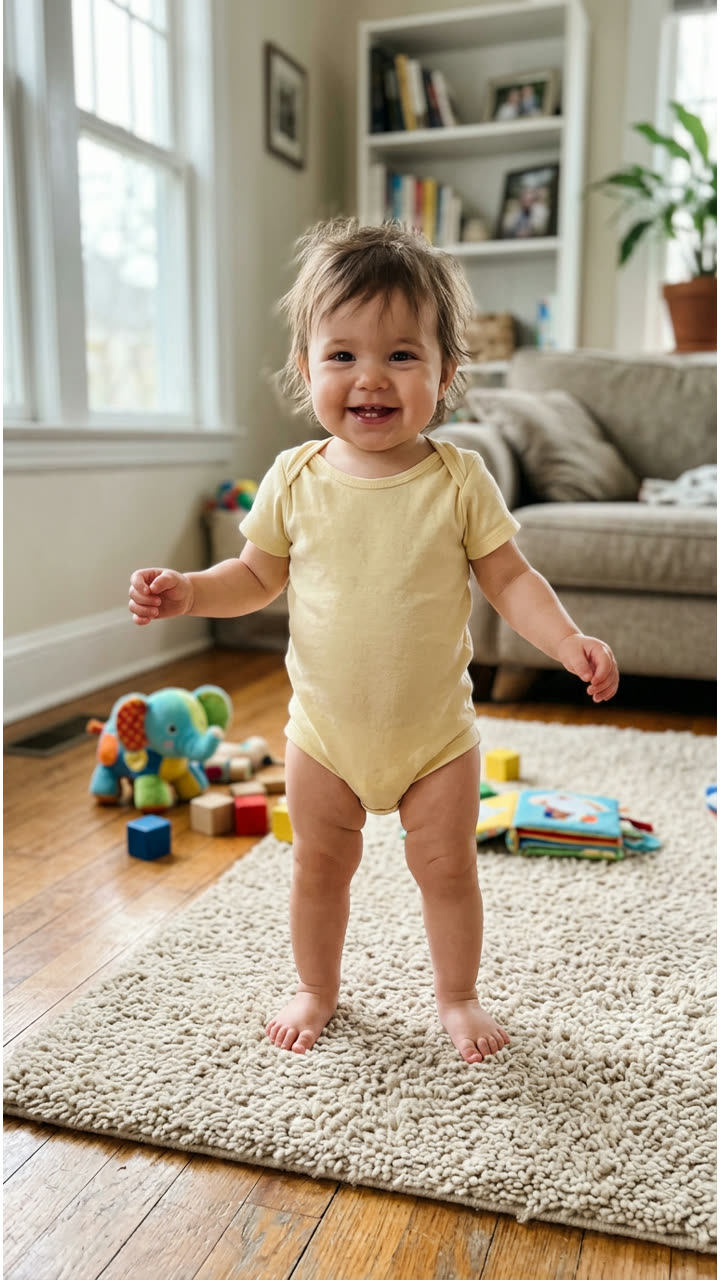
Input photo for AI Baby Dance example (AI-made person)
Input
Result, 10 s, with sound

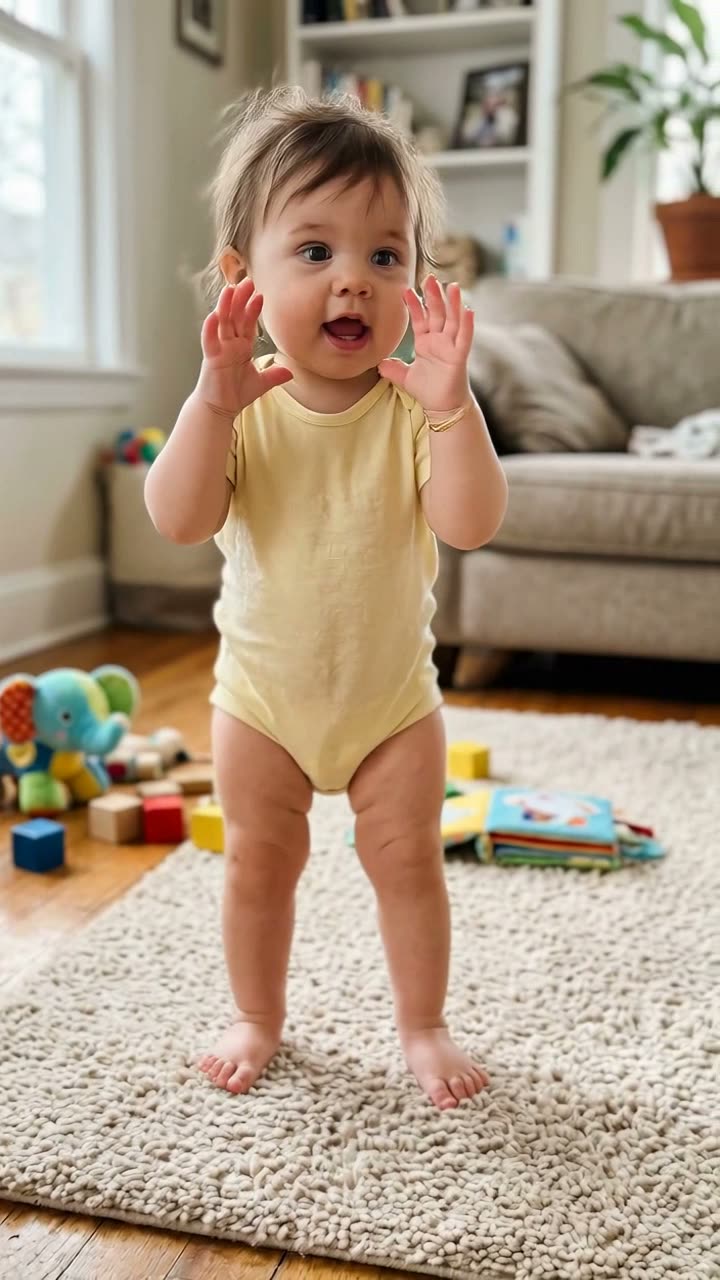
One photo of an AI-made baby (not a real child) in a living room: the baby does the trend's routine in the same room, with hands on the head, a hand on the hip and stop palms, on the trend's sound.

Input photo for AI Baby Dance example (AI-made person)
Input
Result, 12 s, with sound

The Toc Toc dance from the same AI-made baby photo: the baby stomps, kicks and turns around its own living room to the Toc Toc beat.

Use this reference
Step by step

How to make the AI Baby Dance video on MakeViral

Everything runs in the browser. No editing app, no prompt to write, no watermark.

  1. Add your photo

    Press "Create your own" and add your baby. Take it with the camera or pick it from your library.

  2. Press Generate

    The button shows the price. Kling 3.0 Motion Control takes the moves of the AI baby dance clip and plays them with the one in your photo, in your photo's own scene, for about 10 seconds, with the reel's original sound. You write no prompt.

  3. Download or share

    The video is ready in a few minutes as a 9:16 MP4. Download it, share it from your phone, or find it later in your Library.

Which photo works best?

Upload one photo of your own baby. The baby from the photo does the moves, in the photo's own room or garden.

  • Upright works best. The routine is done standing, so a photo of your baby standing or sitting up straight gives the most natural result. A baby lying down can get odd legs.
  • Head to toes in view if you can, at least head to waist, with the face turned to the camera.
  • One baby, nobody else. Crop out a parent's hands, a sibling or a pet.
  • Good light, no blur. Hats, hoods and sunglasses hide what the model needs.
  • A vertical photo gives a vertical clip, and a tidy background looks better, because the frame and the scene come from your photo.
  • Only your own child, or a child whose parent or guardian asked you to. Never a stranger's photo.

Where did the AI Baby Dance trend start?

AI baby dance clips are not new. A wave of AI-animated babies dancing to an AI-made song spread on TikTok in early January 2026, and the Daily Dot covered it on 29 January, with clips at 1.5 million and 1.8 million views.

The autumn wave started with an adult. On 9 September 2026 the French creator @bouuhyachaka posted a "dispute" routine in her kitchen to a deep house track: she grabs her head, frames her face, puts a hand on her hip, waves the camera off, then storms up to the lens. It had 17.2 million views and 1.1 million likes by 12 October. AI versions with pets followed, among them an AI cat on 22 September with 2.3 million views.

Then a CapCut template put babies in her place, promoted with the line "Wait until your baby starts dancing...". Its posts from 29 September and 2 October had 5.9 million and 7.9 million views by 12 October, and the sound it uses was in 11,500 videos. A second baby template, "TOC TOC TOC", reached 3.7 million views on 6 October.

  1. Know Your Meme adds the AI baby dance trend: AI-animated babies dancing, spread in early January 2026 and made with tools like Kling and Viggle. Know Your Meme

  2. @bouuhyachaka posts her "dispute" routine in her kitchen; it has 17.2 million views and 1.1 million likes by 12 October. TikTok

  3. An AI cat does the same routine; the clip has 2.3 million views by 12 October, and its sound later carries the baby template. TikTok

  4. Promo posts of a CapCut baby template start with the caption "Wait until your baby starts dancing..."; the first big one reaches 5.9 million views.

  5. The most viewed post of the baby template reaches 7.9 million views and 272,500 likes by 12 October.

  6. A second baby template, "TOC TOC TOC", reaches 3.7 million views by 12 October; new posts of the first baby template still went up on 12 October.

Copy and paste

The AI Baby Dance prompts

You do not need these: the one-tap flow runs them for you, together with the trend clip. [Image 1] and [Image 2] are your two photos, and [Video 1] is the trend clip the video copies.

Sassy dance

1 photo: your babyKling 3.0 Motion Control10 s · 720p · 9:1640 credits
Video prompt

One continuous single take, fixed camera, vertical video. Recreate the reference video exactly, but the performer is the baby from the reference image instead of the woman: the same baby with the same face, hair, skin tone and clothes, standing upright in the place from the reference image. The baby reproduces the woman's full performance frame by frame with the same timing: every body movement, head turn, arm gesture, and above all her exaggerated facial acting, wide eyes, frowns, raised brows and mouth shapes, as if arguing with the camera. Very expressive, animated baby face. The baby keeps real baby anatomy: a small chubby body, a big round head, short arms and legs and small baby hands, never an adult body, no jewelry, even when it points or pushes a hand toward the lens. No cuts, no text, no captions or labels on screen. No gray crop top, no black leggings, no curly hair bun, no gold bracelets, no earrings and no tattoos unless the reference image shows them. Exactly one baby, no extra people.

1014 characters

Toc Toc dance

1 photo: your babyKling 3.0 Motion Control12 s · 720p · 9:1649 credits
Video prompt

One continuous single take, vertical video. Recreate the reference video exactly, but the dancer is the baby from the reference image instead of the baby in the video: the same baby with the same face, hair, skin tone and clothes, in the place from the reference image. The baby reproduces the whole dance frame by frame with the same timing: every step, stomp, kick, turn, arm swing and head bob, on the beat. The baby keeps real baby anatomy: a small chubby body, a big round head, short arms and legs and small baby hands. No yellow romper unless the reference image shows it. No cuts, no text, no captions on screen. Exactly one baby, no other people.

655 characters

How many credits does it cost?

You pay per video in credits, and the create page shows the exact price on the Generate button before you spend anything. The one-tap price covers the video, made in one step from your photos and the trend clip, charged once. One video is 40 credits, so the smallest one-time pack that covers it is $9.99 for 100 credits, with no subscription. The cheaper models are there if you run the prompts by hand in AI Video.

Video modelSettingsCredits
Kling 3.0 Motion Control (this template)10 s, 720p, copies the moves of the trend clip, one tap40

One-time packs and plans are on the pricing page. A failed video gives its credits back.

What happens in the AI baby dance, beat by beat?

MakeViral takes the moves of the trend clip and plays them with the baby from your photo, in your photo's own scene. The camera stays still and the clip is one continuous shot:

TimeWhat your baby does
0 to 1 sGrabs its head with both hands and frowns, then spreads both hands beside the face.
1 to 2 sTurns to the side with one hand up: talk to the hand.
2 to 5 sA hand on the hip, the other hand on the forehead, little head shakes.
5 to 9 sBoth palms out: stop. Then a no-no wave with both hands.
9 to 10 sThe arms drop and the baby gives the camera a look.

Two dances to pick from. The table is the sassy dance. The Toc Toc dance comes from the "TOC TOC TOC" baby template, the second big baby trend of October 2026: for about 12 seconds the baby stomps, kicks, swings its arms and turns around the room on the beat of a French chant. Pick the dance on the create page.

How it works: Kling 3.0 Motion Control copies the body moves and the face acting of the trend clip, not the person in it. Your baby keeps its own face, hair and clothes. The clip is about 10 seconds at 720p in the frame of your photo, and the trend's sound goes back on after the run. The exact price shows on the Generate button before you spend anything. Every run is a new take, so results differ.

Is it safe to make an AI dance video of my baby?

It can be, if you keep to a few rules.

  • Only your own child, or a child whose parent or guardian asked you to. Never a photo taken from someone else's account.
  • The result is AI-made. Your baby never did these moves. Keep the AI label on when you post, so nobody takes it for real footage.
  • Your video goes to your Library, not to a public feed. MakeViral does not post it anywhere, and you can delete it at any time.
  • Think before you post a baby's face publicly. A family chat, a close-friends story or a private account are good homes for it too.
  • The moves are cheeky, not mean. The baby frowns, waves the camera off and says stop with both hands, the way a toddler says no.

What goes wrong, and how do you fix it?

ProblemFix
The baby looks older, or gets long legs and an adult bodyUse a full-body photo where the baby is clear and upright. The prompt keeps baby proportions; run it again.
A gray crop top, black leggings or gold bracelets show upThe dancer in the trend clip wears them. The prompt bans them unless your photo has them; run it again.
The hands blur or get extra fingersCommon in fast hand moves. A second run comes out different.
The mouth moves, but not to the wordsNormal: the clip copies the face acting, not the lyrics, so it is no exact lip sync.
The clip ends a little before 10 secondsMotion Control sometimes stops a moment early; the sound fades out with it.
The model refuses the photoSome photos get refused. The credits come back; try another photo.

Which caption and hashtags fit an AI baby dance?

Caption ideas: "Wait until your baby starts dancing..." (the line the trend's posts use), "She has opinions", "Bedtime negotiations be like", "Who taught him this?". Or write your own.

Hashtags: #aibaby is the big one, with 285,973 TikTok videos and 12.7 billion views on 12 October 2026. #aibabydance had 74,378 videos and 2.1 billion views on the same day. Keep the platform's AI label on.

The clip comes with the trend's sound, so it is ready to post. You can turn the sound off on the result screen and pick a sound when you post instead. The sound belongs to its owners, and MakeViral gives you no rights to it. Music rules differ from platform to platform, so check them before you use the clip in an ad or a paid post.

Want your pet in a dance instead? Try the AI dancing pet video. For a baby you have not met yet, try the AI future baby video.

FAQ

AI Baby Dance trend questions

What is the AI baby dance trend?
It is a TikTok trend where one photo of a baby becomes a short AI video of the baby dancing on the beat. The autumn 2026 version copies a sassy "dispute" routine: hands on the head, a hand on the hip, "talk to the hand" and stop palms. The most viewed post of the CapCut baby template had 7.9 million views by 12 October 2026.
How do I make my baby dance with AI?
Press "Create your own" on this page and add one clear photo of your baby, ideally standing or sitting upright with the whole body in view. Press Generate; the button shows the price first. You get a vertical clip of about 10 seconds with the trend's sound. You write no prompt, and the video waits in your Library when it is ready.
Does my baby need to stand or walk to make the video?
No. AI plays the moves, so a baby who cannot stand yet still dances in the clip. A photo where the baby stands or sits up straight gives the most natural result, because the routine is done standing. A baby lying down can come out with odd legs.
Where does the background of the video come from?
From your photo. Kling 3.0 Motion Control keeps the room, the garden or the nursery of your photo and only takes the moves of the trend clip. So a tidy, well-lit spot makes the nicest clip.
What sound does the AI baby dance video have?
It comes with the trend's own sound: the same seconds of the deep house track the viral routine uses, put back on after the run. You can turn it off on the result screen. The sound belongs to its owners, and MakeViral gives you no rights to it.
Will my baby lip sync to the song?
Not exactly. The clip copies the face acting of the routine, so your baby frowns, raises its brows and opens its mouth with the beat, but the mouth does not follow the words. It reads as a baby with a lot of opinions, which is the joke.
What prompt does the AI baby dance use?
The viral version is a closed CapCut template, and it shows no prompt. The Baby version here uses the motion prompt that a published how-to wrote for this same routine with a pet, changed from a cat to a baby, plus a few lines that keep your baby's own look. You write no prompt yourself.
Is the dancing baby real?
No. The dance is made with AI from one still photo, and your baby never did these moves. Many viewers of the trend ask the same question in the comments, so keep the AI label on when you post it.
Is it safe to upload my baby's photo?
Upload only a photo of your own child, or of a child whose parent or guardian asked you to. MakeViral does not post your video anywhere: it goes to your Library, and you can delete it at any time. Think about who will see your baby's face before you post it publicly.
Does it work with a toddler or an older child?
Yes. Any child who stands upright in the photo works, as long as it is your own child or you have the parent's OK. Babies and toddlers look funniest, because the routine is full of grown-up attitude.
How long is the video and what format is it?
About 10 seconds for the sassy dance and about 12 seconds for the Toc Toc dance, sometimes a moment shorter, as an MP4 at 720p with the trend's sound. The clip keeps the frame of your photo, so a vertical photo gives a vertical 9:16 clip for TikTok, Reels or Shorts. There is no watermark.

Make your own AI Baby Dance video

Add one photo and tap once. No prompt to write. 40 credits.

No watermark. A failed video gives its credits back. Secure checkout by Stripe.