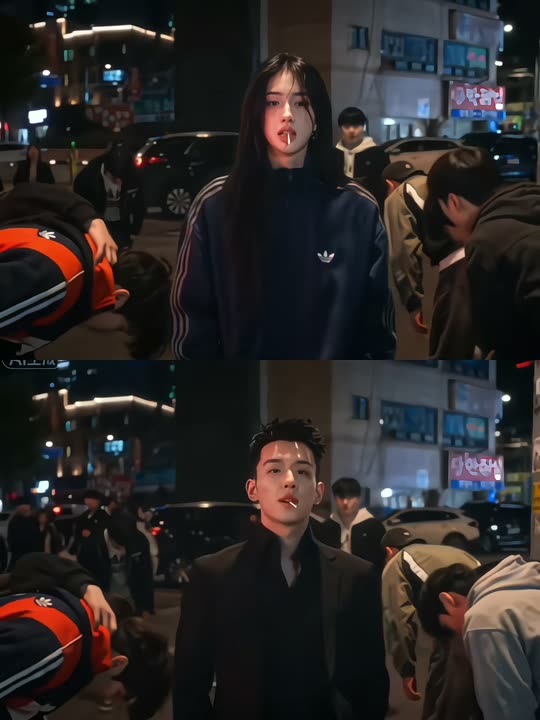
Back

King Jin AI Trend: Stand Still While the Whole Street Bows

One photo, and you are the boss of a neon Korean street at night: you stand still, the crowd in dark jackets bows deeply, and the camera pushes in on your calm stare. Or give the street to your dog or cat.

The original King Jin AI Trend reel by @xdwshfzqi0kOriginal reel
  • 1 photo you add
  • 10 s clip with sound
  • 9:16 for TikTok, Reels, Shorts
  • No watermark

No prompt to write: Add your photo and tap once

Create your own

Ready in a few minutes · 126 credits

The King Jin AI trend is a viral CapCut photo template: one photo becomes a moody Korean drama scene in which you stand calmly on a neon street at night while a crowd in dark jackets bows deeply to you. Add one clear photo of yourself or your pet, and you get a 10-second vertical video with the trend's song.

Also called King Jin powerful incoming effect · King Jin Yang mafia drama · Trend AI King Jin

Example

What the King Jin AI Trend video looks like

This clip is the trend's own, not a MakeViral result. Your video is a new scene made from your photo, with the same song: one continuous shot on a neon Korean street at night, where the crowd bows and the camera pushes in on your face.

Original reel by @xdwshfzqi0k, 8 s

The trend's first big post, the results in @xdwshfzqi0k's King Jin CapCut tutorial (13 November 2026, 3.5 million views): a woman and a man each stand still while the crowd bows, then the close-up, the stairwell and the rooftop. Shown without the tutorial part, with the post's own sound.

Step by step

How to make the King Jin AI Trend video on MakeViral

Everything runs in the browser. No editing app, no prompt to write, no watermark.

  1. Add your photo

    Press "Create your own" and add you, face clear. Take it with the camera or pick it from your library.

  2. Press Generate

    The button shows the price. Seedance 2.5 films the King Jin scene straight from your photo, with no in-between picture, for 10 seconds, with the trend's original song. You write no prompt.

  3. Download or share

    The video is ready in a few minutes as a 9:16 MP4. Download it, share it from your phone, or find it later in My videos.

Which photo works best?

Upload one photo: of yourself for Human, of your pet for Pet.

  • Human: one person, chest up or waist up, face to the camera, sharp and in good light. The video ends on a close-up of your face, so a clear, front-facing photo matters most.
  • You keep the hair and clothes from your photo. A dark jacket, a suit or a track jacket fits the boss look best.
  • No sunglasses over the eyes, no hand over the face and no beauty filter.
  • Pet: one animal, the face and the body in view, eyes open, in daylight. The fur colors, ears and markings come from your photo.
  • Any background works: the street, the neon and the bowing crowd come from the video.
  • Use your own photo, a friend who said yes, or your own pet. Never a celebrity or a stranger.

Where did the King Jin AI Trend trend start?

The King Jin trend started as a CapCut AI photo template in mid-November 2026. Creators call it the King Jin powerful incoming or King Jin powerful entrance effect: you upload one photo, and the template turns you into the untouchable boss of a Korean night street.

The #kingjinaitrend hashtag was created on TikTok on 11 November 2026. On 13 November @tramthoigian_01 posted a "Trend AI King Jin" clip, the earliest result we found. Two hours later @xdwshfzqi0k posted a CapCut tutorial that shows two results, a woman and a man, before the steps; by 15 November it had 3.5 million views and 202,000 likes. Most early posts come from Myanmar, Vietnam and Indonesia, where tutorials call it "trend King Jin" or the King Jin Yang mafia drama.

The template clip has four shots: the street where the crowd bows, a close-up as you take a lollipop from your mouth, a teal stairwell and a rooftop above the city. Comments under the top tutorial say the scene comes from the Korean drama Weak Hero Class 2. We could not confirm that, so our video is a new scene made from your photo, not a copy of the drama.

  1. The #kingjinaitrend hashtag is created on TikTok. By 15 November it holds 650 videos and 10.8 million views. TikTok

  2. @tramthoigian_01 posts "Trend AI King Jin", a CapCut template result, the earliest post of the trend we found. TikTok

  3. @xdwshfzqi0k posts a King Jin CapCut tutorial with two results; it has 3.5 million views, 202,000 likes and 23,400 shares two days later. TikTok

  4. An Indonesian YouTube tutorial shows how to make the King Jin Yang mafia drama clip without CapCut, with an AI video model that swaps you into the template clip. YouTube

  5. MakeViral adds the template: a Human version and a Pet version, each from one photo, with the trend's song.

Copy and paste

The King Jin AI Trend prompts

You do not need this: the one-tap flow runs it for you. [Image 1] is your photo: the video model takes it as a reference and films the scene straight from it, with no photo step first.

Human

1 photo: you, face clearSeedance 2.510 s · 720p · 9:16126 credits
Video prompt

The person in [Image 1] stands in the middle of the scene. Keep their face, hair, body and clothes exactly as in the photo: copy the exact face from [Image 1] (the face shape, eye color and eye shape, eyebrows, nose, mouth, skin tone, age, hair color, hair length and hairstyle, and any beard, moustache, glasses or freckles). The same real person in every frame, from the first second to the last, so their friends recognize them at once: never morph, never drift to another face. Vertical 9:16. The person stands still on a dim Korean city street at night and looks straight into the camera with a calm, composed expression. Neon shop signs and parked cars glow behind them. A crowd of people in dark jackets around and behind them all bend forward at the waist and bow deeply toward them in respect, heads lowered, and stay bowed. Slow cinematic push-in, slightly handheld, from the knees up at the start to a chest-up close-up of the face at the end. No hand gestures other than a slight nod. Everyone wears plain clothes with no text, logos or stripes, no letters or words anywhere in frame. Only the person from [Image 1] stands upright and faces the camera. Every other person bows with the head low, so no other face looks like theirs. If [Image 1] shows an animal, that animal sits calmly in the middle of the street with its own face, fur and markings and the natural body volume and proportions of that animal, not a person. Sound: none of its own; the trend's song is put on afterwards. No dialogue throughout the entire video. No background music. Photorealistic live action, one continuous take, clear facial features, a stable face, no distortion. Avoid: cuts, a split screen, a second person standing upright, text, captions, subtitles, logos, watermarks, extra limbs, morphing.

1797 characters

Pet

1 photo: your pet, face clearSeedance 2.510 s · 720p · 9:16126 credits
Video prompt

The pet in [Image 1] stands in the middle of the scene. Keep it exactly as in the photo, same fur, markings and face, with real animal anatomy: the same species and breed, face, eyes, ears, muzzle, fur colors, fur length and markings as in [Image 1], with the natural body volume and proportions of that animal: never flattened, squashed, stretched or merged with anything. Its owner recognizes it at once, in every frame. Vertical 9:16, night. A neon Korean street with parked cars; the pet sits calmly in the middle of the pavement, looking straight into the camera like it owns the street, while a circle of people in dark jackets bow deeply toward it and stay bowed. Slow cinematic push-in to the pet's face. Plain clothes with no text or logos, no letters or words anywhere in frame, no watermark. Sound: none of its own; the trend's song is put on afterwards. No dialogue throughout the entire video. No background music. Exactly one animal, with one head, its own number of legs and one tail, no clothes on the pet, no human hands. The people keep their heads low. Photorealistic live action, one continuous take. Avoid: a cartoon look, a plush toy, extra animals, cuts, a split screen, text, captions, subtitles, logos, watermarks, morphing.

1251 characters

How many credits does it cost?

You pay per video in credits, and the create page shows the exact price on the Generate button before you spend anything. The one-tap price covers the scene photo and the video, charged once. One video is 126 credits, so the smallest one-time pack that covers it is $13.99 for 150 credits, with no subscription. The cheaper models are there if you run the prompts by hand in AI Video.

Video modelSettingsCredits
Seedance 2.5 (this template)10 s, 720p, straight from your photos, one tap126

One-time packs and plans are on the pricing page. A failed video gives its credits back.

What happens in your King Jin AI video?

Your video is one continuous 10-second shot, vertical 9:16, made from your photo:

PartWhat you see
StartYou stand still in the middle of a dim Korean city street at night, neon shop signs and parked cars glowing behind you, seen from the knees up.
The bowThe crowd in dark jackets around and behind you bends forward at the waist and bows deeply, heads lowered, and stays bowed.
The stareYou look straight into the camera, calm and composed. The only move is a slight nod.
The endThe camera pushes in slowly, slightly handheld, until your face fills the frame.

How it works: the best AI video models available, including Seedance 2.5, build the scene straight from your photo, with no in-between picture, so the face stays close to your photo. The trend's song goes on after the video, the same sound the King Jin posts use, and you can turn it off on the result screen. A run takes 5 to 15 minutes, and the exact price shows on the Generate button before you spend anything. Every run is a new take, so results differ.
Human or Pet: which King Jin version should you make?

  • Human: you are King Jin. You stand on the neon street in your own clothes, and the whole crowd bows to you while the camera moves in on your face.
  • Pet: your dog or cat sits calmly in the middle of the pavement, looking into the camera like it owns the street, while a circle of people in dark jackets bows to it. A serious, calm pet is the funniest.

What is different from the CapCut template? The King Jin CapCut template cuts between four shots of one scene (the street, a close-up, a stairwell and a rooftop). Our video keeps the moment the trend is known for, the street that bows to you, as one longer shot with a slow push-in, and it works for pets too.

Caption ideas: "When I walk into the family group chat", "Me arriving at the office on Monday", "POV: my dog at the dog park", "Nobody move. The cat is home." Or write your own.

Want more boss energy? Try the mafia boss filter or the pimp walk entrance.

What goes wrong, and how do you fix it?

ProblemFix
The face looks less like youUse a sharp, recent, front-facing photo with the face big in the frame, then run it again. A far, full-body photo loses the face.
Someone in the crowd looks up or stands uprightThe prompt keeps every other head low. Run it again for a new take.
Your pet looks a little differentUse a photo where the face and fur are clear, in daylight, then run it again.
Text or a sign shows in the backgroundThe prompt bans letters on the clothes and in the frame, but neon signs can show shapes. Run it again if one stands out.
The model refuses a photoSome photos get refused. The credits come back; try another photo.

Which sound, caption and hashtags should you post it with?

Your clip comes with the trend's own song, the King Jin powerful incoming sound of the top TikTok tutorial ("KIAT JUD DAY HARDTEKK (TikTok Version)" by hardangel), so it is ready to post. You can turn it off on the result screen. The song belongs to its owner, and MakeViral gives you no rights to it. Check the platform's rules before you use the clip in an ad or a paid post.

Hashtags: #kingjinaitrend (650 TikTok videos and 10.8 million views on 15 November 2026), #kingjin and #kingjintrend. Keep the platform's AI label on.

Keep it a joke. Make it with your own face, your own pet or a friend who said yes. Do not use it to make a real person look like a gang boss.

FAQ

King Jin AI Trend trend questions

What is the King Jin AI trend?
It is a TikTok trend from November 2026 built on a CapCut AI photo template. You upload one photo, and it turns you into the calm boss of a Korean night street while a crowd in dark jackets bows deeply to you. Creators also call it King Jin powerful incoming, King Jin powerful entrance, trend King Jin or the King Jin Yang mafia drama.
Where does the King Jin trend come from?
The #kingjinaitrend hashtag was created on TikTok on 11 November 2026, and the first big post is a CapCut tutorial by @xdwshfzqi0k from 13 November with 3.5 million views. It spread first in Myanmar, Vietnam and Indonesia. Comments under that tutorial say the bow scene comes from the Korean drama Weak Hero Class 2, but nobody has confirmed it.
Do I need the King Jin CapCut template?
No. The King Jin CapCut template is one way to make it. On MakeViral you add one photo, press Generate and get a 10-second vertical King Jin AI video with the trend's song, ready to post. You write no prompt.
How do I make the King Jin AI video with my photo?
Press "Create your own", pick Human or Pet and add one clear photo. Press Generate; the button shows the price first. The video waits in My videos when it is ready, in 5 to 15 minutes. That is how to make a King Jin AI video without a King Jin AI trend tutorial.
Can my dog or cat do the King Jin trend?
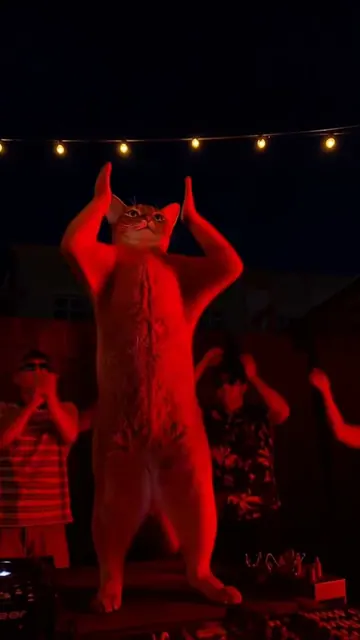
Yes. Pick Pet. Your dog, cat or other pet sits calmly in the middle of the neon street, staring into the camera like it owns the place, while a circle of people bows to it. Use a sharp photo of one animal with the face in view.
What is the King Jin AI prompt?
The CapCut template shows no prompt. This template uses the published prompt of the trend's template site for other AI video tools: the person stands still on a dim Korean city street at night, looks into the camera with a calm face, and a crowd in dark jackets bows deeply and stays bowed, with a slow push-in. We add rules that keep your face from the photo, or your pet's fur and markings.
What song is used in the King Jin AI trend?
The top King Jin tutorial on TikTok uses "KIAT JUD DAY HARDTEKK (TikTok Version)" by hardangel, and the CapCut template results carry the same sound. Your video gets that King Jin powerful incoming sound after the run, and you can turn it off.
How long is the video and what format is it?
10 seconds, vertical 9:16, as an MP4 at 720p with the trend's song. It plays on TikTok, Reels and Shorts, and there is no watermark.
Is it the same as the King Jin CapCut video?
Not shot for shot. The King Jin CapCut template cuts between a street, a close-up, a stairwell and a rooftop. Our video is one continuous shot of the street that bows to you, made new from your photo, with the same song.
Is there a crowd bowing AI video for other scenes?
This crowd bowing trend is about one scene: a neon Korean street at night where everyone bows to you. If you want everyone bows to me AI videos in other places, try the mafia boss filter or the pimp walk entrance templates.
Does the King Jin video cost credits?
Yes. Each video costs credits, and the create page shows the exact price on the Generate button before you spend anything. If a video fails, the credits come back.
Is the video real?
No. Nobody filmed it: the street, the crowd and the bow are made by AI from one still photo. Keep the AI label on when you post it.
More trends

Other AI video templates

Make your own King Jin AI Trend video

Add one photo and tap once. No prompt to write. 126 credits.

No watermark. A failed video gives its credits back. Secure checkout by Stripe.