Music video maker

Music Video Maker: Make a Music Video Without a Camera

No shoot, no crew, no timeline. Add the song, choose the part and the look, and get a finished music video that cuts on the beat.

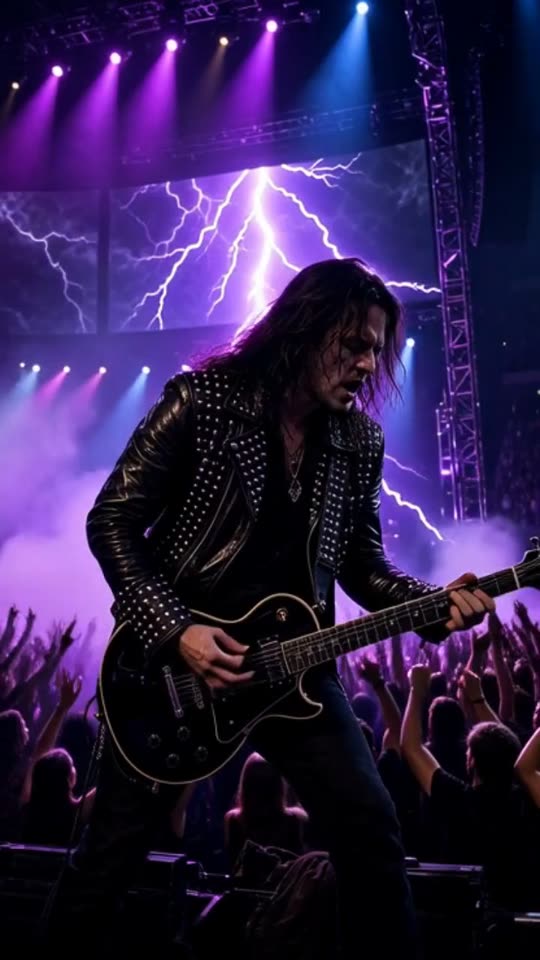
An AI music video of the rock song "Engine Heart" in the Concert stage look, made with MakeViral
Made with MakeViral: an AI-made rock song, Full song, Concert stage look, no photo. Tap for sound.
Made with MakeViral

Music videos made with MakeViral

We made these from 30-second songs made with AI, in Full song mode on Fast quality, with no edits after. Every person in them is AI-made. Tap a video for sound.

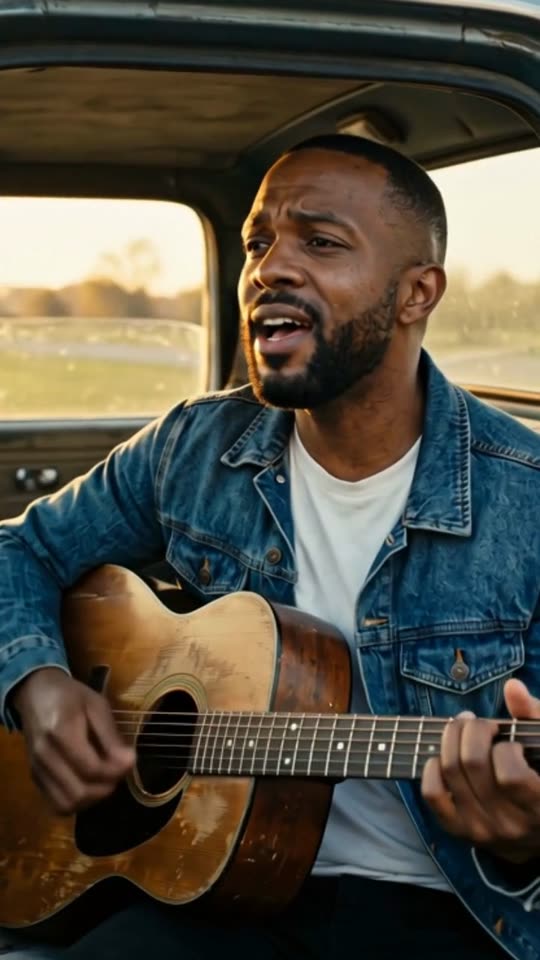
An AI music video of the country song "Dust Road Home" in the Cinematic look, made with MakeViral
Country, Cinematic, with a photo"Dust Road Home", 30 s, 11 shots cut on the beat
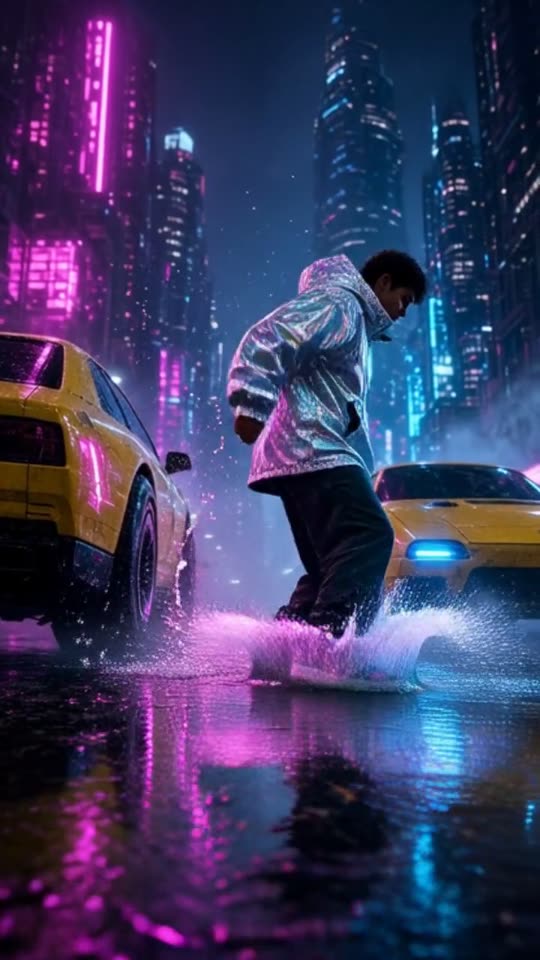
An AI music video of the hip hop song "Night Shift City" in the Neon city look, made with MakeViral
Hip hop, Neon city, no photo"Night Shift City", 30 s, 11 shots cut on the beat
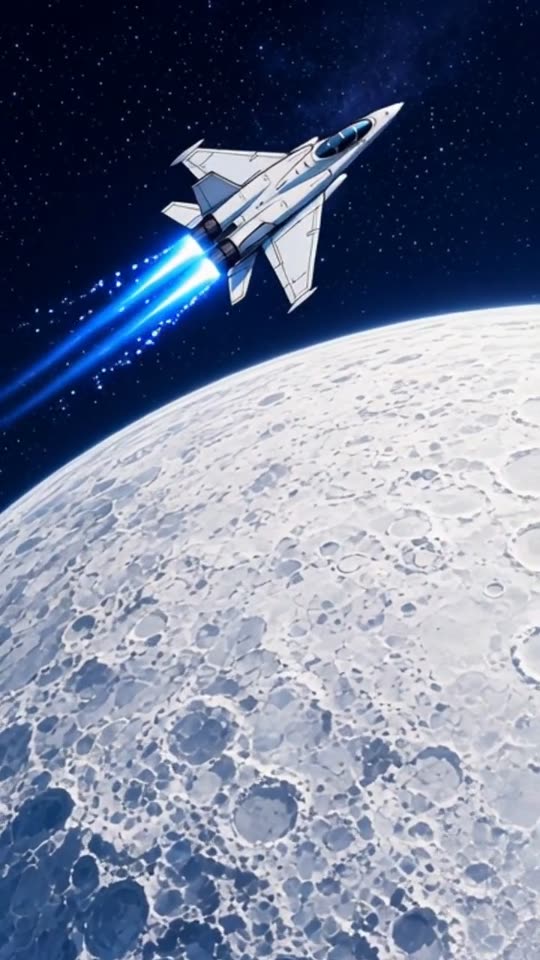
An AI music video of the EDM song "Starlight Run" in the Anime look, made with MakeViral
EDM, Anime, no photo"Starlight Run", 30 s, 8 shots cut on the beat
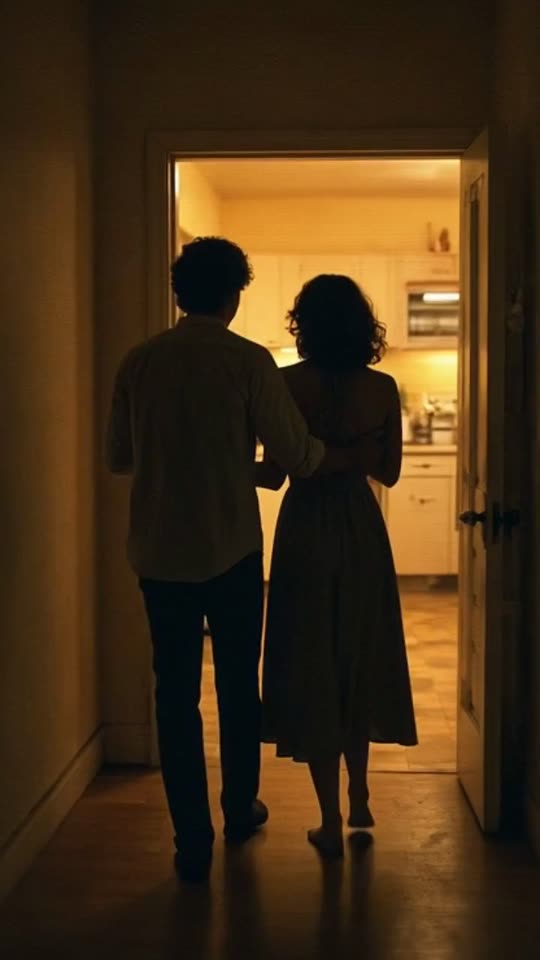
An AI music video of the lo-fi R&B song "Midnight Kitchen" in the Retro VHS look, made with MakeViral
Lo-fi R&B, Retro VHS, no photo"Midnight Kitchen", 30 s, 11 shots cut on the beat
200 billionViews a day on YouTube ShortsYouTube, 2026
189 millionPeople TikTok reaches in the EU every monthTikTok, 2026
2.60%Average engagement on TikTok, against 0.45% on Reels and 0.30% on ShortsSocialinsider, 2026
4,200+Videos rendered on MakeViral so farCounted on this site, hourly
Sources

Every figure was read on the page it links to on 2026-09-18. The MakeViral counts come from this site and update every hour.

A music video maker puts pictures to a song so people can watch it, not only hear it. With MakeViral you make a music video without filming or editing: add the song, pick the part, choose a look, and the AI makes the clips and cuts them on the beat. You download one finished video with your music under it.

Also called Music video generator · Music video creator · Video with music maker

How do you make a music video without filming?

The usual way to make a music video is a small film production. Here is what each step becomes when the AI does the shoot and the edit.

StepThe usual wayWith this music video maker
IdeaWrite a treatment, find a locationPick one of 14 looks or describe your own; the AI writes a shot list from your song
CastBook yourself, friends or actorsAdd one photo to star in every shot, or none
ShootA camera, light, a day or moreEach shot is a new AI clip
EditHours in an editor, cutting to the beat by handThe cuts land on the beat times of your song
ExportPick settings, render, check syncDownload one 720p MP4

What you give up: control of every frame. You do not plan each shot by hand. You pick the part, the look and the star, and the AI makes the rest.

How to make a video with music that cuts on the beat

A cut that lands on a beat feels right, and a cut a little before or after it feels wrong, even to people who cannot say why. That is the main reason home edits look home made. Here the timing comes from the song.

The tempo of a song is its beats per minute (BPM). One beat lasts 60 divided by the BPM, in seconds. The AI cuts every 2, 4 or 8 beats, and picks the count that keeps each shot between 2 and 5 seconds, as close to about 3 seconds as the tempo allows:

TempoOne beatThe AI cuts everyEach shot, about
80 BPM (slow ballad)0.75 s4 beats3 s
100 BPM (pop, hip hop)0.6 s4 beats2.4 s
128 BPM (house, EDM)0.47 s8 beats3.75 s
160 BPM (drum and bass, punk)0.375 s8 beats3 s

The first shot can run longer, and every cut still lands on a real beat of your song.

Your browser detects the tempo (70 to 180 BPM) and the beat times while you pick the part. The server checks them again before the cut. If a song has no clear beat, the shots change at an even pace instead, every 2 to 4 seconds.

Plan your music video in five decisions

  1. The part. The window starts on the loudest part after the intro, which is usually the chorus. Keep it, or drag it to the verse with your best line.
  2. The length. 15, 30 or 60 seconds. A 15-second hook for a teaser, 30 seconds for a Reel, 60 seconds for a verse and a chorus.
  3. The look. Cinematic, Anime, Lo-fi, 3D cartoon, Neon city, Dreamy, Synthwave, Pixel art, Claymation, Storybook, Dark fantasy, Nature, Concert stage or Retro VHS. Or write your own style in up to 200 characters; it is saved for your next video. Every clip takes the same look, so the video holds together.
  4. The star. One photo of your face puts you in every shot. No photo gives a video of places, crowds and changing characters.
  5. The shape. 9:16 Vertical for Reels, TikTok and Shorts. 16:9 Wide for a music video for YouTube or a website.

That is the whole plan. The rest of the decisions (what each shot shows, where it cuts) come from the song.

Music video ideas by genre

Starting points to try. Make one, watch it, and change one decision at a time.

  • Pop chorus, Dreamy, with your photo. You in soft light through every line of the hook.
  • Hip hop verse, Neon city, with your photo. Night streets and a fast cut on the 4th beat.
  • EDM drop, Concert stage, no photo. Lights and a crowd that change on every bar.
  • Lo-fi loop, Lo-fi look, no photo. A cozy room, rain on the window and a slow camera, for a study or chill track. As a lofi music video maker, pick 16:9 for a long YouTube listen.
  • Synth or 80s track, Synthwave. A neon sunset and a glowing grid, cut on the snare.
  • A song for kids or a funny track, 3D cartoon or Claymation. Bright animated figures instead of real people.
  • Ambient or piano, Nature. Slow landscapes, water and sky.
  • Indie ballad, Cinematic, with your photo. Slow camera moves through real places.
  • Throwback or synth track, Retro VHS. Tape grain and old color, cut on the snare.
  • Rock or punk, Concert stage, with your photo. You on a stage in front of a crowd that never was.
  • Acoustic cover, Dreamy, no photo. Let the images follow the words of the song.

Music video maker or editor app?

Use this music video maker (some call it a music video generator) when you have a song and no footage. It makes the footage and the edit together, and it works on a phone.

Use an editor app when you already filmed the video, when you need lyrics on screen, or when you want to choose every shot yourself. You can also do both: make the video here, download the MP4, and add titles or lyrics in your editor. The clips are made without text, so there is room for your own.

Why it works

What the music video maker: make a music video without a camera does for you

The shoot, done by AI

Every shot is a new AI video clip in the look you pick. No camera, no location.

The edit, done on the beat

Cuts land every 2, 4 or 8 beats, so each shot lasts 2 to 5 seconds.

Cast yourself

One photo puts the same face in every shot of your music video.

Made on your phone

Upload, pick the part and create in a mobile browser. Nothing to install.

Vertical or wide

9:16 Vertical for Reels, TikTok and Shorts, or 16:9 Wide for YouTube.

The price before you create

The cost is on the button, and a clip that fails gives its credits back.

How it works

3 steps from idea to finished file

No editor, no timeline, no export settings to get wrong.

  1. Bring the song

    Upload an MP3, M4A, WAV or AAC file of up to 25 MB, or paste a direct link to the audio file.

  2. Plan it in five taps

    The part, the length, the look, the star and the shape. Defaults are already set.

  3. Get the finished video

    Price shown before you create, from 35 credits for 15 seconds. The AI shoots and edits on the beat, then you download the MP4.

Who it is for

Works in these niches

  • Bedroom artists
  • Rappers
  • Singer-songwriters
  • Bands without a budget
  • Producers
  • Church and school choirs
  • Wedding songs
  • Music students
FAQ

Questions people ask

Do I need editing skills to make a music video?
No. You pick the part of the song, a look and the shape of the video. The AI makes the clips and cuts them on the beat, and you download a finished MP4.
Can I choose what happens in each shot?
Not one by one. The AI writes the shot list from the mood and the lyrics of your part, in the look you picked. You steer it with the style and the photo.
Can I be in my own music video?
Yes. Add one clear photo of your face and the AI keeps that person in every shot. Use your own photo, or one of someone who said yes.
Can I make a music video for YouTube?
Yes. Choose 16:9 Wide for a music video for YouTube, or 9:16 Vertical for YouTube Shorts. A video covers a part of 15, 30 or 60 seconds, or the full song up to 6 minutes.
Can I use my own style?
Yes. Pick "Your own style", give it a name and describe the look in up to 200 characters: colors, light, the world, the camera. It is saved, so it shows next to the other looks next time, and you can rename or delete it. Your own style costs the same as the others.
Can I make a video with music I did not make?
Only with music you have the right to use. The video keeps the song as its sound, so the rules of the platform where you post it still apply.
Can I add lyrics or a title on screen?
Not here. The clips are made without text. Download the MP4 and add lyrics or a title in any editor app, or in the text tool of the platform you post on.
What does it cost to make a music video?
It depends on the length, the quality and the photo: from 35 credits for 15 seconds, 60 for 30 seconds and 117 for 60 seconds (Fast, no photo). The exact price shows before you create. A new account starts with 0 credits, and the smallest top-up is a $9.99 one-time pack of 100 credits.

Make your music video today

You bring the song. The AI does the shoot and the edit. Price shown before you create, from 35 credits for 15 seconds.

No watermark. A failed video gives its credits back. Secure checkout by Stripe.