Back

Baby Face Filter AI: The Viral Doll Baby Look on Your Photo

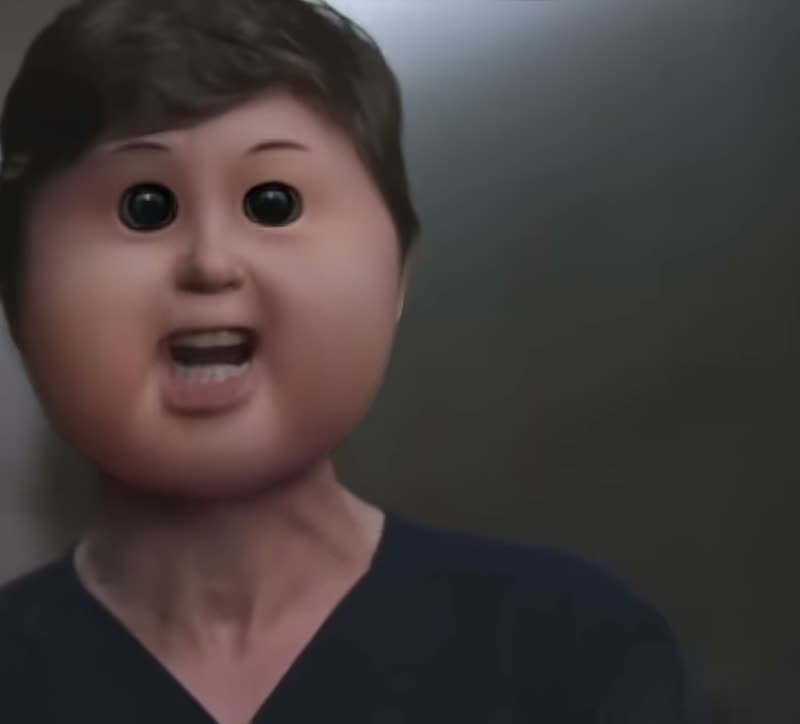
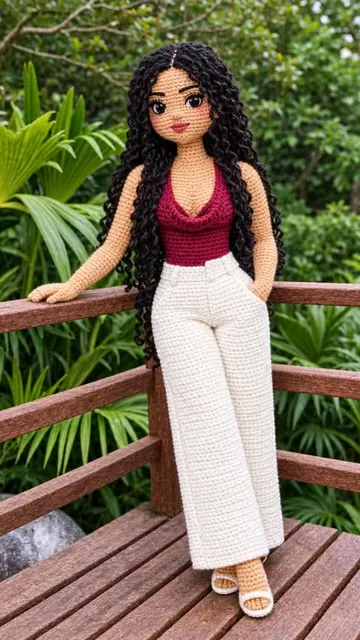
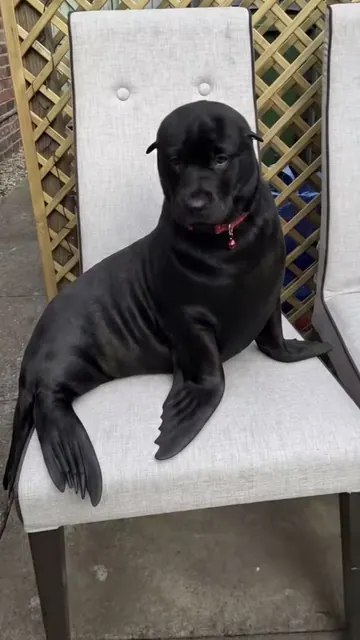
Add one photo of yourself and get the doll baby face everyone is posting: tiny dark eyes, puffy round cheeks and a flat nose. Your hair, clothes, pose and background stay. For adults and pets only.

The original Baby Face Filter reel by @tristanthetyranikaOriginal reel
  • 1 photo you add
  • 2K photo you can turn into a video
  • 9:16 for TikTok, Reels, Shorts
  • No watermark

No prompt to write: Add your photo and tap once

Create your own

Ready in a few minutes · Photo · From 3 credits

The baby face filter is a viral Snapchat lens, called ggg11, that turns an adult face into a doll baby with tiny dark eyes, puffy round cheeks and a flat nose. Here you add one photo of yourself and get the same funny look as an AI photo or a short video reveal.

Also called ggg11 lens · Cabbage Patch Kid filter · doll baby filter

Example

What the Baby Face Filter photo looks like

Both clips are creators' own posts made with the Snapchat lens, shown whole and with their own sound. They show the trend and are not MakeViral results. Your result is an AI photo, or a 6 second video, made from your own photo.

Original reel by @tristanthetyranika, 16 s

The original reel by @tristanthetyranika, 11 November 2026: the "I am a surgeon" scene from The Good Doctor with the lens on every face, captioned "I AM A BABY". 5.0 million views and 1.1 million likes by 18 November.

Original reel by @cam_6615, 9 s

The most viewed baby face filter clip we found, by @cam_6615, 15 November 2026: a clip tagged #caseoh, with credit to @orink678 for the first post. 8.5 million views and 2 million likes by 18 November.

Step by step

How to make the Baby Face Filter photo on MakeViral

Everything runs in the browser. No editing app, no prompt to write, no watermark.

  1. Add your photo

    Press "Create your own" and add you, face clear. Take it with the camera or pick it from your library.

  2. Press Generate

    The button shows the price. Nano Banana 2.1 puts your photo into the Baby face filter scene and makes one 2K photo. You write no prompt.

  3. Download or share

    The photo is ready in a few minutes as a 9:16 2K image. Download it, share it from your phone, turn it into a video, or find it later in My videos.

Which photo works best?

Use one sharp photo of yourself, an adult, with your face clear and turned to the camera. Chest up works best, because the joke is in the face.

  • Fill the frame with your face, in good light. A big face gives the tiny eyes and round cheeks room to read.
  • Look straight at the camera, or turn only a little. A side view hides one cheek.
  • Pick a funny expression. The small doll mouth follows your own: an open mouth stays open, and a smile stays a small smile.
  • Hair, beard, glasses and hats stay, and your friends will know you by them.
  • Adults only. Do not upload a photo of a child or a baby. Use your own photo, or a photo of an adult friend who said yes.
  • For the Pet version, use a close photo of your pet with its face toward the camera.

Where did the Baby Face Filter trend start?

The look comes from a Snapchat lens called ggg11, which Know Your Meme credits to a creator listed as Do !!. It was around before the big wave. On 16 September 2026, TikTok user @chrisluvsrivals posted it with the caption "filter is named ggg11", and on 23 October a collage clip by @scatophiledu94 passed 1.2 million views.

The baby face filter meme took off in November, when people put the lens on film and TV characters. Know Your Meme lists a Homelander clip by @kal6969697 from 9 November among the earliest. On 11 November, @tristanthetyranika put it on the "I am a surgeon" scene from The Good Doctor with the caption "I AM A BABY", and the clip had 5.0 million views by 18 November. A clip tagged #caseoh followed on 15 November and reached 8.5 million views, the most we found.

Know Your Meme added the trend on 17 November as Cabbage Patch Kid / Baby Face Filter, so some people search for the Cabbage Patch filter. MakeViral and this template have no link with that toy brand.

  1. @chrisluvsrivals posts the lens on TikTok with the caption "filter is named ggg11"; the clip has 60,700 views by 18 November. TikTok

  2. A collage clip by @scatophiledu94, tagged #ggg11, reaches 1.2 million views and 213,600 likes by 18 November. TikTok

  3. @kal6969697 posts a Homelander baby face filter clip, which Know Your Meme lists among the earliest uses on film and TV characters; 382,200 views by 18 November. Know Your Meme

  4. @tristanthetyranika puts the filter on the "I am a surgeon" scene with the caption "I AM A BABY": 5.0 million views and 1.1 million likes by 18 November. TikTok

  5. @cam_6615 posts a clip tagged #caseoh, crediting @orink678 for the first post: 8.5 million views, 2 million likes and 635,200 shares by 18 November. TikTok

  6. Know Your Meme adds the trend as Cabbage Patch Kid / Baby Face Filter, with the lens named as ggg11. Know Your Meme

Copy and paste

The Baby Face Filter prompts

You do not need this: the one-tap flow runs it for you. The photo prompt puts your photo into the scene. Want to change it? Copy it and edit it in AI Photo.

Photo

1 photo: you, face clearNano Banana 2.1Photo · 2K · 9:163 credits
Photo prompt

Use the uploaded image as the base. Keep my pose and background. Give me a smooth doll baby face with tiny dark eyes, round cheeks and a flat nose. It is the look of a viral phone camera face filter: funny, a little uncanny, and obvious at first glance. No human face stays visible: the doll baby face fully replaces the real eyes, eyebrows, nose, cheeks, mouth and chin, on the same head, at the same angle and in the same place in the picture. The doll baby face: very smooth, soft, slightly shiny skin with no pores, lines or wrinkles, like a vinyl doll, in the person's own skin tone. Two tiny, perfectly round, glossy solid black bead eyes set far apart, each with one small white highlight: no whites, no iris, no eyelids, no lashes. No eyebrows. Huge, puffy, round cheeks that bulge out past the jaw and make the lower half of the face much wider than the forehead, with no cheekbones and no jawline. A tiny flat button nose that barely rises from the face, with two small nostrils. A tiny soft mouth low on the face between the cheeks, with the same expression as in the photo: an open mouth stays open, and a smile stays a small smile. Everything around the face stays exactly as in the photo, so friends still know who it is: the hair, hairline, hair color and hairstyle, the ears, any beard or moustache (it now grows on the round cheeks and chin), glasses, hat, hood, earrings and jewelry, the neck, shoulders, body, hands and clothes, the pose, the background, the light and the colors. The person stays a grown adult with an adult neck and an adult body: only the face has this comic doll look. The new face sits in the photo's own light and shadows, with the same camera quality and grain, so it looks like a real filter on a real phone picture: no cartoon, no drawing, no 3D render, no beauty retouch, no blur. If the frame needs more room, extend the same background and never stretch the person. Add no text, no logo, no watermark, no sticker and no extra people. If the photo shows more than one adult, give each of them this face. If the photo shows a child or a baby, do not apply the effect to them and leave them exactly as they are. If the photo shows only an animal, keep its own fur, ears and colors and give it the same tiny black bead eyes, puffy round cheeks and tiny flat nose.

2307 characters

Video reveal

1 photo: you, face clearKling 3.06 s · 1080p · 9:1633 credits
Video prompt

Use the photo as the first frame and keep everything in it exactly as photographed: the same person, the same place, the same clothes and light, and the same camera angle. A real vertical 9:16 phone video from a phone that does not move, one continuous take, no zoom and no cuts. 0-2 s: the person stays as in the photo with their real face, in the same spot and pose, with small natural moves only: they breathe, blink once and look into the camera. 2-3.5 s: the face changes, like a phone camera face filter switching on. With one soft rubbery wobble, the cheeks swell out into huge, puffy, round cheeks that bulge past the jaw, the eyes shrink into two tiny glossy solid black bead eyes set far apart, the eyebrows fade away, the nose sinks into a tiny flat button nose, the mouth becomes tiny, and the skin turns very smooth like a vinyl doll, in the person's own skin tone. 3.5-6 s: the person now has this doll baby face, and it stays exactly the same until the end. The bead eyes never blink. They tilt their head a little, and the tiny mouth moves as they say in a tiny, high, squeaky voice: "I am a baby." The hair, ears, any beard, glasses or hat, the neck, the body, the clothes and the background stay exactly as in the photo. The person stays a grown adult with an adult neck and an adult body: only the face has this comic doll look. Photorealistic, like a real phone video with a face filter, not a cartoon, not CGI. Exactly one head on the person. No text, no captions, no logos, no watermark. If the first frame shows a child or a baby, do not change their face at all: they only breathe and blink, with no spoken line. If it shows an animal, it keeps its own fur and ears, gets the same tiny eyes, round cheeks and flat nose, and makes one small squeak instead of speaking. Audio: quiet room sound, one soft comic wobble when the face changes, and the one squeaky line. No music.

1897 characters

Pet

1 photo: your pet, face clearNano Banana 2.1Photo · 2K · 9:163 credits
Photo prompt

Use the uploaded image as the base. Keep my pet's pose and background. Give my pet a smooth doll baby face with tiny dark eyes, round cheeks and a flat nose. It is the look of a viral phone camera face filter: funny, a little uncanny, and obvious at first glance. There is no human face in this picture and no human skin: this stays the same animal, on its own head, at the same angle and in the same place in the picture. The doll baby face: two tiny, perfectly round, glossy solid black bead eyes set far apart, each with one small white highlight. Huge, puffy, round cheeks that bulge out to both sides, covered in the pet's own fur with its own colors and markings. The muzzle is pressed flat into a tiny flat button nose in the pet's own nose color, with a tiny soft mouth below it. Everything else stays exactly as in the photo: the ears, the fur on the head and body, the colors and markings, any collar, the body, paws and tail, the pose, the background, the light and the colors. The new face sits in the photo's own light and shadows, with the same camera quality and grain, so it looks like a real filter on a real phone picture: no cartoon, no drawing, no 3D render, no blur. If the frame needs more room, extend the same background and never stretch the animal. Add no text, no logo, no watermark, no sticker and no extra animals. If the photo shows more than one pet, give each of them this face. If a person is in the photo, leave that person exactly as they are.

1478 characters

How many credits does it cost?

You pay per photo in credits, and the create page shows the exact price on the Generate button before you spend anything. The one-tap price covers one 2K photo, charged once. One photo is 3 credits, so the smallest one-time pack that covers it is $9.99 for 100 credits, with no subscription. A smaller 1K photo costs less if you run the prompt by hand in AI Photo.

ModelSettingsCredits
Photo: Nano Banana 2.1 (this template)2K photo, 9:16, one tap3
Video reveal: Kling 3.0 (this template)6 s, 1080p, one tap33
Pet: Nano Banana 2.1 (this template)2K photo, 9:16, one tap3
Nano Banana 2.1 (by hand in AI Photo)1K photo, 9:16, same prompt2

One-time packs and plans are on the pricing page. A failed photo gives its credits back.

Which version should you pick?

All three start from one photo. Pick one on the create page.

VersionWhat you getGood for
PhotoA tall 2K picture of you with the doll baby face, in your own pose and placeA quick post, a profile picture, a reply in the group chat
Video revealA 6 second video: it starts on your real photo, your face changes at about 2 seconds, and then you say "I am a baby" in a tiny, squeaky voiceTikTok, Reels and Shorts, where the change is the joke
PetA photo of your dog, cat or other pet with the same tiny eyes, round cheeks and flat nosePet accounts and a laugh with friends

The trend has no single song: each viral clip keeps the sound of its own scene. So the Video reveal comes with its own voice line and light sound effects, not a song. The Photo and Pet versions are pictures, with no sound.

What changes and what stays

The lens is funny because the face changes completely while everything around it stays normal. Our prompt does the same.

  • What changes: your eyes become two tiny black beads set far apart, your cheeks swell into big round shapes, your nose goes flat, your mouth gets small, and your skin turns smooth like a vinyl doll.
  • What stays: your skin tone, hair, ears, any beard, glasses or hat, your neck, body and clothes, your pose, the background and the light.

This is the opposite of the usual AI face rule. Your real face will not be there, so people recognize you by your hair, your clothes and the place. If you want an AI picture that keeps your real face, this is the wrong template.

Adults and pets only

The baby face filter is a joke about grown-ups looking like a doll. It is not made for real children, so do not upload a photo of a child or a baby, your own included. The prompt tells the AI to leave any child or baby in a photo unchanged, but that is a safety net and not a promise, so please do not try it.

Use your own photo or a photo of an adult who agreed to it. A funny face can still embarrass someone, so ask before you post a friend. The result is an AI edit, and it is fair to say so when you share it.

How close is it to the Snapchat lens?

It is the same idea made a different way. The ggg11 lens is a live camera effect that follows your face in real time. MakeViral makes a new AI picture or video from one photo, so it is not a live baby face filter and the result will not match the lens pixel for pixel.

Each run is a little different. The cheeks can come out bigger or smaller, and a photo with a small or turned face gives a weaker result. If the look is too mild, try again with a closer, straighter photo. In the Video reveal, the change happens inside one take, so it can look softer on some photos. If that happens, run it again or pick the Best quality option.

FAQ

Baby Face Filter trend questions

What is the baby face filter?
It is a Snapchat lens, ggg11, that gives an adult face tiny dark eyes, round cheeks, smooth skin and a flat nose, so the person looks like a doll baby. The baby face filter meme spread on TikTok in November 2026, mostly on film, TV and streamer clips. Many versions also raise the voice to a high pitch.
What is the baby face filter called on Snapchat?
The baby face filter Snapchat lens is called ggg11, so people search for the ggg11 filter or ggg11 Snapchat. One TikTok tutorial writes the path as Snapchat, filter, then ggg11 or ggg111. If you need the baby face filter name for the search box in Snap, try those two. It is the baby filter Snapchat users are posting now, and the babyface filter Snapchat clips on TikTok come from it.
How do I get the baby face filter on TikTok?
The baby face filter TikTok clips we checked point to the Snapchat lens, and we did not find this exact effect inside TikTok. So the baby filter TikTok users post is made outside the app and then uploaded. To get the baby face filter on TikTok with AI, make your photo or video here, save it and post it. The babyface filter TikTok tags are #babyfacefilter, #babyfilter and #ggg11. You do not need a separate baby filter app for TikTok.
Is the baby face filter on Instagram?
We did not find this exact lens on Instagram, so we cannot give you a baby face filter name in Instagram. If you are looking for how to get baby face filter on Instagram, the simple way is to make the look here and post it as a Reel or a photo on IG. The babyface filter Instagram posts you see may come from Snapchat, and any other baby filter Instagram effect may look different.
Is there a baby face filter online, with no app?
Yes, this page is a baby face filter online. MakeViral runs in your browser on an iPhone, Android phone or PC, so there is no baby face filter app to install. It works as a baby filter online and a babyface filter online from a photo you upload, not from the live camera. It is a website, so you do not need a baby filter app or a baby filter camera.
Does it work live on a webcam, OBS, Zoom, Omegle or OmeTV?
No. This is not a live baby face filter for a webcam, so you cannot use it as a baby face filter for OBS, a baby face Zoom call, or a baby face filter on Omegle or OmeTV (or Ome TV). MakeViral makes a finished picture or video from your photo, and you post that.
Is this the Cabbage Patch filter?
It is the same trend. Some people call the ggg11 lens the Cabbage Patch filter, the Cabbage Patch Kid filter or the Cabbage Patch doll filter, and search for a Cabbage Patch face filter or a Cabbage Patch baby filter, because of how the face looks. Those searches, including the Cabbage Patch filter Snapchat ones and the Snapchat Cabbage Patch Kid filter or Cabbage Patch doll Snapchat filter, all lead to the same lens. MakeViral has no link with that toy brand, and our prompts and results do not use it.
What is the CaseOh baby face filter?
It is the same lens on a clip tagged #caseoh, the streamer. The clip from @cam_6615, posted on 15 November 2026, had 8.5 million views by 18 November, and it made the CaseOh baby filter one of the biggest versions of the trend. Other clip pages then posted about him reacting to it. There is no separate CaseOh filter or CaseOh Snapchat filter that we could find: it is ggg11.
Can I use a photo of my child or baby?
No. This template is for adults and pets only. Please do not upload a photo of a child or a baby, even your own. The look is a joke about grown-ups, and the prompt tells the AI to leave a child or baby in a photo unchanged.
Will people still recognize me?
By your hair, clothes, skin tone, beard or glasses, and the place, yes. Your real eyes, nose and cheeks are replaced on purpose, because that is the whole joke of the filter. A photo with a distinctive haircut or outfit works best.
Can I use it on my dog or cat?
Yes. Pick the Pet version and add a close photo of your pet with its face toward the camera. It keeps the fur, ears, colors and markings, and adds the tiny eyes, round cheeks and flat nose.
Can I make a baby face filter video?
Yes. The Video reveal is a baby face filter video made for posting: 6 seconds, vertical, with your real photo first and the change at about 2 seconds. It is a baby filter video with sound, including the squeaky line "I am a baby". If you only want a baby filter photo, pick Photo. For a baby face filter for video you already filmed, this template will not work: it starts from one photo, and it is not a video app that edits your clip.
Is this the old Snapchat baby filter?
No. The older Snapchat baby filter from 2019 smooths the face and makes the eyes bigger, so the person looks cute. This baby filter trend goes the other way, with tiny bead eyes and huge cheeks, so the baby filter meme is funny and a little strange.
What is the best baby face filter for a funny post?
For the best baby face filter post, use a big, clear face and a strong expression, like a shout or a shocked look. Funny baby face filter clips often use a serious moment, which is why a dramatic TV scene worked so well. Some people call it the fat baby face filter because of the big cheeks. The biggest baby face filter guy clips we saw show men, but the look is for any adult.
Can I use it for a prank?
A light baby face filter prank on yourself works well: send the picture to friends and wait. If the photo shows someone else, ask them first, and do not use it to embarrass or fool anyone.
Is there a baby face filter on CapCut?
We did not find this exact effect as a baby face filter on CapCut. You can save your result from MakeViral and add it to a CapCut edit like any other clip or photo.
Is it a doll face filter?
It is a kind of doll face filter, with a doll face effect that is rounder and stranger than most doll filters. Do not confuse it with the doll face filter Snapchat, doll face filter Instagram or TikTok doll face filter effects that add big eyes and makeup: those are beauty looks. If you found the Snapchat doll filter that way, this one has tiny eyes and no makeup.
Is this a baby face generator?
Not in the sense of showing what you looked like as a baby. It is a baby face generator filter only for this comic doll look: it does not make you younger and it does not predict a child's face. The baby face filter effect is the same on every run, tiny eyes and round cheeks, with small differences. Other baby face filters aim for a cute look; this one aims for a laugh.
What is the baby face filter AI prompt?
No creator of the trend shared one, because the original is a closed Snapchat lens. We wrote our own baby face filter AI prompt from the look of the viral clips, and it is on this page to read. It describes the tiny eyes, round cheeks and flat nose, and it keeps your hair, clothes, pose and background.
Is my photo private?
MakeViral does not post your photo or show it to other users, and the result goes to your private My videos page. You can delete the result there at any time, and erases the uploaded photo and the result from our storage for good.
How much does it cost?
The create page shows the exact credit price on the Generate button before you spend anything. A photo costs far fewer credits than a video, and if a run fails, the credits come back.
More trends

Other AI video templates

Make your own Baby Face Filter photo

Add one photo and tap once. No prompt to write. 3 credits.

No watermark. A failed video gives its credits back. Secure checkout by Stripe.