What is an AI video swap?
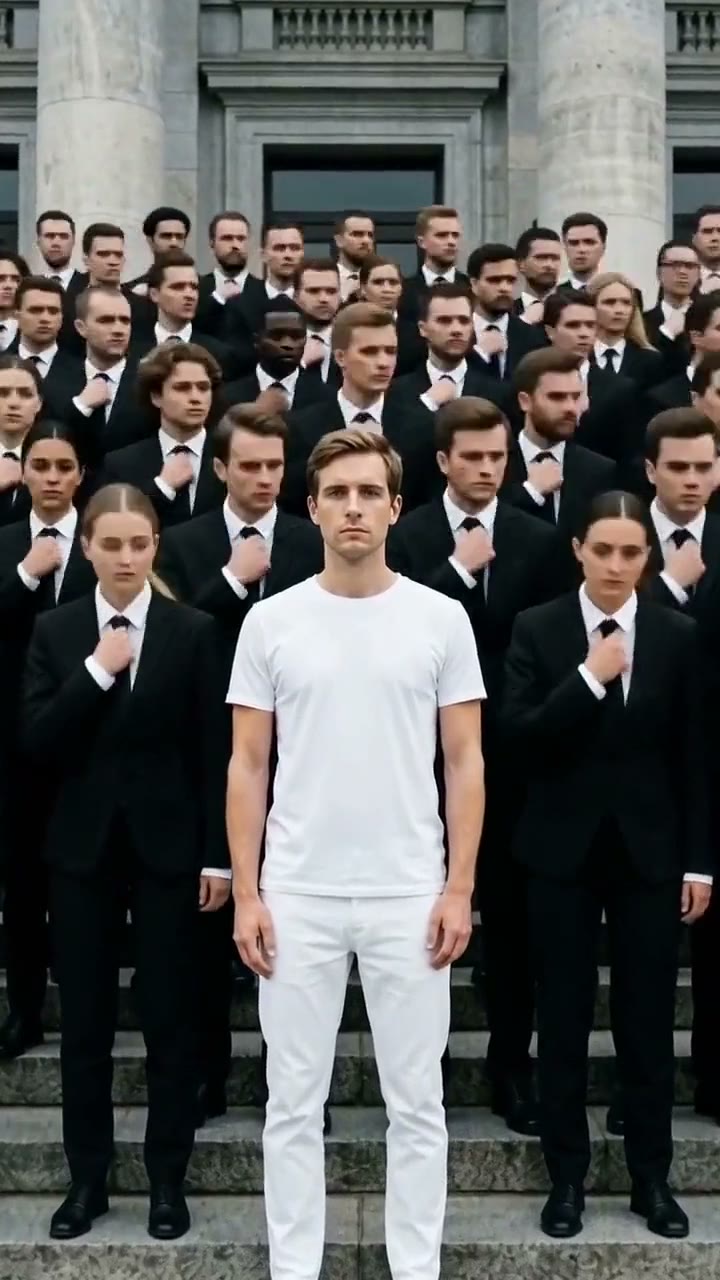
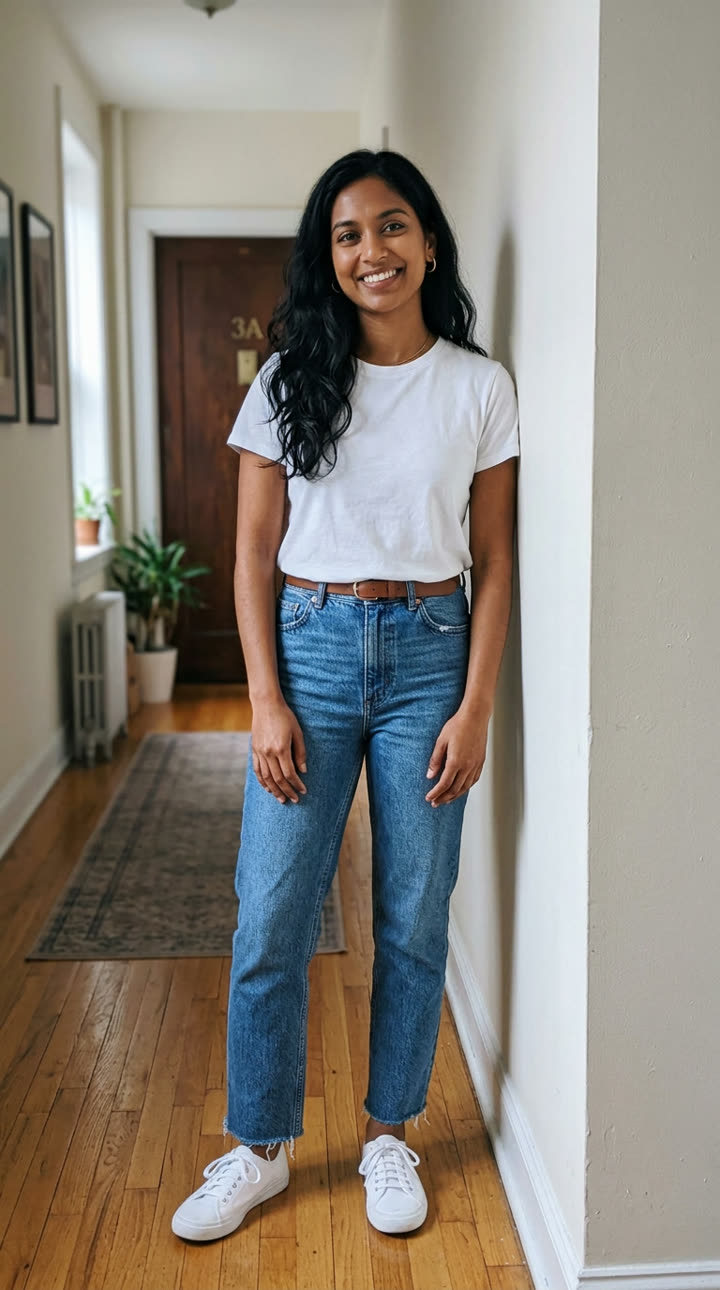
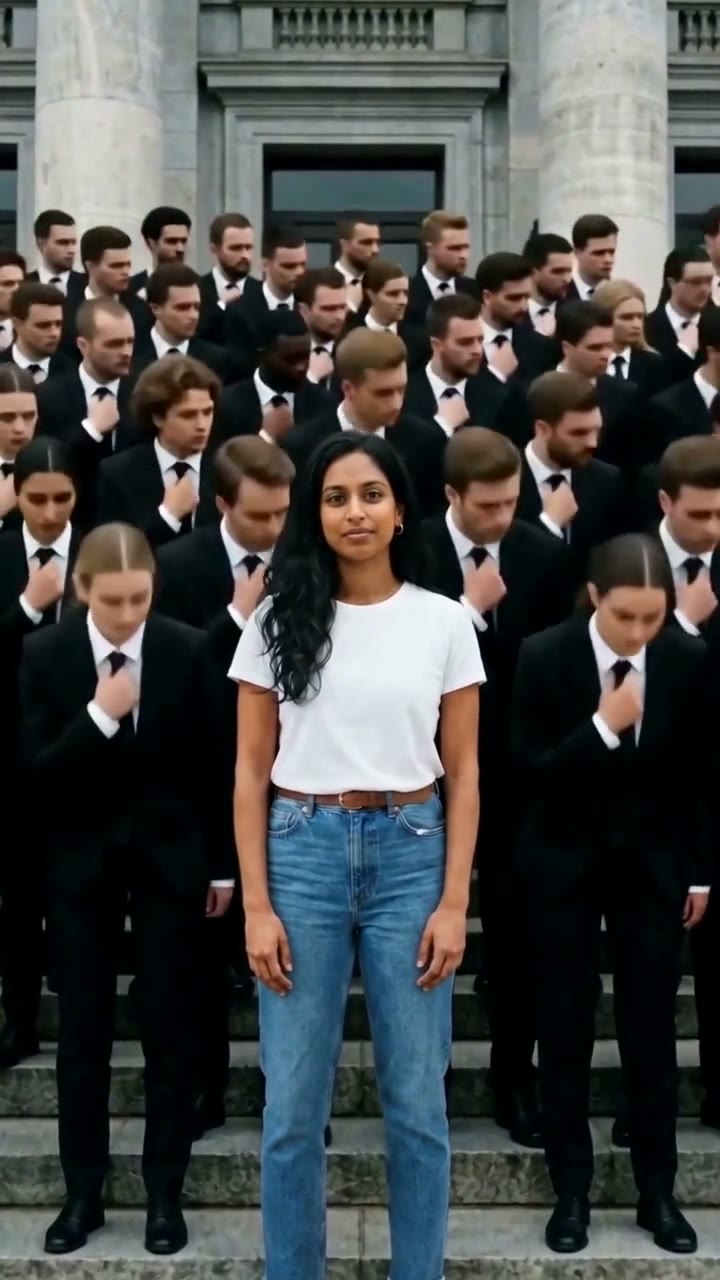
An AI video swap takes a clip you already have and changes who is in it. You give it two things: the clip, and a photo of the new person. The AI uses the clip as a motion guide. It copies the moves, the camera, the cuts and the timing, then builds the main person again from your photo.
Face swap video vs character swap
A face swap video pastes a new face over the old one, so the old hair, body and clothes stay. Here the whole person changes: the face, the hair, the body, the clothes and the shoes all come from your photo. It is a character swap, not a face patch. The same swap also works for your pet or an object.
| A face swap video | An AI video swap on MakeViral |
|---|
| What changes | The face | The face, hair, body, clothes and shoes |
| What stays | The rest of the person and the scene | The place, the other people, the moves, the camera, the cuts and the light |
| Pets and objects | No, faces only | Yes, with a ready swap for each |
The result is as long as your clip, from 4 to 30 seconds, and it keeps the clip's own sound unless you turn it off. The swap runs on the swap page in your browser, on top-quality AI video models, including Seedance 2.5. There is nothing to install and no editing to learn.
How does an AI video face swap work here?
Three steps. Your part takes about a minute. The video usually takes a few minutes more.
- Pick what to swap. The swap page has four choices: you, 2 people, your pet or an object.
- Add your clip, then your photo. The clip is 4 to 30 seconds and up to 200 MB. A 1080p or 4K phone video is made 720p for you after the upload. Then add one clear photo, or two for 2 people.
- Check the price, then tap Generate. You see the credits before you pay. The new video is as long as your clip, in the clip's own frame, with the clip's own sound.
What the AI is told
Every swap sends a tested prompt, so you write nothing. It says the clip is a motion guide only: the AI copies its camera moves, timing and actions, but not the main person, so not the face, hair, skin tone, age or clothes. The main person in every shot is the one in your photo, with that face, body, clothes and shoes.
Everything else stays as it is in the clip: the place, the other people, the moves, the timing, the camera move, the cuts and the light. The prompt also asks for no added text, logos or watermark.
Two settings to know
- Quality. 720p is the default. 480p costs less than half, which makes it a good test.
- Sound. The clip's own sound is on, so your clip's audio goes back on the result. Turn it off for a silent video. The full studio also offers "New sound", where the AI makes new sound.
Can you swap anything else?
Yes. The four swaps above cover most clips, and the full studio covers the rest.
The object swap needs one word from you. On the swap page, type what you swap, such as "sneaker" or "coffee cup". In the studio, change the word "car" in the prompt.
For anything else, write your own prompt in the full studio. Start from any swap and change the words. You can swap only the outfit, put a friend in your place, turn a dog into a cat, or replace a product on a shelf. Name the clip [Video 1] and the photos [Image 1], [Image 2] and so on, up to 9 photos. Say what changes, and say what stays. That is how "swap anything" works.
Or skip the clip. Some viral swaps are ready as one-tap templates, with the trend clip and a tested prompt built in, so you add only your photos. Storm puts you in white in front of a bowing crowd, and Closed on Sunday puts you in a singing choir. All of them are on the trend templates page, each with its price.
How much does an AI video swap cost?
You can start with a $9.99 one-time pack of 100 credits, with no subscription. That covers a 5-second swap at 720p (76 credits) or a 10-second swap at 480p (68 credits).
A swap bills the seconds of your clip plus the seconds of the result. The result is as long as the clip, so a 10-second clip bills 20 seconds. Seconds round up. The photos add nothing.
| Clip length | 480p | 720p | 720p on the $49.99 plan | 720p on the $199.99 plan |
|---|
| 4 s | 28 credits | 61 credits | about $4.36 | about $4.07 |
| 5 s | 34 credits | 76 credits | about $5.43 | about $5.07 |
| 10 s | 68 credits | 152 credits | about $10.85 | about $10.13 |
| 15 s | 103 credits | 228 credits | about $16.28 | about $15.20 |
| 20 s | 136 credits | 304 credits | about $21.71 | about $20.27 |
| 30 s | 205 credits | 456 credits | about $32.56 | about $30.40 |
A credit is about $0.071 on the $49.99 plan for 700 credits a month. It is about $0.067 on the $199.99 plan for 3,000 credits. There is also a Weekly plan at $9.99 for 130 credits a week. New accounts start with 0 credits.
Two ways to spend less
- Trim the clip first. You pay for each second twice, once in and once out. Cut the clip to the part you need before you upload it.
- Test at 480p. A 5-second test at 480p is 34 credits. When the swap looks right, make the final video at 720p.
If a video fails, its credits come back by themselves. If you have not used any credits from a purchase, you can ask for a full refund within 14 days. Plans and packs are on the pricing page.
How do you get a good video face swap?
Most bad swaps come from the photo or the clip, not the prompt. Check these before you spend credits.
Use a clear front photo. Face the camera, in good light, with nothing over the face: no sunglasses, no hand, no hair across the eyes. The AI copies what it can see. A full-body photo also gives it your clothes and shoes. A head-only photo makes it guess the outfit.
Pick a clip where the person is big and clear. One main person, near the camera, with the face visible for most of the clip. A person who fills a large part of the frame swaps much better than a small figure far away.
Any phone clip works. When you add a 1080p or 4K phone video, a 720p copy with the same frame and sound is made in a few seconds, before you pay anything. A very small clip, under 480p, does not work: pick a sharper one.
Keep it short. You pay for the clip seconds and the result seconds. A clip of 5 to 10 seconds is a good first test.
Two people: the left person first. The person on the left at the start of the clip takes the first photo. The person on the right takes the second. Add the photos in that order.
Want the clip's clothes, not yours? In the full studio, edit the prompt: ask for the face and hair from [Image 1], and the clothes from [Video 1].
What are the limits of AI video swap?
An honest list, so you pick the right clip.
- Hands and fingers. Fast hand moves, hands near the face and things held in the hand can come out wrong or blurred.
- Fast moves. Spins, jumps, flips and quick cuts give the AI less to hold on to. The face can drift from shot to shot.
- Tiny faces far away. A face of a few pixels has no detail to copy, so the result can look like someone else.
- Many people. The ready swaps change 1 or 2 people. In a crowd the AI can swap the wrong person or blend two faces.
- Text and logos. Signs and the text on clothes can change or blur.
- Length and size. The clip is 4 to 30 seconds and up to 200 MB. A 1080p or 4K clip is made 720p first. The result is 480p or 720p.
- The frame follows the clip. A horizontal clip gives a horizontal result.
- Every take is different. The same clip and photo can give a different result each time. A take uses its credits, unless the video fails.
If a clip has all of these problems, pick a different clip. That costs less than three retries.
What are the rules for swapping people into videos?
Swap yourself, friends who said yes, and your pet. These rules apply to every swap.
- Use only clips you have the right to use. The terms of service say you are responsible for the rights to what you upload, and you must not upload content that infringes someone's intellectual property. A clip you filmed yourself is the safe choice.
- Never put a real person's face in a video without their consent. That includes friends, partners, coworkers and famous people. Ask first.
- No photos of a child without the parent. Only a parent or guardian should swap a child into a video.
- No sexual content. Your prompt goes through a check before any credits are charged. It blocks text that asks for nudity or sexual content, and anything sexual that involves a minor. The terms also forbid adult material.
- No fake news style videos of real people. The terms forbid misleading, deceptive or fraudulent content, content that violates other people's rights, and content that harasses or harms others. A swap that shows a real person doing something they never did breaks those rules.
- MakeViral can refuse service. The terms keep that right. The AI model can also refuse a photo or a prompt. Then your credits come back.
Many viral swap posts put famous people into clips. That is not what this tool is for. Put yourself, your friends or your pet into clips you may use.
Is MakeViral an alternative to Higgsfield Genjutsu?
Yes, for this one job. Higgsfield Genjutsu also takes a clip and reference photos, recasts the people in it, or swaps one object. What MakeViral does differently:
- You start for $9.99, with no subscription. Higgsfield's plans start at $15 a month, and its top individual plan, Ultra with 9,000 credits, is $375 a month. We saw no one-time pack on its pricing page.
- The clip's own sound comes back on the result by default. Higgsfield's Genjutsu pages do not say what happens to the sound.
- A simple swap page with four choices: you, 2 people, your pet or an object. No prompt to write.
- The viral swap trends are ready, with the trend clip built in.
Genjutsu goes to 1080p, takes up to 30 reference images, and costs less per clip on a plan. The full side-by-side, with prices checked on October 21, 2026, is on MakeViral vs Higgsfield Genjutsu. For a photo to swap in, the Nano Banana 2 image generator can make a new outfit or a clean front shot from a photo you own.