AI photoshoot generator

AI Photoshoot Generator: Studio-Style Photos From Your Selfie

Add one to four photos, choose a look, and make a new portrait without a camera, studio or photographer.

Updated

  • Works from your own photos
  • Ready prompts for popular looks
  • The price is shown before you start

Make your AI photoshoot

Live

Nano Banana 2 · 1K · 10-30 s

Use your own photo, or a photo of someone who agreed.More options
200 billionViews a day on YouTube ShortsYouTube, 2026
189 millionPeople TikTok reaches in the EU every monthTikTok, 2026
2.60%Average engagement on TikTok, against 0.45% on Reels and 0.30% on ShortsSocialinsider, 2026
5,000+Videos rendered on MakeViral so farCounted on this site, hourly
Sources

Every figure was read on the page it links to on 2026-09-18. The MakeViral counts come from this site and update every hour.

An AI photoshoot turns your existing photos into new portraits with a different setting, outfit, light and camera style. On MakeViral, you add one to four photos, describe the shoot or tap a ready prompt, and generate the image here. Each run costs 1 to 4 credits, and the exact price shows first.

Also called AI photo shoot · AI portrait generator · Photoshoot AI

Key facts

What you add
1 to 4 photos and a short description
What you get
A new image in 9:16, 1:1 or 16:9
Price per run
1 to 4 credits, shown on the button before you start
Default model
Nano Banana 2, 1K
Usual wait
10-30 s
Smallest purchase
a $9.99 one-time pack of 100 credits, with no subscription
Best input
A sharp, well-lit photo where the face is easy to see
Watermark
No MakeViral watermark on the download

What changed on this page

  • Published the page with the generator, ready prompts, current prices and answers.
Ready-made looks

Want a tested look? Start from a template

Each template has its own examples and settings. Add your photo and make it.

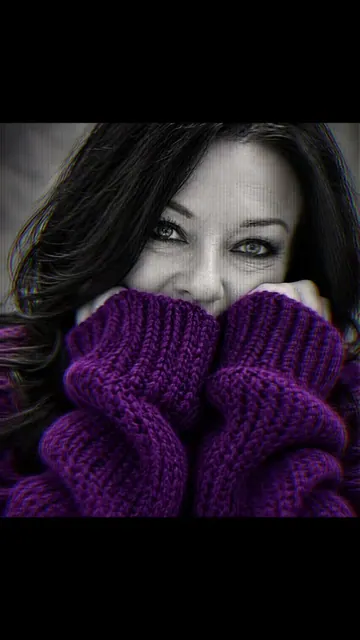
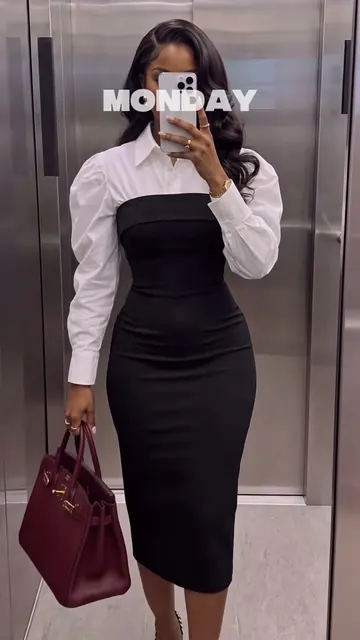
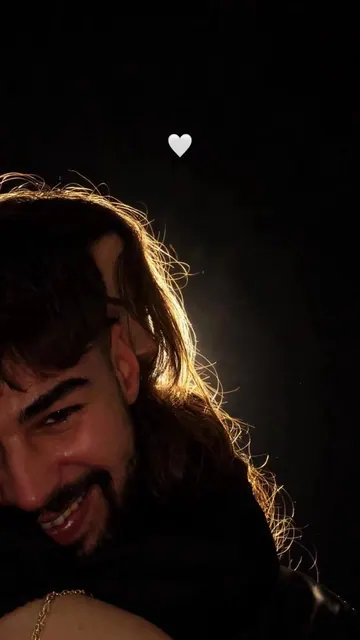
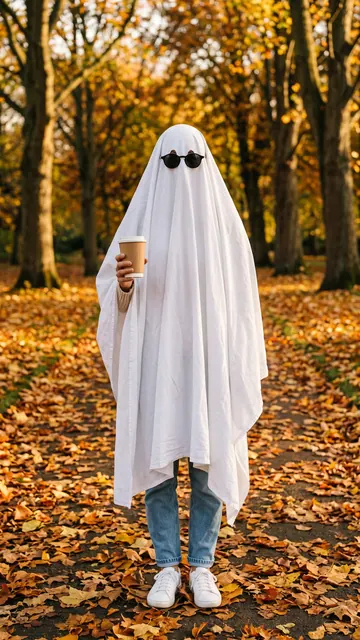
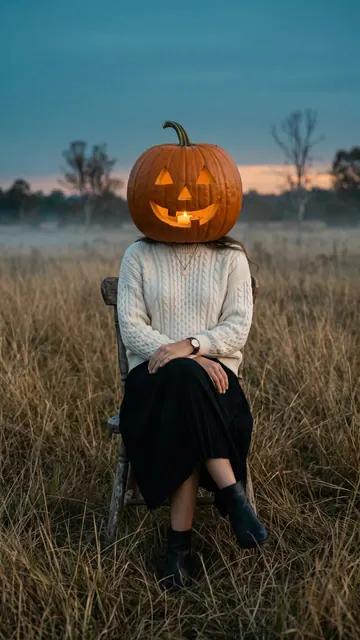
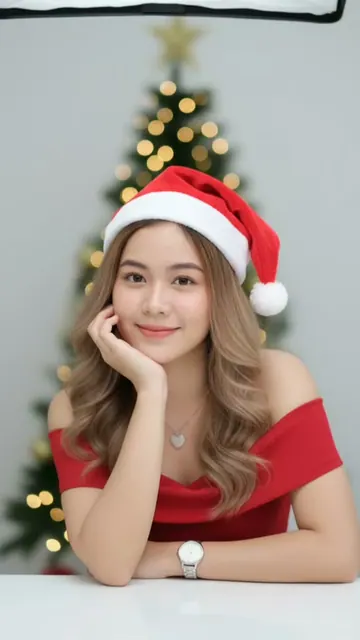
PhotoChristmas PhotoshootAdd one selfie. MakeViral turns it into a studio Christmas photoshoot: a lit tree and a Santa hat, a snow throw in the golden winter sun, a red gown among the gifts, candy canes, a cozy sweater, or a couple by the tree. Your face stays the same.From 3 credits1 photoPhotoSweater PortraitAdd one photo. You get a black-and-white studio portrait in which only an oversized chunky-knit sweater is in color, the long sleeves pulled up over your mouth and your eyes smiling over the sleeves, your nose in view. Pick the sweater color, your face stays yours.3 credits1 photoVideoOutfits of the WeekOne door, one fixed camera, seven days. Every day you step out in a new outfit and the day's name sits on screen, from Monday to Sunday. Copy a real outfits of the week reel, make your own fashion week at a Paris door, or dress your pet for the week. One photo in, a 15-second vertical clip out.From 189 credits1 photoPhotoSunlight Eye PortraitAdd one selfie. MakeViral turns it into a dark, cinematic studio close-up with a single horizontal beam of golden sunlight across your eyes. Your face and your own eye color stay.From 3 credits1 photoPhotoFlashlight CoupleUpload a photo of you and one of your partner, or one photo of you two together. You get one vertical photo: the two of you close on a pure black background, a warm light behind you that outlines your hair, and a small white heart in the dark above.3 credits2 photosPhotoGhost PhotoshootA white bedsheet, round black sunglasses and your own jeans and shoes below, on a path of orange leaves. Alone, with your best friend or with your dog. One photo in, a 2K ghost photo out.From 3 credits1 photoPhotoPumpkin HeadYour outfit stays, your head becomes a glowing carved jack-o'-lantern in an open field at dusk, shot on film. No pumpkin to carve, no field to find. Solo, as a couple, or as a short video.From 3 credits1 photoPhotoPerdon TrendAdd one everyday photo of yourself or your pet. AI gives it back too perfect: the dream place, salon hair, studio light. Post it first, then your real photo with one word: perdón.3 credits1 photo

How do you make an AI photoshoot from a selfie?

Use a clear photo, say what must stay the same, then describe what should change.

  1. Add one to four photos. Different angles give the model more information about your face.
  2. Choose a look. Start with Studio portrait, Fashion editorial, Golden hour, Business headshot or Black and white.
  3. Edit the prompt if you want. Name the outfit, place, light and lens.
  4. Pick a choice and make it. Auto is the normal start. The image appears under the form.

A strong prompt follows this order: same person, new setting, outfit, light, camera, skin detail. Example: "Keep the same face. Put this person in a bright Paris cafe, wearing a navy coat, with soft window light and a 50mm lens."

Which AI photoshoot option should you choose?

ChoiceModelOutputUsual waitPrice
AutoNano Banana 21K10-30 s2 credits
CheapNano Banana 2.11K20-60 s1 credit
FastNano Banana 21K10-30 s2 credits
ProNano Banana Pro2K20-60 s4 credits

These prices are for a run with your photo. Start with Auto for a normal portrait. Choose Pro when you want a larger final image. Open More options when you want every model, shape and setting.

Which photos give the best result?

UseAvoid
One person, face clearly visibleGroup photos when you want one person
Soft, even lightHard shadows across the face
A sharp phone photoBlurry screenshots
Different angles when you add several photosFour nearly identical photos
Natural expressionSunglasses, heavy filters or a covered face

Use your own photos, or photos of someone who agreed. AI can change small details, so check the face, hands and text before you post the result.

What can an AI photoshoot be used for?

People use an AI portrait generator for profile pictures, creator pages, personal brands, social posts, mood boards and testing a look before a real shoot.

It is a good fit when you need a new image quickly and do not need a record of a real moment. Do not use it for passports, official IDs, or any situation where the photo must prove exactly how you look today.

Why it works

What the ai photoshoot does for you

Works from your own photos

Add one to four photos and keep the same person in a new scene.

Ready prompts for popular looks

Tap a studio, fashion, outdoor, business or black and white prompt, then edit it.

The price is shown before you start

Each choice shows its credits, and the button shows the amount of the selected run.

No MakeViral watermark

Download the finished image without a MakeViral watermark.

How it works

3 steps from idea to finished file

No editor, no timeline, no export settings to get wrong.

  1. Add your photos

    Upload one to four clear photos in the generator.

  2. Choose the shoot

    Tap a ready look or write the setting, outfit and light you want.

  3. Make and download

    Check the price, make the image, and download it from the result card.

Who it is for

Works in these niches

  • Profile photos
  • Creators
  • Personal brands
  • Fashion ideas
  • Social posts
  • Founders
FAQ

Questions people ask

How do I make an AI photoshoot?
Add one to four clear photos, choose or write a look, and tap Make my photo. The generator keeps the result on this page, and you can open it to download.
Is this AI photoshoot generator free?
No. MakeViral has no free plan, and new accounts start with 0 credits. A run costs 1 to 4 credits. The smallest purchase is a $9.99 one-time pack of 100 credits.
How many photos should I upload?
One clear photo can work. Two to four photos from different angles give the model more information about the person.
Will the result look exactly like me?
It tries to keep the same person, but AI can change small details. Use clear photos, tell it to keep the face the same, and check the image before you use it.
Can I use this as an AI portrait generator?
Yes. Add a photo and ask for the portrait style you want, such as studio, cinematic, business or black and white.
Can I use an AI headshot for LinkedIn?
You can make a professional-looking portrait. Keep it close to how you really look, and check the rules of the platform where you post it.
Can I use it for a passport or ID photo?
No. Official photos must show you accurately and follow strict rules. Do not use an AI-changed image for a passport or ID.
Do I own the images I make?
The MakeViral Terms say you own what you make and keep the rights to the photos you upload. You must have the right to use those photos.

Make your AI photoshoot

Add your photo, keep a ready prompt or write your own, and see the exact price on the button.

No watermark. A failed video gives its credits back. Secure checkout by Stripe.