Perdon Trend: The Perfect AI Photo of You, Then "Perdón"

Add one everyday photo of yourself or your pet. AI gives it back too perfect: the dream place, salon hair, studio light. Post it first, then your real photo with one word: perdón.

The original Perdon Trend reel by @jimherrp031727Original reel
  • 1 photo you add
  • 2K photo you can turn into a video
  • 9:16 for TikTok, Reels, Shorts
  • No watermark

No prompt to write: Add your photo and tap once

Create your own

Ready in a few minutes · Photo · 3 credits

The perdon trend is the TikTok AI vs reality photo trend: first a perfect AI photo of you ("esta soy yo"), then the real photo with the word "perdón" (sorry). It took off in Argentina and Mexico in October 2026. Here, AI makes the perfect version from one photo of you or your pet.

Also called Perdón trend · Perdón IA foto · AI vs reality photo trend

Example

What the Perdon Trend photo looks like

This is the original reel that started the trend. Your video is a new clip made from your photo in the same style, not a copy of these shots. No two runs come out the same.

Original reel by @jimherrp031727, 10 s

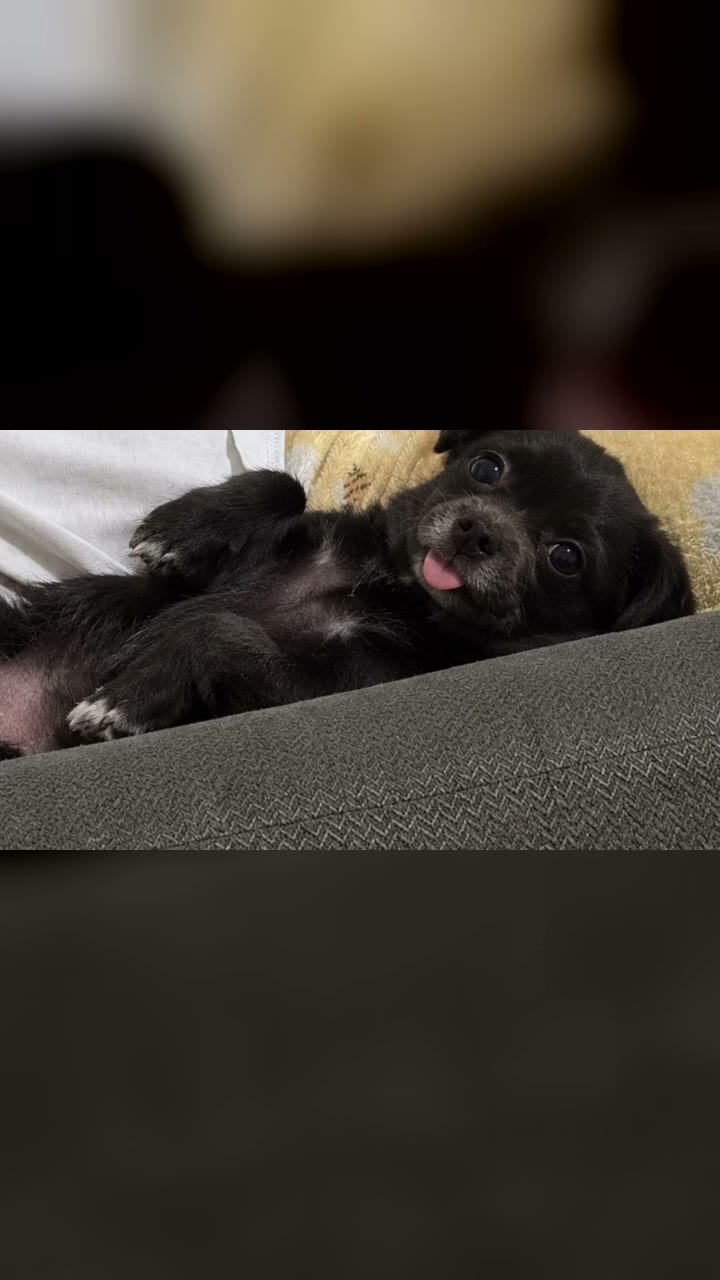
The pet version that went big, by @jimherrp031727 (17 October 2026): her chihuahua as the AI "princess" version, a younger and fluffier dog, and then the real one. Her four pictures, cropped below the text, with the trend's sound.

Step by step

How to make the Perdon Trend photo on MakeViral

Everything runs in the browser. No editing app, no prompt to write, no watermark.

  1. Add your photo

    Press "Create your own" and add your everyday photo, face in view. Take it with the camera or pick it from your library.

  2. Press Generate

    The button shows the price. Nano Banana 2 puts your photo into the Perdon AI vs Reality scene and makes one 2K photo. You write no prompt.

  3. Download or share

    The photo is ready in a few minutes as a 9:16 2K image. Download it, share it from your phone, turn it into a video, or find it later in your Library.

Which photo works best?

Upload one everyday photo: the real one you will post last. For You, a photo of you alone. For Pet, a photo of your own dog or cat.

  • The more ordinary, the better the joke. Your living room, the local court, the bus stop, a messy desk. The AI turns that place into the dream version.
  • Show the face clearly, in normal light, with no sunglasses. The AI keeps your face, age, hair color and body shape, so your friends still see it is you.
  • Any pose works. The perfect photo keeps the same pose and angle, which makes the side by side funnier.
  • Use your own photo, or your own pet. Adults only: never a child, a celebrity or a stranger. The joke is on you.

Where did the Perdon Trend trend start?

The perdon trend is a joke about AI photo edits. You post a carousel. The first slide is an AI version of your photo that is just a bit too good, captioned "esta soy yo" (this is me): playing in a stadium, sitting in a luxury house, with glossy salon hair. Each next slide takes one lie back ("mentira, no soy rubia": lie, I am not blonde; "tampoco estaba en un estadio": I was not in a stadium either), and the last slide is the real photo with one word: "perdón".

The sound under it is a 60-second piece of music by the TikTok user Harrison, posted on 6 August 2026. It went big first in English gif and story posts in August and September. The perdon trend ia version started in Argentina: on 13 October 2026 a creator there posted her field hockey AI photo, then the real one, and passed 4.5 million views. Beach volley, jiu-jitsu and firefighter versions followed in Argentina, Mexico and Chile, and on 17 October an Argentine post passed 30 million views. By 19 October the sound had about 90,000 videos, and Spanish how-to videos called it the perdon trend de fotos ia.

  1. The music sound by the TikTok user Harrison (posted 6 August 2026) gets its first post with millions of views that we found: a gif story post from the UK, 4.5 million views by October. TikTok

  2. A creator in Argentina posts an AI photo of herself playing field hockey in a packed stadium, takes back the stadium and the muscles slide by slide, and ends on the real photo: "perdón". 4.5 million views by 19 October. TikTok sound

  3. The format spreads: a jiu-jitsu competitor in Mexico (4.2 million views) and firefighters in Chile (4.3 million) post their own perfect-then-real carousels on the same sound. TikTok

  4. A pet version from Mexico, "Está es mi chihuahua princess" and then the real chihuahua, reaches 6.6 million views and 2 million likes. The biggest post of the trend, from Argentina, passes 30 million views the same week. TikTok

  5. AI templates and Spanish how-to videos for the "perdon trend de fotos ia" appear (the biggest has 80,100 views by 19 October), and the hashtag #perdontrendia starts. TikTok

Copy and paste

The Perdon Trend prompts

You do not need this: the one-tap flow runs it for you. The photo prompt puts your photo into the scene. Want to change it? Copy it and edit it in AI Photo.

You

1 photo: your everyday photo, face in viewNano Banana 2Photo · 2K · 9:163 credits
Photo prompt

Use the uploaded image as the base. Make the perfect, idealized AI version of this exact photo, the "this is me" first slide of an AI vs reality photo post: the same person, the same pose, the same moment and the same camera angle, but everything a little too perfect. Upgrade only these things, like an AI photo edit that went a little too far: the place becomes the dream version of where the photo was taken (a plain room becomes a bright luxury living room with marble, fresh white flowers and warm lamps; a local court, field or gym becomes a big modern stadium full of cheering fans under bright lights; a street becomes a stylish city street at golden hour; a beach becomes a perfect sunny beach with turquoise water; a kitchen or dining table becomes an elegant restaurant table); the light becomes soft, warm, flattering photo-shoot light with a gently blurred background; the image is sharp, clean and polished, like a professional photographer's shot. The hair is freshly styled at a salon, glossy and neat, in its own color and its own length. The clothes become a clean, ironed, stylish version of the same outfit in the same colors. The skin looks rested and fresh; if the photo shows makeup, it is neat. The expression stays the same, relaxed and photogenic. Keep the body shape and body size exactly as in the photo: never slimmer, curvier, taller or more muscular. Keep the age. Exactly one person: nobody added, nobody removed; a pet in the photo stays, groomed and fluffy. Any logo, crest, brand name or writing on the clothes or in the place becomes plain. Vertical 9:16; if the photo is wider, extend the dream place naturally. Photorealistic, so people believe it for a second. No text, no captions, no stickers, no logos, no watermark, no frame.

1768 characters

Pet

1 photo: your pet's face and body, in clear lightNano Banana 2Photo · 2K · 9:163 credits
Photo prompt

Use the uploaded image as the base. Make the perfect, idealized AI version of this exact pet photo, the "this is my princess" first slide of an AI vs reality pet post: the same pet, the same pose and the same camera angle, but everything a little too perfect, like a professional pet photo shoot. The pet keeps its own species, breed look, face, eyes, ears, muzzle, fur colors and markings, and the natural body volume and proportions of that animal, never flattened, stretched or swapped for another breed, but looks its very best: freshly groomed, fluffy, glossy and clean fur, bright happy eyes, a small pastel bow or a neat collar. The place becomes the dream version: a soft velvet cushion on a cream sofa in a bright luxury living room with fresh white flowers and warm lamps (if the photo is outdoors, a perfect green garden at golden hour). Soft, warm photo-shoot light with a gently blurred background. Exactly the pets of the photo: none added, none removed, and no people added. Any logo, crest, brand name or writing on the clothes or in the place becomes plain. Vertical 9:16; if the photo is wider, extend the dream place naturally. Photorealistic, so people believe it for a second. No text, no captions, no stickers, no logos, no watermark, no frame.

1266 characters

How many credits does it cost?

You pay per photo in credits, and the create page shows the exact price on the Generate button before you spend anything. The one-tap price covers one 2K photo, charged once. One photo is 3 credits, so the smallest one-time pack that covers it is $9.99 for 100 credits, with no subscription. A smaller 1K photo costs less if you run the prompt by hand in AI Photo.

ModelSettingsCredits
Nano Banana 2 (this template)2K photo, 9:16, one tap3
Nano Banana 2 (by hand in AI Photo)1K photo, 9:16, same prompt2

One-time packs and plans are on the pricing page. A failed photo gives its credits back.

What does the perdon trend template make?

One new picture: the "esta soy yo" slide. It is your photo, same pose, same angle, but a bit too perfect, the way AI photo edits often are.

In your real photoIn the perfect AI photo
The placeIts dream version: a plain room becomes a bright luxury living room, a local court becomes a stadium full of fans, a street becomes a city street at golden hour
The lightSoft, warm photo-shoot light with a blurred background
Your hairFreshly styled and glossy, in your own color and length
Your clothesA neat, clean, stylish version of the same outfit, in the same colors
Your face, age and bodyThe same. The AI never makes you slimmer, taller or more muscular

You makes the perfect photo of you. Pet makes your dog or cat the groomed, fluffy "princess" version, on a velvet cushion in a fancy room, still clearly your pet.

How MakeViral makes it: your photo goes to Nano Banana 2, Google's image model, and comes back as one 2K vertical picture. The real photo is your own: you post it last. The create page shows the exact price on the Generate button before you spend anything, and every run is a new take.

How to post the perdon trend (the AI vs realidad carousel)

  1. Make the perfect photo here from your everyday photo.
  2. Post a photo carousel on TikTok: the AI photo first, your real photo last. Add the trend's sound: search the perdón trend sound, "original sound" by Harrison, or tap the sound under any perdón post and press Use this sound.
  3. Write the lines on the slides. The creators use the same words every time:
    • Slide 1: "Esta soy yo en..." (this is me at...), for example "esta soy yo jugando al hockey" or "esta soy yo en mi casa".
    • Middle slides (optional): "Mentira, no soy rubia" (lie, I am not blonde), "Tampoco estaba en un estadio" (I was not in a stadium either), "Ni estaba tan arreglada" (and I was not that dressed up).
    • Last slide, your real photo: "Perdón" (sorry). Some write "Lo siento".
  4. Keep it about you. The trend is self-mockery: your own photo, your own pet, your own messy room. Never a friend's photo without a yes, never a stranger.

Want the middle slides too? Run the template again on the same photo, or keep the real photo for the end and let the jump do the work: many of the biggest posts have only two or three slides.

Where does the prompt come from?

The trend started as AI photo edits, and since 18 October it also runs on closed app templates. None of the creators shared a prompt: we read the captions and about 1,200 comments of the five biggest posts, and the how-to videos show only the template buttons. So our prompt is written from the creators' own slide lines. Each "mentira" line names one thing the AI made too good (the place, the hair, the outfit, the polish), and the prompt asks for exactly those upgrades and nothing else. It keeps your face, age, body and hair color, so the joke lands on the place and the polish, not on how you look.

What goes wrong, and how do you fix it?

ProblemFix
The perfect photo does not look like youUse a sharp photo with your face large and in good light. Every run is a new take.
The place did not change muchRun it again. A plain, everyday background gives the AI more to upgrade.
It is too perfect to be funnyThat is the point: the real photo after it is the punchline. Pick your most ordinary real photo.
Your pet came out as a different breed (Pet)Use a photo where the pet's face and fur are clear and not too small.
A run fails, or the model refuses a photoThe credits come back. Try another photo.
FAQ

Perdon Trend trend questions

What is the perdon trend?
It is a TikTok photo trend from October 2026. You post a perfect AI photo of yourself ("esta soy yo"), then take the AI's lies back one by one, and end on your real photo with the word "perdón", Spanish for sorry. People call it the perdon trend ia, the perdon ai trend and AI vs realidad.
Where does the perdon trend come from?
From Argentina. The sound is a music track posted by the TikTok user Harrison on 6 August 2026. On 13 October 2026 a creator in Argentina used it for a field hockey AI photo and then the real one, and passed 4.5 million views. Posts from Mexico, Chile and Spain followed, and one Argentine post passed 30 million views on 17 October.
How do I do the perdon trend de fotos ia?
Press "Create your own", pick You or Pet, add one everyday photo and press Generate. You get the perfect AI photo. Post it first and your real photo last, with "esta soy yo" on the first slide and "perdón" on the last, on the trend's sound. You need no template and no prompt.
What does perdon ia mean? Is it AI vs reality?
Perdón means sorry, and IA is the Spanish for AI. The trend shows ia vs realidad, or ai vs realidad as many captions write it: AI vs reality. The AI vs reality photo is the perdon photo trend in English, the same joke: the AI picture, then the real one.
Is there a perdon trend ai template or plantilla? How do you make it, como hacer el trend perdon?
Yes. Since 18 October 2026 Spanish how-to videos (perdon trend ia tutorial, perdon trend como hacer) send people to an AI template, a plantilla. On MakeViral the template is this page: one photo in, the perfect AI photo out. For the perdon trend de fotos you then add your real photo yourself. That is como hacer el trend perdon in short.
Can I do the perdon trend with my dog? Perdon trend perro?
Yes. Pick Pet. Your dog or cat gets the groomed, fluffy, princess version in a fancy room, and your real pet photo is the punchline. One of the biggest posts, a chihuahua, had 6.6 million views. It works the same for a perdon trend perro or a cat.
What do I write on the slides? Esta soy yo, perdón?
Slide 1: "Esta soy yo..." plus what the AI shows ("esta soy yo en la playa"). Middle slides: "Mentira, ..." or "Tampoco ...", one AI lie each. Last slide: "Perdón". For a pet: "Este es mi perro" and then "perdón" or "lo siento". That is the whole esta soy yo perdon ia script.
Is the perdon trend meme mean?
It should not be. The perdon trend meme works because the joke is on yourself. Our template never makes you slimmer, taller or more muscular, and keeps your face and age, so the gap is the place and the polish. Use only your own photo or your own pet, never someone else's.
Is it the same as the AI vs reality meme or AI expectation vs reality?
Close cousins. The AI vs reality meme and the AI expectation vs reality meme compare an AI picture with the real thing, from products to ai vs reality photos of places. The perdon trend is the personal version: your own AI vs real photo, told as a confession, with the perdón at the end.
What other names does the perdon trend have?
The how-to captions call it the perdon trend gracioso (the funny perdón trend), the perdon con ia trend, the tendencia perdon fotos ia (the perdón AI photo trend) and the perdon fotos trend. In English some write the pardon ai trend, and a few pet posts end on "lo siento" instead of perdón, so it is also the lo siento trend.
Is the photo real or AI?
The first photo is AI, the last one is real. Say it is AI when you post: keep the platform's AI label on. The trend is funny because everyone knows the first photo is too good to be true.
Does it cost credits?
Yes, a few credits per picture, because it is one AI image. The create page shows the exact price on the Generate button before you spend anything, and if a run fails, the credits come back.
Is my photo private?
Yes. MakeViral does not post your photo or the result anywhere or show them to other users. The result goes to your private Library, and you can delete it there at any time.
More trends

Other AI video templates

Template

Cat in the Hat Trend: Make the AI Doorbell Cam Halloween Prank

A tall cat in a red and white striped top hat walks up your path on a grainy doorbell camera, waves and does a silly little dance. Or it stares up at your window, peeks out of your doorway, or stands right behind you in a selfie. It is all AI, made from one photo: a Halloween joke, not a sighting.

Read more
Template

Ghostface AI Trend: Put Yourself in the 90s Horror Phone Call

You lie on satin bedding with a chunky 90s phone at your ear, and a figure in a black hooded robe and a white ghost mask watches from the dark doorway. One selfie in, a grainy film photo out, or a short clip where you turn around.

Read more
Template

South Park Filter: You as a Paper Cut-Out Cartoon

Add a photo of you, your friends or your pet. AI redraws it as a flat paper cut-out cartoon with a big round head and oval eyes, standing in the snow of a small mountain town. Your hair, beard, glasses and outfit come along.

Read more
Template

Crochet Filter: AI Turns Your Photo Into a Crochet Doll of You

Add one photo. AI turns you into a handmade amigurumi doll of yarn, with your hair, your clothes and your pose, in a crocheted copy of your own place. Make it alone or with your partner.

Read more
Template

Split Face Trend: Half Your Face, Half Your Parent's

Add a photo of you and one of your mom, dad or another family member. AI joins the left half of your face and the right half of theirs in one black-and-white portrait, so everyone can see who you take after.

Read more
Template

2016 vs 2026: Your 2016 Self Walks In and Meets You

Your 2016 self walks in, looks you up and down and asks why you look so exhausted. Write your own lines, pick the place and the ending. An old photo and a new one in, a 10-second clip with voices out. It works with your pet too.

Read more

Make your own Perdon Trend photo

Add one photo and tap once. No prompt to write. 3 credits.

No watermark. A failed video gives its credits back. Secure checkout by Stripe.