Back

My Disney Boyfriend Trend: Your Couple Photo as a Three-Panel Fairy Tale

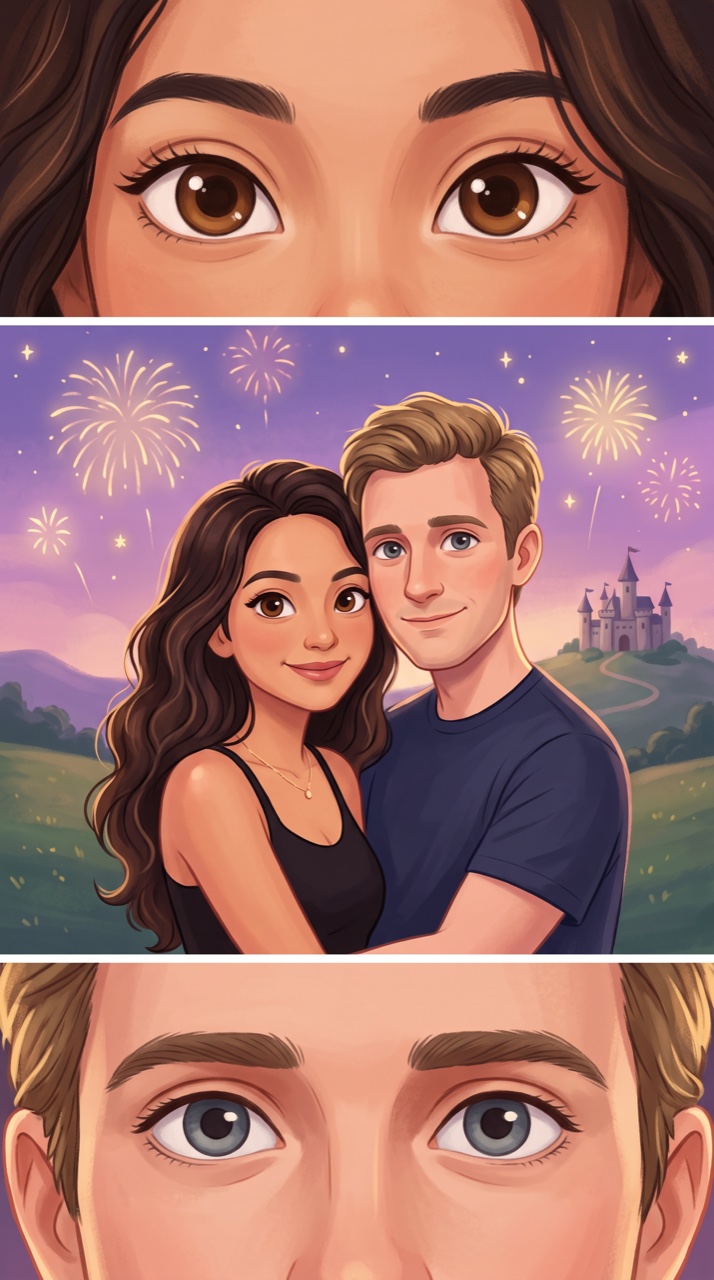
Add one photo of you two. MakeViral redraws you in an original fairy-tale cartoon look, in three stacked panels: one person's eyes, your hug, the other person's eyes. Keep it as a picture or make it a slow zoom video with the trend's song.

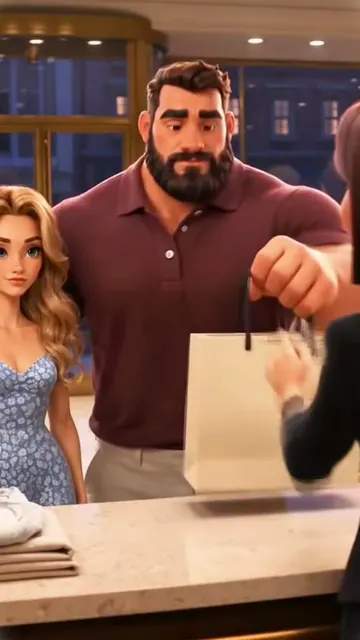
Three-Panel Couple example video, made with AI-made peopleAI-made
  • 1 photo you add
  • 2K photo you can turn into a video
  • 9:16 for TikTok, Reels, Shorts
  • No watermark

No prompt to write: Add your photo and tap once

Create your own

Ready in a few minutes · Photo · From 3 credits

The my Disney boyfriend trend is a three-panel couple edit from TikTok: his eyes on top, the couple in the middle, her eyes below. Add one photo of you two and get the same layout in an original fairy-tale cartoon look, as a picture or as an 11 second slow zoom video.

Also called Disney couple three panel trend · Rapunzel and Flynn trend · Disney couple eye comparison trend · Disney couple three grid comparison · my favorite movie ever trend

Example

What the Three-Panel Couple photo looks like

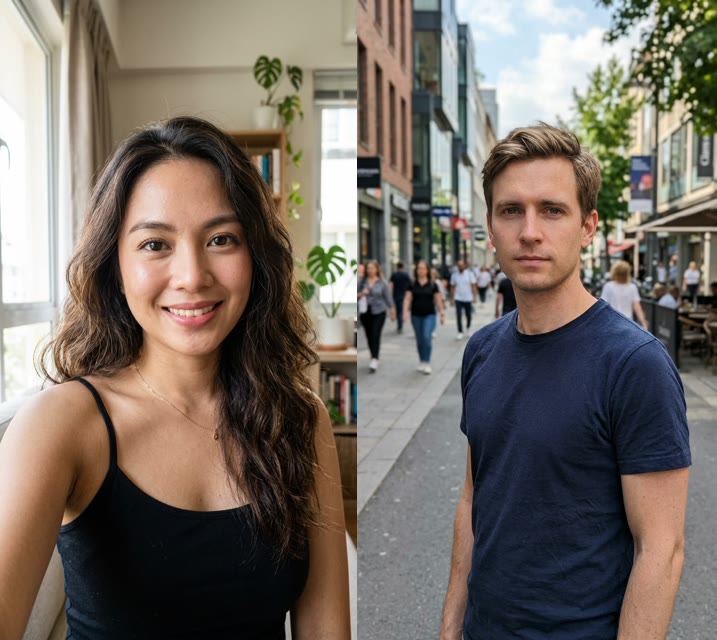
This example is a photo result from our own run on an AI-made adult couple. The trend's CapCut template shows other people, so we do not use its clips here.

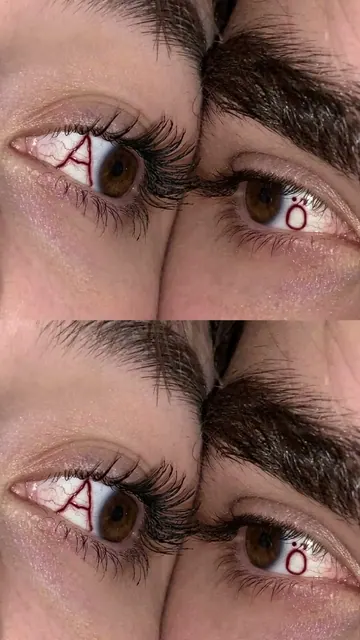
Input photo for Three-Panel Couple example (AI-made person)
Input
Result, before and after

Made with MakeViral from one photo of an AI-made adult couple (not real people): her eyes, the two of them together, his eyes, in an original fairy-tale cartoon look. A photo result, shown here with a slow zoom and the trend's sound.

Step by step

How to make the Three-Panel Couple photo on MakeViral

Everything runs in the browser. No editing app, no prompt to write, no watermark.

  1. Add your photo

    Press "Create your own" and add you two together, both faces clear. Take it with the camera or pick it from your library.

  2. Press Generate

    The button shows the price. Nano Banana 2.1 puts your photo into the Three-Panel Couple scene and makes one 2K photo. You write no prompt.

  3. Download or share

    The photo is ready in a few minutes as a 9:16 2K image. Download it, share it from your phone, turn it into a video, or find it later in My videos.

Which photo works best?

Use one sharp photo of you two together, faces side by side and close to the camera. The eye panels are drawn from this photo, so the bigger your eyes are in it, the better.

  • Both faces to the camera, eyes open, no sunglasses.
  • Good light on the eyes. Face a window or stand in open shade. The eye color is the point of this trend.
  • Left and right matter. The person on the left gets the top panel, the person on the right gets the bottom panel. To swap them, flip the photo first.
  • Two adults only. This is a romantic couple template, so please do not upload photos of children.

For You + pet, add two photos: first you, then your pet with its eyes open. For Two pets, add one photo with both pets in it.

Where did the Three-Panel Couple trend start?

The three-panel format is brand new. The TikTok hashtag #rapunzelandflynntrend was created on 17 November 2026 at 18:19 UTC, and the earliest post we found under it went up five minutes later, from @user2312450393252. The posts point to a CapCut template by @Esme70275, 11 seconds long, shown in tutorials such as this one from @gaelsolesmyleshle. It opens on stills of an animated film couple, then shows real couples in the same three panels, set to "I Root" by Michael Nau. People also call it the Disney couple trend or the Disney couple eye comparison trend, and some tutorials file it under the my favorite movie ever trend.

The name borrows from an older hit. My Disney boyfriend is a TikTok filter that puts an animated prince above your head: #mydisneyboyfriend dates from April 2022 and had 448.6 million views on 18 November 2026. It is a different effect. So far the three-panel version lives on small tutorial accounts, and we found no big original post yet.

  1. The hashtag #mydisneyboyfriend is created on TikTok for the older filter. By 18 November 2026 it has 3,054 videos and 448.6 million views. TikTok

  2. A post by @kieranrou4 with the older My Disney Boyfriend Filter reaches 1.3 million views and 28,600 likes. TikTok

  3. The hashtag #rapunzelandflynntrend is created at 18:19 UTC, and the first three-panel tutorial we found follows at 18:24 UTC. That post has 1,328 views on 18 November. TikTok

  4. #rapunzelandflynntrend has 45 videos and 6,231 views, #mydisneyboyfriendtrend has 60 videos and 55,023 views, and the older #disneycoupletrend tag has 73 videos and 370,856 views. TikTok

Copy and paste

The Three-Panel Couple prompts

You do not need this: the one-tap flow runs it for you. The photo prompt puts your photo into the scene. Want to change it? Copy it and edit it in AI Photo.

Couple photo

1 photo: you two together, both faces clearNano Banana 2.1Photo · 2K · 9:163 credits
Photo prompt

Use the uploaded image as the base. Adopting the likeness of the two adults provided in the input image, redraw them in an original fairy-tale animated film look: a soft animated illustration with a dreamy glow, smooth painted shading, rounded friendly shapes, big expressive eyes with bright catchlights and fine eyelashes, warm storybook colors and gentle rim light. Generate a vertical 9:16, three-panel sequence. The image is divided into three vertically stacked frames: top, middle, and bottom, each the full width of the picture, divided by thin white separator lines. Panel proportions: top 30%, middle 40%, bottom 30%. Top Frame: an extreme close-up of both eyes and both eyebrows of the figure on the left of the photo, level, open and looking into the camera, filling the frame from side to side. Middle Frame: the same two people in a warm hug, cheek to cheek, from the chest up, both faces large, turned to the camera or three-quarters to it, eyes open and softly smiling, the figure from the left of the photo on the left. Behind them: a storybook kingdom at dusk, with a small original stone castle far away on a green hill, a violet and rose sky and soft golden fireworks. Bottom Frame: an extreme close-up of both eyes and both eyebrows of the figure on the right of the photo, level, open and looking into the camera, filling the frame from side to side. Each cartoon keeps everything that makes that person recognizable: the exact eye color and eye shape (brown stays brown, blue stays blue, green stays green, hazel stays hazel), the eyebrows, face shape, nose, lips, skin tone, hairstyle, hair length and hair color, any beard, moustache, glasses, freckles and moles, and their own clothes and colors from the photo. The eyes in each close-up are the same eyes as that person's in the middle frame. Never blend the two people and never swap their eyes, hair or clothes. If the photo shows only one person, both eye frames show that person and the middle frame shows them alone. No existing cartoon or film character and nothing copied from an animated film: no crown, no tiara, no royal costume, no very long magic hair, no floating lanterns. No studio logo, no title, no text, no letters, no watermark, no outer frame, no extra people and no children. Every face is a soft hand-painted animated face in this style, never a photo face: the identity rules below apply to each cartoon's face shape, eye color, eye shape, nose, lips, hair, facial hair, glasses, skin tone, age, gender and clothes.

2515 characters

Slow zoom video

1 photo: you two together, both faces clearKling 3.011 s · 1080p · 9:1662 credits
Step 1 · Photo prompt

Use the uploaded image as the base. Adopting the likeness of the two adults provided in the input image, redraw them in an original fairy-tale animated film look: a soft animated illustration with a dreamy glow, smooth painted shading, rounded friendly shapes, big expressive eyes with bright catchlights and fine eyelashes, warm storybook colors and gentle rim light. Generate a vertical 9:16, three-panel sequence. The image is divided into three vertically stacked frames: top, middle, and bottom, each the full width of the picture, divided by thin white separator lines. Panel proportions: top 30%, middle 40%, bottom 30%. Top Frame: an extreme close-up of both eyes and both eyebrows of the figure on the left of the photo, level, open and looking into the camera, filling the frame from side to side. Middle Frame: the same two people in a warm hug, cheek to cheek, from the chest up, both faces large, turned to the camera or three-quarters to it, eyes open and softly smiling, the figure from the left of the photo on the left. Behind them: a storybook kingdom at dusk, with a small original stone castle far away on a green hill, a violet and rose sky and soft golden fireworks. Bottom Frame: an extreme close-up of both eyes and both eyebrows of the figure on the right of the photo, level, open and looking into the camera, filling the frame from side to side. Each cartoon keeps everything that makes that person recognizable: the exact eye color and eye shape (brown stays brown, blue stays blue, green stays green, hazel stays hazel), the eyebrows, face shape, nose, lips, skin tone, hairstyle, hair length and hair color, any beard, moustache, glasses, freckles and moles, and their own clothes and colors from the photo. The eyes in each close-up are the same eyes as that person's in the middle frame. Never blend the two people and never swap their eyes, hair or clothes. If the photo shows only one person, both eye frames show that person and the middle frame shows them alone. No existing cartoon or film character and nothing copied from an animated film: no crown, no tiara, no royal costume, no very long magic hair, no floating lanterns. No studio logo, no title, no text, no letters, no watermark, no outer frame, no extra people and no children. Every face is a soft hand-painted animated face in this style, never a photo face: the identity rules below apply to each cartoon's face shape, eye color, eye shape, nose, lips, hair, facial hair, glasses, skin tone, age, gender and clothes.

2515 characters
Step 2 · Video prompt

The screen displays a three-panel grid composition, with the characters remaining almost static. Keep the picture exactly as it is: the same three stacked frames, the same thin white separator lines, the same soft animated look, the same faces, the same eye colors and the same clothes. One continuous shot with no cuts. The separator lines stay perfectly still and straight, and the frames never move, merge or swap. Inside each frame there is a very slow, gentle zoom in. Top frame: the eyes blink slowly once, then look softly toward the middle of the picture. Middle frame: the two people hold their hug, breathing gently, and their smiles grow a little warmer while soft golden fireworks bloom far behind them. Bottom frame: the eyes blink slowly once, then look softly up toward the middle of the picture. Slow, dreamy and romantic. No text, no logos, no new people, and no change to any face.

899 characters

You + pet

2 photos: you, face clear + your pet, face clearNano Banana 2.1Photo · 2K · 9:163 credits
Photo prompt

Use the two uploaded images as the base: image 1 is the person, image 2 is their pet. Redraw both in an original fairy-tale animated film look: a soft animated illustration with a dreamy glow, smooth painted shading, rounded friendly shapes, big expressive eyes with bright catchlights and fine eyelashes, warm storybook colors and gentle rim light. Generate a vertical 9:16, three-panel sequence. The image is divided into three vertically stacked frames: top, middle, and bottom, each the full width of the picture, divided by thin white separator lines. Panel proportions: top 30%, middle 40%, bottom 30%. Top Frame: an extreme close-up of both eyes and both eyebrows of the person from image 1, level, open and looking into the camera, filling the frame from side to side. Middle Frame: the person hugs the pet close, cheek against its fur, from the chest up, the person's face and the pet's face both large and turned to the camera or three-quarters to it, eyes open. Behind them: a storybook kingdom at dusk, with a small original stone castle far away on a green hill, a violet and rose sky and soft golden fireworks. Bottom Frame: an extreme close-up of both eyes of the pet from image 2 with the fur around them, level, open and looking into the camera, filling the frame from side to side. The person keeps the exact eye color and eye shape, eyebrows, face shape, nose, lips, skin tone, hairstyle, hair length and hair color, any beard, moustache, glasses, freckles and moles, and their own clothes and colors from image 1. The pet stays the same animal: the same species and breed look, head shape, ears, muzzle, eye color, fur colors, fur length and markings as in image 2, with the natural proportions of that animal, never a person and never with human clothes. The eyes in each close-up are the same eyes as in the middle frame. No existing cartoon or film character and nothing copied from an animated film: no crown, no tiara, no royal costume, no very long magic hair, no floating lanterns. No studio logo, no title, no text, no letters, no watermark, no outer frame, no extra people and no children. Every face is a soft hand-painted animated face in this style, never a photo face: the identity rules below apply to each cartoon's face shape, eye color, eye shape, nose, lips, hair, facial hair, glasses, skin tone, age, gender and clothes. The pet is a soft painted animated animal in the same style.

2421 characters
Two pets

1 photo: your two pets together, faces clearNano Banana 2.1Photo · 2K · 9:163 credits
Photo prompt

Use the uploaded image as the base. Adopting the likeness of the two pets provided in the input image, redraw them in an original fairy-tale animated film look: a soft animated illustration with a dreamy glow, smooth painted shading, rounded friendly shapes, big expressive eyes with bright catchlights and fine eyelashes, warm storybook colors and gentle rim light. Generate a vertical 9:16, three-panel sequence. The image is divided into three vertically stacked frames: top, middle, and bottom, each the full width of the picture, divided by thin white separator lines. Panel proportions: top 30%, middle 40%, bottom 30%. Top Frame: an extreme close-up of both eyes of the pet on the LEFT of the photo with the fur around them, level, open and looking into the camera, filling the frame from side to side. Middle Frame: the same two pets cuddled close together, head against head, both faces large and turned to the camera or three-quarters to it, eyes open, the pet from the left of the photo on the left. Behind them: a storybook kingdom at dusk, with a small original stone castle far away on a green hill, a violet and rose sky and soft golden fireworks. Bottom Frame: an extreme close-up of both eyes of the pet on the RIGHT of the photo with the fur around them, level, open and looking into the camera, filling the frame from side to side. Each pet stays the same animal: the same species and breed look, head shape, ears, muzzle, eye color, fur colors, fur length and markings as in the photo, with the natural proportions of that animal, never a person and never with human clothes. The eyes in each close-up are the same eyes as that pet's in the middle frame. Never blend the two pets. If the photo shows only one pet, both eye frames show that pet and the middle frame shows it alone. No existing cartoon or film character and nothing copied from an animated film: no crown, no tiara, no royal costume, no very long magic hair, no floating lanterns. No studio logo, no title, no text, no letters, no watermark, no outer frame, no extra people and no children. Each pet is a soft painted animated animal in this style, never a photo.

2148 characters

How many credits does it cost?

You pay per photo in credits, and the create page shows the exact price on the Generate button before you spend anything. The one-tap price covers one 2K photo, charged once. One photo is 3 credits, so the smallest one-time pack that covers it is $9.99 for 100 credits, with no subscription. A smaller 1K photo costs less if you run the prompt by hand in AI Photo.

ModelSettingsCredits
Couple photo: Nano Banana 2.1 (this template)2K photo, 9:16, one tap3
Slow zoom video: Kling 3.0 (this template)11 s, 1080p + 1 scene photo, one tap62
You + pet: Nano Banana 2.1 (this template)2K photo, 9:16, one tap3
Two pets: Nano Banana 2.1 (this template)2K photo, 9:16, one tap3
Nano Banana 2.1 (by hand in AI Photo)1K photo, 9:16, same prompt2

One-time packs and plans are on the pricing page. A failed photo gives its credits back.

What goes in each panel

The layout is the whole trend, so we keep it: three full-width panels stacked on top of each other, with a thin line between them.

PanelWhat it showsWhere it comes from
TopA close-up of both eyes and eyebrows of the first personThe person on the left of your photo
MiddleThe two of you hugging, cheek to cheek, with a storybook castle and soft fireworks far behind youBoth of you, with your own hair and clothes
BottomA close-up of both eyes and eyebrows of the second personThe person on the right of your photo

The eye panels are why people search for the my Disney boyfriend trend blue and brown eyes version: one partner's eyes against the other's is the fun of it. The prompt tells the model to keep each person's real eye color, so brown stays brown and blue stays blue. This is also what people mean by the Rapunzel and Flynn trend with eyes and the couple eye AI edit.

Pick your version

VersionWhat you addWhat you get
Couple photoOne photo of you twoThe three-panel picture
Slow zoom videoOne photo of you twoThe picture, then an 11 second video: the eyes blink, you hold the hug and fireworks bloom behind you, with the song on top
You + petOne photo of you, one of your petYour eyes, you hugging your pet, your pet's eyes
Two petsOne photo of both petsOne pet's eyes, the two pets cuddling, the other pet's eyes

The video has two quality options. Standard is the lower-priced one. Best uses top-quality AI video models, including Seedance 2.5, and costs more. Try it if Standard bends the panel lines or changes a face.

The TikTok template and this version: what is different

We want you to know what you are getting.

  • The CapCut template opens on stills from an animated film and then places real couples in the panels. It is a comparison: the film couple first, then you.
  • This template does not use any film image. It redraws the two of you as cartoon characters in an original fairy-tale look, in the same three-panel layout. You will not get a real film character, a studio logo or a film title, and we do not try to copy one.
  • MakeViral is not connected to Disney, Pixar or CapCut. Those names appear here only because they are the words people use to search for this trend.

If you want the exact film comparison, the CapCut template is the place for that. If you want the two of you drawn as the fairy-tale couple, use this one.

What can go wrong, and how to fix it

  • An eye color looks off. Small or dark eyes in the photo are the usual cause. Use a closer, brighter photo and run it again.
  • The eye panels are the wrong way round. Flip your photo so that the person you want on top is on the left.
  • A face does not look like you. A cartoon is always a loose likeness, and each run is a little different. Run it again, or use a photo where both faces are bigger.
  • A panel line bends in the video. This can happen with AI video. Run it again or pick Best.
  • Only one person came out. Check that both faces are clear in the photo and neither is cut off at the edge.
FAQ

Three-Panel Couple trend questions

What is the my Disney boyfriend trend?
On TikTok, the name now covers two things. The new one is a three-panel couple edit: his eyes on top, the couple in the middle, her eyes below, from a CapCut template that appeared on 17 November 2026. The older one is the My Disney Boyfriend Filter, which puts an animated prince above your head.
Is this the My Disney Boyfriend Filter?
No. The Disney boyfriend filter TikTok made popular shows an animated prince above your head, and people film their reaction. This page makes the three-panel couple picture instead, from your own photo. If you searched for your Disney boyfriend because of that filter, this is the couple version: the boyfriend here is your real one, drawn as a cartoon.
How do I do the Rapunzel and Flynn trend?
Press "Create your own", add one clear photo of you two and press Generate. You get the three panels with your eyes and your hug in a fairy-tale cartoon look. Pick Slow zoom video if you want a clip for TikTok. We do not draw the film's characters: the couple in the picture is you.
Will we look like real Disney characters?
No. The style is our own soft fairy-tale cartoon look, and the prompts ban existing film characters, crowns, very long magic hair, floating lanterns, logos and titles. You keep your own face shape, eye color, hair and clothes, drawn as cartoon characters.
Is this a Disney couple AI generator or a Disney couple filter?
It is a couple AI generator with an original animated look, and it works like a filter on your photo. It is not made by or connected to Disney or Pixar, and it does not use their characters. People search for a Disney AI couple portrait, a Disney Pixar couple filter or a Disney Pixar couple AI generator when they want this kind of picture.
Do we need one photo or two?
One photo of you two together is enough for Couple photo and Slow zoom video, as in the TikTok tutorials. You + pet takes two photos: you first, then your pet. Two pets takes one photo with both pets in it.
Does it keep blue and brown eyes?
That is what the prompt asks for: each person keeps their real eye color and eye shape in the close-up and in the hug panel. It works best when the eyes are large, sharp and well lit in your photo. If a color comes out wrong, use a closer photo and run it again.
How long is the video, and does it have the song?
The Slow zoom video is 11 seconds, the same length as the CapCut template. It comes with "I Root" by Michael Nau, the sound the template tutorials use, and you can turn the song off on the result screen. Couple photo, You + pet and Two pets give you a picture, so they have no sound.
Does it work for any couple?
Yes. The panels follow left and right in your photo, not gender, so it works for any adult couple. The person on the left gets the top panel and the person on the right gets the bottom panel.
Can I do it with my pet?
Yes. You + pet shows your eyes, you hugging your pet and your pet's eyes. Two pets does the same with two animals from one photo. Pets keep their own fur colors, markings and eye color, drawn in the same cartoon look.
Is there a prompt for the Disney couple trend?
We found no shared prompt for this trend: the original is a closed CapCut template, and the tutorials we checked show only the template steps. So we wrote our own, from the three-panel layout and the way the tutorials describe the look. It runs for you in one tap.
How do I use it for the Disney couple TikTok trend?
Make the Slow zoom video, save it and post it with the tags people use for this trend, such as #mydisneyboyfriendtrend, #disneycoupletrend and #rapunzelandflynntrend. Say in your caption that it is AI-made. On TikTok, the Rapunzel and Flynn couple posts use the same sound, "I Root".
Is this a look alike filter or an app?
It does not pick a film character that looks like you, so it is not a Disney boyfriend look alike filter or a Disney prince boyfriend filter. It works online in your browser, so there is no filter app to install. If you wonder how to use or how to do the Disney boyfriend filter itself, that one is a TikTok and CapCut effect.
Does it cost credits?
Yes. The create page shows the exact price on the Generate button before you spend anything. A picture costs far fewer credits than a video, and if a run fails, the credits come back.
Are our photos private?
Yes. MakeViral does not post your photo or your result, and it does not show them to other users. The result goes to your private My videos page, where you can delete it. To erase the uploaded photo and the result from our storage for good, email .
More trends

Other AI video templates

Make your own Three-Panel Couple photo

Add one photo and tap once. No prompt to write. 3 credits.

No watermark. A failed video gives its credits back. Secure checkout by Stripe.