Back

Dropped Truck GTA 6 AI Trend: Your Truck Burns Out Downtown

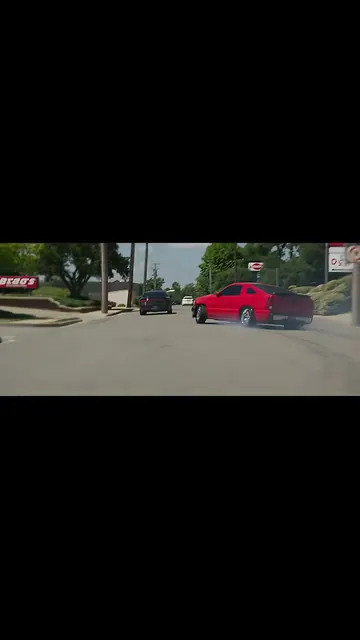
Add one photo of your truck or car. AI puts it in the trend's big-city scene: it rolls down a wide downtown street under a helicopter, spins burnouts in thick tire smoke, slides between cars and drives off, with the trend's own sound.

The original Dropped Truck GTA 6 reel by @1low_hdOriginal reel
  • 1 photo you add
  • 10 s clip with sound
  • 16:9 like the original clip
  • No watermark

No prompt to write: Add your photo and tap once

Create your own

Ready in up to several minutes · 152 credits

The dropped truck GTA 6 trend is an AI video of your own truck in a sunny big-city street scene: it cruises downtown under a helicopter, spins burnouts in tire smoke and slides past the camera. It started on TikTok on 18 November 2026 with @1low_hd's lowered pickup and the line "How yall gonna see me rolling in gta 6". You need one photo of your vehicle.

Also called GTA 6 dropped truck · GTA 6 truck AI trend · How y'all gonna see me rolling in GTA 6 · GTA 6 lowered truck · GTA 6 truck edit · AI burnout trend

Example

What the Dropped Truck GTA 6 video looks like

This is the post that started the trend, an AI video its creator made of his own truck. Your City burnout result follows the same shots with your vehicle in place of the black pickup.

Original reel by @1low_hd, 10 s

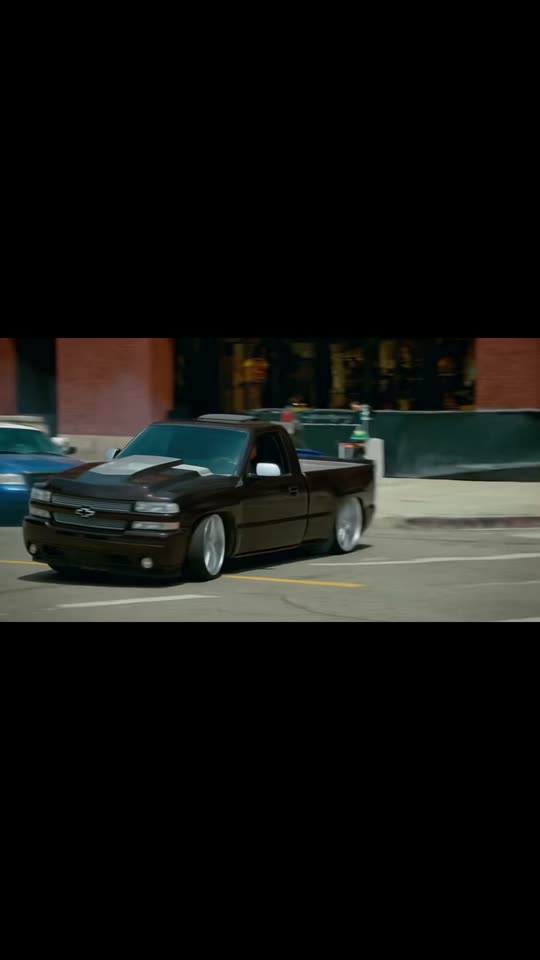
The original post by @1low_hd (18 November 2026, about 250,700 views): "How yall gonna see me rolling in gta 6". His lowered pickup, burning out downtown.

Use this reference
Step by step

How to make the Dropped Truck GTA 6 video on MakeViral

Everything runs in the browser. No editing app, no prompt to write, no watermark.

  1. Add your photo

    Press "Create your own" and add your truck or car, the whole vehicle from a front corner. Take it with the camera or pick it from your library.

  2. Press Generate

    The button shows the price. Seedance 2.5 puts your photos into the Dropped truck GTA 6 trend clip and copies it shot by shot for 10 seconds, with the reel's original song. You write no prompt.

  3. Download or share

    The video is ready in up to several minutes as a 16:9 MP4. Download it, share it from your phone, or find it later in My videos.

Which photo works best?

Upload one sharp photo of your whole vehicle: a pickup truck, car, SUV or van.

  • Front corner view. Stand at a front corner so the photo shows the front and one side, from the roof to the tires. The scene shows your vehicle from behind, the side and the front, so the shape and the paint matter most.
  • Daylight, no crowd. Park it alone in good light. People in the photo are left out. A photo at night or under colored lights can change how the paint looks in the video.
  • Dropped or lifted, it stays that way. The ride height, the wheels, the bumpers and the light bars carry over, so keep them in the picture. A lowered truck stays low.
  • Badges and plates: the video leaves out badges, emblems and the number plate, so you can post it without showing your plate.
  • Use a photo of your own vehicle, or one whose owner said yes.

Where did the Dropped Truck GTA 6 trend start?

The trend started with one post. On 18 November 2026, the day before GTA 6's set console release date, the truck owner @1low_hd shared a 10-second AI video of his lowered black pickup in a downtown car-movie scene, with the line "How yall gonna see me rolling in gta 6" and #droppedtrucks. The joke: this is how he plans to drive in the new game. By 19 November it had about 250,700 views, 39,700 likes and 2,658 shares, and the top comment (436 likes) asked "How yall make these". Others wrote that it looked like a Need for Speed clip, and one said they tried to make it in Kling and could not.

On 19 November, from 05:52 UTC, tutorial accounts reposted his clip as a dropped truck GTA 6 tutorial on the same sound and sent people to a CapCut AI template (the reposts by @bppp.ieex and @luna.ai.visuals passed 55,000 and 24,500 views that day). By 22:00 UTC the sound had 65 videos, nearly all from that day. The captions call it the dropped truck GTA 6 trend, the GTA 6 lowered truck edit and the GTA 6 truck transformation. In truck culture, a "dropped" truck is a lowered one.

  1. @1low_hd posts "How yall gonna see me rolling in gta 6", an AI video of his lowered pickup doing burnouts downtown; it has about 250,700 views and 39,700 likes by 19 November. TikTok

  2. The first tutorial repost calls it "dropped truck gta 6 capcut" (05:52 UTC); more than 20 tutorial copies follow the same day. TikTok

  3. A tutorial repost that points to a CapCut AI template passes 55,000 views on its first day. TikTok

  4. The trend's sound reaches 65 videos at 22:00 UTC, up from 45 that morning. TikTok

Copy and paste

The Dropped Truck GTA 6 prompt

You do not need these: the one-tap flow runs them for you, together with the trend clip. [Image 1] and [Image 2] are your two photos, and [Video 1] is the trend clip the video copies.

1 photo: your truck or car, the whole vehicle from a front cornerSeedance 2.510 s · 720p · 16:9152 credits
Video prompt

Only replace the main foreground vehicle with the vehicle from [Image 1]. Keep everything else in the video completely unchanged: original camera movement, shot composition, driving motion, speed, road, background, other cars, lighting, shadows, reflections, film grain, scene and action. Do not change anything else. Recreate the reference video [Video 1] shot for shot: a cinematic car-movie street scene on a sunny summer day in a big downtown with tall towers, wide roads and a helicopter overhead, with the same camera angles, cuts, timing and moves. The ONLY change: the hero vehicle of [Video 1], the black lowered single-cab pickup with big chrome wheels, is now the vehicle in [Image 1], in EVERY shot. THE VEHICLE = the vehicle in [Image 1], in EVERY shot, also inside the smoke: copy it exactly (body shape, doors, cab, bed or trunk, paint and finish, wheels and rims, lights, grille, bumpers, racks, light bars), whatever kind it is, so its owner knows it at once. A pickup keeps its own cab and bed; a four-door keeps four doors. RIDE HEIGHT: exactly as in [Image 1]: a lowered vehicle stays low, a stock one stays stock, a lifted one stays lifted. PAINT: the exact hue of [Image 1] in the sunny daylight of [Video 1]. A night or colored-light photo keeps its daylight paint. Never black unless [Image 1] shows black. It drives the same path and speed as the pickup in [Video 1], faces the same way in every shot and does the same burnouts and slides. Take ONLY the vehicle from [Image 1], never its background, light or people: every shot, also the first frame, is the sunny downtown of [Video 1]. NEVER the black pickup of [Video 1]: no black paint, single cab, hood scoop or big chrome wheels unless [Image 1] shows them, never a mix of the two. The blue car, the dark and silver sedans and every other car are background cars: they stay exactly as they are. Shot 1 [0-2.7 s]: low, from behind: the vehicle drives away down the middle of the wide street toward the towers, the helicopter low at the top left, then swings sideways into a burnout in thick white tire smoke; its REAR, then its side. Shot 2 [2.7-3.8 s]: hard cut, low, from the side: the vehicle rolls past a parked blue car in front of a brick wall, we see its FRONT and side; the SAME vehicle from [Image 1]. Shot 3 [3.8-5.8 s]: hard cut, a wide shot under an elevated track: the vehicle slides between dark and silver sedans at an intersection, smoke behind it. Shot 4 [5.8-6.7 s]: hard cut, from the side: the vehicle slides past on a side street, a silver sedan behind it. Shot 5 [6.7-10.1 s]: hard cut, the camera close beside it: the vehicle slides sideways past the camera, the rear wheel spinning in smoke, then the camera swings behind it and it drives off into a narrow street, its REAR to the camera. No person shows. No dialogue throughout the entire video. No background music. Exactly one vehicle looks like [Image 1]. No badges, emblems, brand names or lettering on the vehicle, no readable number plate, no text, no captions, no logos, no watermark.

3050 characters
How many credits does it cost?

You pay per video in credits, and the create page shows the exact price on the Generate button before you spend anything. The one-tap price covers the video, made in one step from your photos and the trend clip, charged once. One video is 152 credits, so the smallest one-time pack that covers it is $39.99 for 450 credits, with no subscription. The cheaper models are there if you run the prompts by hand in AI Video.

Video modelSettingsCredits
Seedance 2.5 (this template)10 s, 720p, copies the trend clip, one tap152

One-time packs and plans are on the pricing page. A failed video gives its credits back.

What happens in the dropped truck GTA 6 video?

The City burnout version copies the trend's own clip shot for shot, with your vehicle in place of the black pickup:

SecondsWhat you see
0 to 2.7From behind, your vehicle drives down a wide downtown street toward the towers, a helicopter overhead, then swings sideways into a burnout in thick tire smoke
2.7 to 3.8From the side, it rolls past a parked blue car
3.8 to 5.8A wide shot under an elevated track: it slides between the cars at an intersection, smoke behind it
5.8 to 6.7It slides past on a side street
6.7 to 10The camera rides close beside it as the rear wheel spins in smoke, then it drives off into a narrow street

The result is about 10 seconds, wide like a film (16:9), the whole trend clip. The trend's own sound plays on it, and you can turn it off on the result screen. It is made with top-quality AI video models, including Seedance 2.5, and takes 5 to 15 minutes. The create page shows the exact price on the Generate button.

Do you need the CapCut template or a GTA 6 copy?

No. The dropped truck GTA 6 tutorial videos all show the same steps: copy a link, open a CapCut AI template, swap one photo. Some also show the airsus filter, a separate CapCut template that lowers a car in a photo. Here you add one photo of your truck and press Generate, and the video lands in My videos.

The scene is not footage from the game. Every shot is AI-made: the city, the helicopter, the smoke and your vehicle. People call it a GTA 6 truck edit because of the first post's line, and because the game's console release date was 19 November 2026, the day after it. MakeViral has no link to the game or its publisher.

How do you post it like the trend?

  • The line: "How yall gonna see me rolling in gta 6", like the first post, or "My truck in GTA 6".
  • Hashtags: #droppedtrucks (about 493,000 TikTok videos), #trucksoftiktok and #gta6.
  • Before and after: show a real photo of your truck first, then your GTA 6 truck AI trend clip.
  • The sound: keep the trend's own sound on, like the other dropped trucks burnout posts on it, so viewers can tap through to the trend.
  • Keep the platform's AI label on, so nobody thinks you really did burnouts downtown.
FAQ

Dropped Truck GTA 6 trend questions

What is the dropped truck GTA 6 trend?
It is a TikTok car trend from November 2026: an AI video puts your own truck into a sunny big-city scene, burning out in tire smoke under a helicopter, as if you were driving it in GTA 6. It started with @1low_hd's post "How yall gonna see me rolling in gta 6" on 18 November 2026. A dropped truck is a lowered truck.
How do I do the dropped truck GTA 6 AI trend with my truck?
Press "Create your own", add one photo of your whole truck or car and press Generate. The video lands in My videos. You need no CapCut template, no video link and no prompt.
Is there a dropped truck GTA 6 CapCut template?
The dropped truck GTA 6 tutorial posts send people to a CapCut AI template, and the dropped truck capcut template, gta 6 truck transformation and dropped truck video effect captions all point to the same thing. On MakeViral you need no app and no template: one photo, and the video lands in My videos. If you search "dropped truck gta 6 como hacerlo", it is the same steps: one photo, then Generate.
Does it work for a car, or only a dropped truck?
It takes any car, pickup truck, SUV or van. The prompt keeps your own shape, paint, wheels and ride height, so a GTA 6 lowered truck stays low and a lifted truck stays lifted. Dropped truck edits are the most common posts.
Will it look like my truck, or like the black pickup?
The prompt copies your vehicle's shape, paint, wheels and lights from the photo and bans the black pickup of the original, so it is written to keep your truck. AI can still mix the two now and then. A sharp photo of the whole vehicle from a front corner gives the best match. Every run comes out a little different.
Is it real GTA 6 gameplay?
No. It is not footage from the game or its trailers. Every shot of the GTA 6 car edit is AI-made in a realistic city, and the trend takes its name from the first post's line. MakeViral has no link to the game.
Is it the same as the Need for Speed AI trend?
It is a close cousin. Both put your own vehicle into a car-movie street scene with burnouts, and some people simply call this the AI burnout trend. The Need for Speed AI trend uses a small-town scene and a different sound; the dropped truck GTA 6 trend uses a big-city scene with a helicopter and @1low_hd's sound. Both pages are linked below.
Does the video have sound?
Yes. The video carries the trend's own sound from the first post. You can turn it off on the result screen.
Why are the badges and the number plate gone?
The video leaves out badges, emblems, lettering and the number plate on purpose. Your vehicle stays recognizable by its shape, color, wheels and ride height, and you can post it without showing your plate to strangers.
Does it cost credits?
Yes. The create page shows the exact price on the Generate button before you spend anything. If a run fails, the credits come back.
Is my photo private?
Yes. MakeViral does not post your photo or the result anywhere or show them to other users. The video goes to your private My videos page, and you can delete it there at any time.

Make your own Dropped Truck GTA 6 video

Add one photo and tap once. No prompt to write. 152 credits.

No watermark. A failed video gives its credits back. Secure checkout by Stripe.