Back

Car Drift AI Video: Your Car Slides Sideways Past the Camera

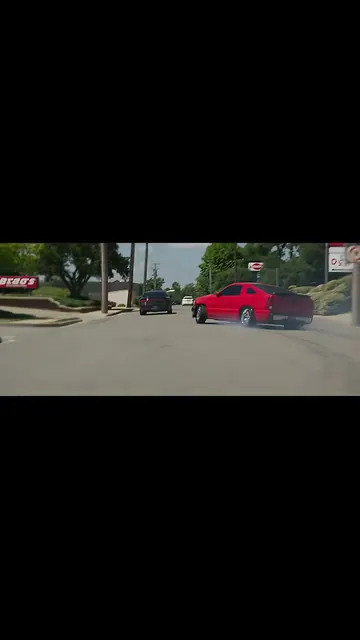
A phone films a wet intersection at the traffic lights. Your car comes across, turns in hard, slides sideways right past the lens and drives off, leaving fresh tire marks. One photo of your car is all it takes.

The original Car Drift AI reel by @offguardmOriginal reel
  • 1 photo you add
  • 15 s clip with sound
  • 9:16 for TikTok, Reels, Shorts
  • No watermark

No prompt to write: Add your photo and tap once

Create your own

Ready in up to several minutes · 228 credits

The car drift AI video puts your own car into the viral intersection drift reel: a car comes across a wet intersection, turns in hard and slides sideways right past the camera, then drives off. Add one photo of your car, and MakeViral makes the whole clip with your car in it, with the reel's song.

Also called Drift car traffic light trend · Car drift trend · Car drifting intersection

Example

What the Car Drift AI video looks like

The example is the original reel by @offguardm, real phone footage with its own sound. Your video copies this clip with your car in place of the black sedan.

Original reel by @offguardm, 15 s

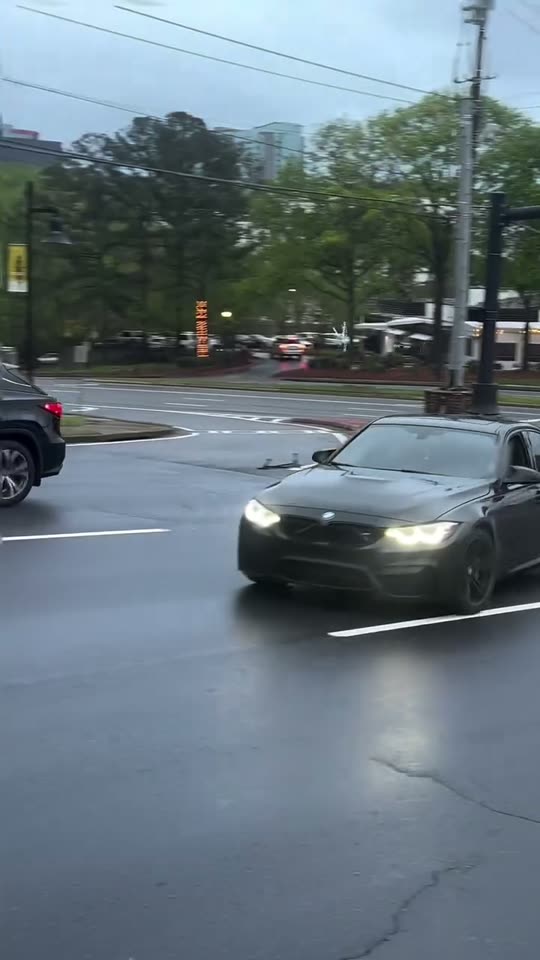
The original reel by @offguardm (31 October 2026, 1.43 million likes on Instagram): a black sports sedan comes across a wet intersection, turns in hard and slides sideways right past the camera. Real footage, not AI: your car takes its place.

Use this reference
Step by step

How to make the Car Drift AI video on MakeViral

Everything runs in the browser. No editing app, no prompt to write, no watermark.

  1. Add your photo

    Press "Create your own" and add your car, the whole car. Take it with the camera or pick it from your library.

  2. Press Generate

    The button shows the price. Seedance 2.5 puts your photos into the Car Drift trend clip and copies it shot by shot for 15 seconds, with the reel's original song. You write no prompt.

  3. Download or share

    The video is ready in up to several minutes as a 9:16 MP4. Download it, share it from your phone, or find it later in My videos.

Which photo works best?

Add one photo of your car.

  • The whole car in view, from a front corner, so the photo shows the front and one side, sharp and in daylight. The video shows your car from the front, from the side as it slides past and from behind.
  • Nothing in front of it: no people, no other cars, no fence across the body.
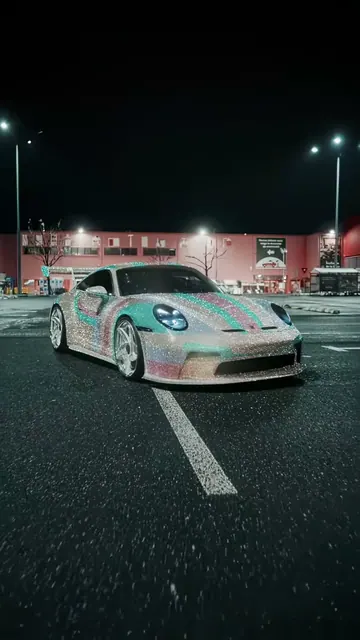
  • Any car works: a sedan, a coupe, a hatchback, an SUV, a pickup or a van. Wheels, wraps and spoilers carry over, so keep them in the picture.
  • A photo at night or under colored lights can change the paint: a daylight photo keeps the color right.
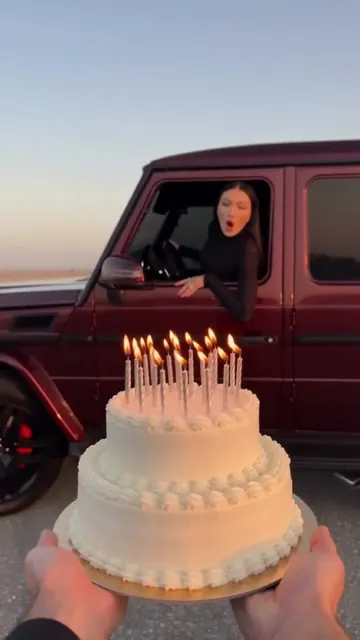
  • For You + your car, add a sharp, close photo of your face first: you show at the open window for about two seconds.
  • Use your own car, or one whose owner said yes.

Where did the Car Drift AI trend start?

The drift car traffic light trend comes from one clip. On 31 October 2026 the Instagram account @offguardm posted a reel with no caption, filmed on a phone from the side of a wide, wet intersection on a gray day. The lights are red, and then a black sports sedan comes across with its headlights on, turns in hard and slides sideways right past the camera, so close that it fills the frame. It straightens, drives off, and the camera stays on the curved tire marks it left on the road. By 16 November the reel had 1,435,151 likes and about 2,900 comments.

The clip is real footage, not AI, and Instagram shows it as age-restricted. Car fans soon wanted the same shot with their own car, which is where the car drift AI video comes in: AI copies the reel and swaps in the car from your photo, so nobody has to drift on a real road. The car drift trend sits in a big niche: on TikTok, #cardrift has more than 50,000 videos and about 600 million views.

The sound on the reel is a Spanish-language song whose lyrics match "BbY WOW" by Karol G with Judeline and rusowsky, a No. 1 hit of 2026.

  1. Karol G releases the album No Me Arrepiento de Sentir Tanto with "BbY WOW" (with Judeline and rusowsky), which later tops Spotify's global chart. Universal Music Canada

  2. @offguardm posts the intersection drift reel: a black sports sedan slides sideways right past the camera at a wet intersection. Instagram

  3. The reel has 1,435,151 likes; #cardrift on TikTok counts 50,844 videos and about 600 million views. TikTok

Copy and paste

The Car Drift AI prompts

You do not need these: the one-tap flow runs them for you, together with the trend clip. [Image 1] and [Image 2] are your two photos, and [Video 1] is the trend clip the video copies.

Your car

1 photo: your car, the whole carSeedance 2.515 s · 720p · 9:16228 credits
Video prompt

Recreate the reference video [Video 1] shot for shot: one continuous handheld phone take, no cuts, from the roadside of a wide, wet multi-lane intersection on a gray overcast day, traffic lights over the road, a median with red mulch, trees and low buildings behind, the same camera moves and timing. The ONLY change: the black four-door sports sedan that drifts past the camera is now the vehicle in [Image 1]. THE VEHICLE = the vehicle in [Image 1], in EVERY frame, from the front, the side and behind: copy it exactly (body shape, proportions, doors, paint color and finish, wheels, lights, grille, ride height, spoiler, wrap), whatever kind it is (car, SUV, pickup or van), so its owner knows it at once. PAINT: the hue of [Image 1] in gray daylight, also if the photo was taken at night. Never black unless [Image 1] is black. It drives the same path, speed and distance from the camera as the black sedan and does the same turn-in, slide and straightening. Take ONLY the vehicle from [Image 1], never its background or people. NEVER the black sports sedan of [Video 1]: no black paint, dark wheels or split grille unless [Image 1] shows them, never a mix. The white SUV, the silver SUV, the dark sedan on the left and the far cars are background cars and stay as they are. Nobody shows at the wheel: the windows stay dark. If [Image 1] shows a person or a pet and no vehicle, the black sedan stays, its driver's window is open, and that person or pet sits at the wheel, clearly seen as it slides past. THE MOVES, exactly as in [Video 1]: 00:00-00:02: the camera pans across the wet intersection; a white SUV and a silver SUV wait at the stop lines. 00:02-00:03.5: it tilts up to the red traffic lights; a dark sedan rolls past close on the left. 00:03.5-00:05: far across the intersection the hero vehicle comes toward the camera, headlights on, its FRONT to us. 00:05-00:06.6: it turns in hard, the rear swings out, and it slides sideways right past the camera, very close, its driver's side filling the frame. 00:06.6-00:09: it straightens and drives away, its REAR to us; the camera pans right. 00:09-00:14.5: the camera holds on the fresh curved tire marks on the wet road while far traffic passes. Exactly one vehicle looks like [Image 1]. Real live-action phone footage, gray daylight, wet reflections. No dialogue throughout the entire video. No background music. No badges, emblems or lettering on any vehicle; plain number plates with no readable text. No text, no captions, no logos, no watermark.

2517 characters

You + your car

2 photos: you, face clear + your car, the whole carSeedance 2.515 s · 720p · 9:16228 credits
Video prompt

Recreate the reference video [Video 1] shot for shot: one continuous handheld phone take, no cuts, from the roadside of a wide, wet multi-lane intersection on a gray overcast day, traffic lights over the road, a median with red mulch, trees and low buildings behind, the same camera moves and timing. The ONLY changes: the black four-door sports sedan that drifts past the camera is now the vehicle in [Image 2], and its driver is the person in [Image 1]. THE DRIVER = the person in [Image 1]: the driver's window is open, and the driver sits at the wheel, clearly seen while the vehicle slides past the camera (00:04.5-00:06.6), the face turned to the camera, calm and confident. Copy the exact face from [Image 1] (the face shape, eye color and eye shape, eyebrows, nose, mouth, skin tone, age, hair color, hair length and hairstyle, and any beard, moustache, glasses or freckles) and the clothes from [Image 1]. Exactly one person in the vehicle, never in place of the vehicle. THE VEHICLE = the vehicle in [Image 2], in EVERY frame, from the front, the side and behind: copy it exactly (body shape, proportions, doors, paint color and finish, wheels, lights, grille, ride height, spoiler, wrap), whatever kind it is (car, SUV, pickup or van), so its owner knows it at once. PAINT: the hue of [Image 2] in gray daylight, also if the photo was taken at night. Never black unless [Image 2] is black. It drives the same path, speed and distance from the camera as the black sedan and does the same turn-in, slide and straightening. Take ONLY the vehicle from [Image 2], never its background or people. NEVER the black sports sedan of [Video 1]: no black paint, dark wheels or split grille unless [Image 2] shows them, never a mix. The white SUV, the silver SUV, the dark sedan on the left and the far cars are background cars and stay as they are. THE MOVES, exactly as in [Video 1]: 00:00-00:02: the camera pans across the wet intersection; a white SUV and a silver SUV wait at the stop lines. 00:02-00:03.5: it tilts up to the red traffic lights; a dark sedan rolls past close on the left. 00:03.5-00:05: far across the intersection the hero vehicle comes toward the camera, headlights on, its FRONT to us. 00:05-00:06.6: it turns in hard, the rear swings out, and it slides sideways right past the camera, very close, its driver's side filling the frame. 00:06.6-00:09: it straightens and drives away, its REAR to us; the camera pans right. 00:09-00:14.5: the camera holds on the fresh curved tire marks on the wet road while far traffic passes. Exactly one vehicle looks like [Image 2]. Real live-action phone footage, gray daylight, wet reflections. No dialogue throughout the entire video. No background music. No badges, emblems or lettering on any vehicle; plain number plates with no readable text. No text, no captions, no logos, no watermark.

2857 characters
Pet

1 photo: your pet, face clearSeedance 2.515 s · 720p · 9:16228 credits
Video prompt

Recreate the reference video [Video 1] shot for shot: one continuous handheld phone take, no cuts, from the roadside of a wide, wet multi-lane intersection on a gray overcast day, traffic lights over the road, a median with red mulch, trees and low buildings behind, the same camera moves and timing. The same black four-door sports sedan with dark wheels drifts past the camera. The ONLY change: its driver is now the pet in [Image 1]. THE PET = the pet in [Image 1]: the same species and breed, face, eyes, ears, muzzle, fur colors, fur length and markings as in [Image 1], with the natural body volume and proportions of that animal: never flattened, squashed, stretched or merged with anything. The driver's window is open, and the pet sits behind the wheel with its head and front paws out of the window, ears and fur blowing in the wind, clearly seen through the windshield as the sedan comes in and through the window as it slides sideways past the camera (00:04.5-00:06.6). It stays that animal: never a person, never a human face, no clothes. No person is in the vehicle. The sedan drives the same path, speed and distance from the camera as in [Video 1]. The other cars stay as they are. THE MOVES, exactly as in [Video 1]: 00:00-00:02: the camera pans across the wet intersection; a white SUV and a silver SUV wait at the stop lines. 00:02-00:03.5: it tilts up to the red traffic lights; a dark sedan rolls past close on the left. 00:03.5-00:05: far across the intersection the hero vehicle comes toward the camera, headlights on, its FRONT to us. 00:05-00:06.6: it turns in hard, the rear swings out, and it slides sideways right past the camera, very close, its driver's side filling the frame. 00:06.6-00:09: it straightens and drives away, its REAR to us; the camera pans right. 00:09-00:14.5: the camera holds on the fresh curved tire marks on the wet road while far traffic passes. Anatomy rules: the pet has one head, animal paws and its own number of legs, never human hands. Exactly one animal in the sedan. Real live-action phone footage, gray daylight, wet reflections. No dialogue throughout the entire video. No background music. No badges, emblems or lettering on any vehicle; plain number plates with no readable text. No text, no captions, no logos, no watermark.

2294 characters

How many credits does it cost?

You pay per video in credits, and the create page shows the exact price on the Generate button before you spend anything. The one-tap price covers the video, made in one step from your photos and the trend clip, charged once. One video is 228 credits, so the smallest one-time pack that covers it is $39.99 for 450 credits, with no subscription. The cheaper models are there if you run the prompts by hand in AI Video.

Video modelSettingsCredits
Seedance 2.5 (this template)15 s, 720p, copies the trend clip, one tap228

One-time packs and plans are on the pricing page. A failed video gives its credits back.

What happens in your car drift AI video?

SecondsWhat happens
0 to 2The phone pans across a wide, wet intersection on a gray day. Cars wait at the lines.
2 to 3.5The camera tilts up to the red traffic lights.
3.5 to 5Your car comes across the intersection toward the camera, headlights on.
5 to 6.6It turns in hard and slides sideways right past the lens, so close that it fills the frame.
6.6 to 9It straightens and drives off down the road.
9 to 15The camera stays on the fresh curved tire marks while the traffic goes by.

This is a copy of the viral reel, not a new scene: top-quality AI video models, including Seedance 2.5, take the original clip and put your car in it, with the same intersection, the same wet road and the same handheld camera. The video is vertical 9:16, about 15 seconds, at 720p, ready for Reels and TikTok, with the reel's own song put back on after the run.

Press "Create your own", add your photo and press Generate. The exact price shows on the Generate button before you spend anything. A run can take 5 to 15 minutes, and the video waits in My videos when it is ready.

Which version should you pick?

  • Your car is the trend as people know it: one photo of your car, and your car does the drift. Nobody shows at the wheel, as in the reel.
  • You + your car takes two photos: you first, then your car. Your car drifts past with the driver's window down, and you sit at the wheel as it slides by. You show for about two seconds, so a close, sharp face photo works best.
  • Pet takes one photo of your pet: your pet drives the black sedan of the reel, head out of the open window, ears flying.

All three carry the reel's song and the same 15-second clip.

What do people call the car drift trend?

Most people search for a car drift AI video or just car drift AI, and many type it the other way round: AI car drift, or AI car drift video. Others ask the AI to make my car drift, make my car drift AI or make your car drift, or look for a car drifting AI video, an AI drift video, an AI drifting car or an AI drift car. The reel itself has its own names: the drift car traffic light trend, or car drifting intersection clips, since the car is drifting in an intersection while the lights are red.

On social media people look for it as car drift trend Instagram clips, and as #cardrift on TikTok, where car drift TikTok videos have about 600 million views. People who saw the reel also look for a trending car drift video to copy, and for AI drifting in general.

What goes wrong, and how do you fix it?

ProblemFix
The black sedan from the reel comes backUse a sharp daylight photo of the whole car from a front corner, then run it again. A black car photo makes a mix more likely.
The car changes shape in the slideA photo that shows the front and one side helps. Run it again: every run is a new take.
The paint looks offA night photo or colored light changes the color. Use a daylight photo.
Your face is hard to see in You + your carThe window shows for about two seconds. Use a close, sharp face photo, then run it again.
A badge or a plate showsThe AI leaves them off, but sometimes one comes back. Run it again.
The run failsSome photos get refused. MakeViral then tries a backup model, and if the video still fails, the credits come back.
FAQ

Car Drift AI trend questions

What is the car drift trend?
A viral reel by @offguardm on Instagram (31 October 2026, 1.43 million likes): filmed from the side of a wet intersection, a black sports sedan turns in hard and slides sideways right past the camera, then drives off and leaves tire marks. People call it the drift car traffic light trend. The car drift AI video puts your own car in that clip.
How do I make a car drift AI video?
Press "Create your own", add one photo of your car and press Generate. The button shows the price first. You get a vertical clip of about 15 seconds with the reel's song, with your car doing the drift. It can take 5 to 15 minutes, and you write no prompt.
What is the car drift AI video prompt?
There is none to copy: the reel is real phone footage, so no creator shared a car drift AI prompt, and the viral car drift AI prompt lists online describe other scenes, like a race track or a neon city. We wrote our own car drift AI video prompt, second by second along the reel, and MakeViral runs it for you. You need no trending car drift prompt or AI car drifting prompt of your own.
Which cars work?
Any car: a sedan, a coupe, a hatchback, an SUV, a pickup or a van. The AI copies the shape, paint, wheels and lights from your photo and leaves badges and number plate text off. A light-colored car works as well as a dark one: the black sedan of the reel does not stay.
Can I be in the video too?
Yes, with You + your car: photo 1 is you, photo 2 is your car. The driver's window is down, and you sit at the wheel as the car slides past. You show for about two seconds, so use a close, sharp photo of your face.
Can my pet drive the car?
Yes. The Pet version puts your pet behind the wheel of the reel's black sedan, head out of the open window, ears flying, as it drifts past. Add one clear photo of your pet.
Which AI model makes the video?
Top-quality AI video models, including Seedance 2.5. The model takes the original reel and your photo and swaps your car into the clip, keeping the intersection, the wet road and the camera moves. The reel's own song goes back on after the run. If a model refuses a photo, MakeViral tries a backup model.
How long is the video, and what is the song?
About 15 seconds, vertical 9:16, at 720p. It has the reel's own sound, a Spanish-language song whose lyrics match "BbY WOW" by Karol G with Judeline and rusowsky. You can turn it off on the result screen.
Is the drift real?
The original reel is real footage of a real drift on a public road. Your video is made by AI: nobody drives your car. Never try a drift like this on a real road, around traffic or people.
Is there a CapCut template for the car drift trend?
You need no CapCut template and no editing app. MakeViral runs in the browser on your phone or computer: add a photo and it makes the whole car drift clip, ready for Instagram or TikTok. MakeViral is not linked with @offguardm.
Does the car drift AI video cost credits?
Yes. The Generate button shows the exact price before you spend anything, and if a video fails, the credits come back.

Make your own Car Drift AI video

Add one photo and tap once. No prompt to write. 228 credits.

No watermark. A failed video gives its credits back. Secure checkout by Stripe.