Back

You Rock My World Trend: Make the Couple Glow-Up Transition From 2 Photos

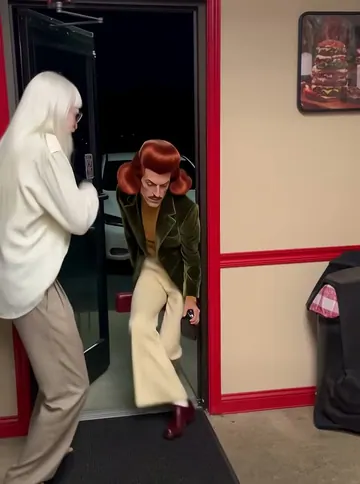
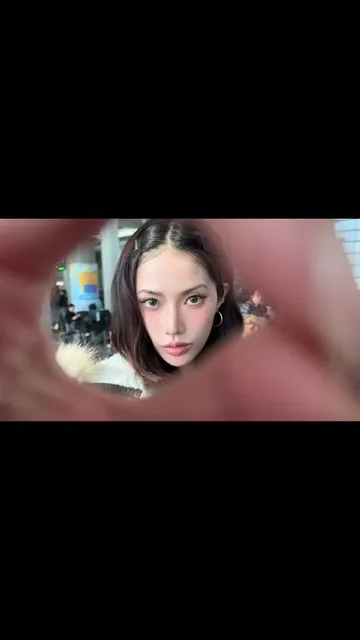
White T-shirts at home, a hand sweeps across the lens, and the two of you are dressed up somewhere else: on a garden terrace, in front of the iron tower in Paris, or there at night. Add a photo of each of you, or of two pets, and get the transition with the song.

The original You Rock My World reel by @_san_miaOriginal reel
  • 2 photos you add
  • 11 to 13 s clip with sound
  • 9:16 for TikTok, Reels, Shorts
  • No watermark

No prompt to write: Add your photos and tap once

Create your own

Ready in up to several minutes · From 152 credits

The You Rock My World trend is the couple transition of 2026: a couple stands at home in plain clothes, a hand or an arm sweeps across the lens, and the cut shows them dressed up in a new place, to the Michael Jackson song. Add one photo of each of you and get your own version with the song.

Also called You Rock My World challenge · Rock My World trend · couple glow-up at the Eiffel Tower

Example

What the You Rock My World video looks like

Both clips are the creators' own reels of real couples, shown in full with their sound and credited. Your video is a new AI clip of the two of you, made from your photos.

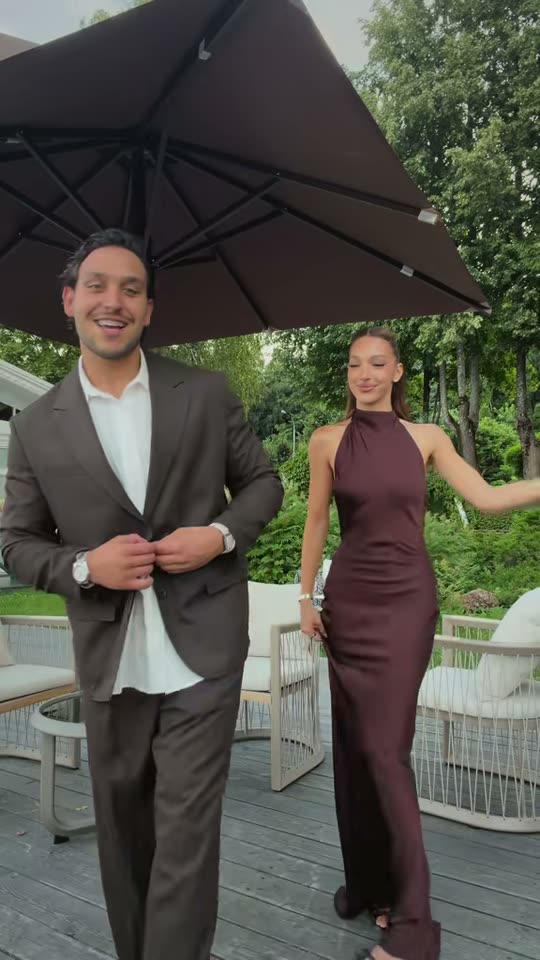
Original reel by @_san_mia, 12 s

The original reel by @_san_mia (10 July 2026, 729,000 likes): white T-shirts at home, a playful push across the lens, then a suit and a satin dress on a garden terrace. Couple and Two pets copy this reel.

Use this reference
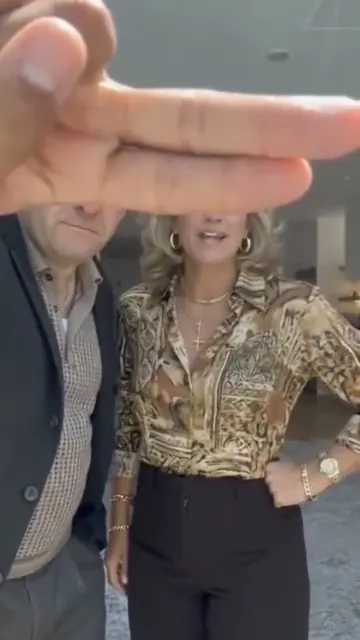
Original reel by @veerusso, 13 s

The Paris version by @veerusso (23 August 2026, 74,800 views): a hand with a ring sweeps the lens at home, then the couple poses in front of the Eiffel Tower. Paris copies this reel.

Use this reference
Step by step

How to make the You Rock My World video on MakeViral

Everything runs in the browser. No editing app, no prompt to write, no watermark.

  1. Add the two photos

    Press "Create your own" and add photo 1: the dress look, face clear, then photo 2: the suit look, face clear. Add them in this order, because the order decides who is who in the scene. Take them with the camera or pick them from your library.

  2. Press Generate

    The button shows the price. Seedance 2.5 puts your photos into the You Rock My World trend clip and copies it shot by shot for 11 seconds, with the reel's original song. You write no prompt.

  3. Download or share

    The video is ready in up to several minutes as a 9:16 MP4. Download it, share it from your phone, or find it later in My videos.

Which photo works best?

You need two photos: photo 1 is the one who gets the dress look, photo 2 the one who gets the suit look. Two men or two women work too: each one keeps their own face and gets a fitting outfit.

  • One person per photo, face to the camera, eyes open, in good daylight. A photo from the chest up is best.
  • No sunglasses, no hat, no hand on the face. The model copies your face from the photo, so a hidden face comes out as a stranger.
  • Your clothes do not matter. Every version gives you the trend's outfits (T-shirts or tank tops first, then a dress and a suit), not the clothes in your photos.
  • Two pets: one pet per photo, the whole pet and its face clear. They stand up like people and wear the same outfits.

Where did the You Rock My World trend start?

The sound is a short cut of Michael Jackson's 2001 song "You Rock My World", and through 2026 the You Rock My World TikTok sound became the one for glow-up and outfit transitions: #yourockmyworld had 29,724 videos and 805.7 million views on 14 November 2026. The couple version took off on 10 July 2026 with @_san_mia: a couple in white T-shirts in a bare room, a playful push across the lens, then the two of them in a suit and a satin dress on a garden terrace. The clip passed 5 million views and 729,000 likes, and its sound is in 9,169 videos; one couple's take on it reached 17 million views. Couples then took the cut on holiday, like @veerusso's Paris transition in front of the Eiffel Tower on 23 August. On 13 November 2026 an AI video app began to advertise a couple glow-up at the Eiffel Tower at night: tank tops at home, a ring flashes in front of the lens, then a red dress and a suit at the lit tower. This page makes all of it from your photos.

  1. @bijoubaidoe posts a "You rock my world" glow-up transition; it has 107,200 views by 14 November, and its sound is in 34,500 videos. TikTok

  2. @_san_mia posts the couple version: white T-shirts at home, an arm sweeps the lens, then a suit and a satin dress on a terrace. It has about 5.1 million views and 729,000 likes by 14 November. TikTok

  3. @veerusso posts "A little vacation transition": at home, then in front of the Eiffel Tower in Paris; 74,800 views by 14 November. TikTok

  4. A couple transition on the @_san_mia sound by @mariamhassanel_adly reaches 17 million views by 14 November. TikTok

  5. An AI video app starts an ad of the couple glow-up at the Eiffel Tower at night, with a ring flash as the cut.

  6. #yourockmyworld has 29,724 videos and 805.7 million views on TikTok, and #yourockmyworldchallenge 40.9 million views.

Copy and paste

The You Rock My World prompts

You do not need these: the one-tap flow runs them for you, together with the trend clip. [Image 1] and [Image 2] are your two photos, and [Video 1] is the trend clip the video copies.

Couple

2 photos: photo 1: the dress look, face clear + photo 2: the suit look, face clearSeedance 2.511 s · 720p · 9:16168 credits
Video prompt

Recreate the reference video [Video 1] shot for shot: the same two shots, the same phone camera, framing, cut, timing and moves. Shot 1 is a bare living room with pale walls and a dark floor, where the couple stand side by side in plain white oversized T-shirts. Shot 2, after the cut, is a garden terrace by day with a large dark parasol, wicker chairs and green trees, where the same couple are dressed up. The ONLY change: the woman on the right with the ponytail is now the person in [Image 1], and the man on the left with the dark curly hair is now the person in [Image 2]. Person 1 = the person in [Image 1], on the right, in EVERY frame: copy the exact face from [Image 1] (the face shape, eye color and eye shape, eyebrows, nose, mouth, skin tone, age, hair color, hair length and hairstyle, and any beard, moustache, glasses or freckles) exactly as in the photo. NO long light brown ponytail unless [Image 1] shows it. They wear the reel's clothes, never the clothes from [Image 1]: a white oversized T-shirt in shot 1, a long dark brown satin halter dress in shot 2. If [Image 1] shows a man, he wears a white shirt and a dark suit in shot 2. Person 2 = the person in [Image 2], on the left, in EVERY frame: copy the exact face from [Image 2] (the face shape, eye color and eye shape, eyebrows, nose, mouth, skin tone, age, hair color, hair length and hairstyle, and any beard, moustache, glasses or freckles) exactly as in the photo. NO dark curly hair and no stubble unless [Image 2] shows them. They wear the reel's clothes, never the clothes from [Image 2]: a white oversized T-shirt in shot 1, a chocolate brown suit over an open white shirt in shot 2. If [Image 2] shows a woman, she wears a long satin dress in shot 2. The same real people in every frame, in both shots, so their friends instantly recognize them, also after the cut and when they turn. Never morph, never drift back to the original couple's faces. Do not mix the two faces: [Image 1] is only person 1, [Image 2] is only person 2. Both change: no one from the video stays. The beats, matching the reference second by second: 0-2 s: person 2 flexes one arm and laughs, person 1 playfully pats their head. 2-5 s: they turn to each other, chat and bump fists. 5-7.5 s: both face the camera; person 1 steps close to the lens, waves a hand across it and looks into the camera, then person 2's arm sweeps across the lens and playfully nudges person 1 aside. 7.6 s: a hard cut on the arm sweep. 7.6-11 s: on the terrace, person 2 adjusts the jacket and smiles at the camera, person 1 sways, turns and swings the hair beside them. Anatomy rules: one head per person, on that person's own shoulders. A face never appears on hands, arms or clothes. Exactly two people. No text, logos or watermark.

2776 characters
Paris

2 photos: photo 1: the dress look, face clear + photo 2: the suit look, face clearSeedance 2.513 s · 720p · 9:16198 credits
Video prompt

Recreate the reference video [Video 1] shot for shot: the same two shots, the same phone camera, framing, cut, timing and moves. Shot 1 is a bright kitchen and living room by day. Shot 2, after the cut, is Paris by day: the couple stand close together in front of a large iron lattice tower under a blue sky with white clouds. The ONLY change: the woman on the left with the long dark hair is now the person in [Image 1], and the man on the right is now the person in [Image 2]. Person 1 = the person in [Image 1], on the left, in EVERY frame: copy the exact face from [Image 1] (the face shape, eye color and eye shape, eyebrows, nose, mouth, skin tone, age, hair color, hair length and hairstyle, and any beard, moustache, glasses or freckles) exactly as in the photo. NO long dark hair unless [Image 1] shows it. They wear the reel's clothes, never the clothes from [Image 1]: a black crop top and white trousers in shot 1, a striped cardigan and a small black shoulder bag in shot 2. A gold ring on the hand. Person 2 = the person in [Image 2], on the right, in EVERY frame: copy the exact face from [Image 2] (the face shape, eye color and eye shape, eyebrows, nose, mouth, skin tone, age, hair color, hair length and hairstyle, and any beard, moustache, glasses or freckles) exactly as in the photo. NO short dark slicked hair and no moustache unless [Image 2] shows them. They wear the reel's clothes, never the clothes from [Image 2]: a black sweater in shot 1, a cream knit polo shirt in shot 2. NO sunglasses in shot 2: both faces and eyes stay fully visible. The same real people in every frame, in both shots, so their friends instantly recognize them. Never morph, never drift back to the original couple's faces. Do not mix the two faces: [Image 1] is only person 1, [Image 2] is only person 2. Both change: no one from the video stays. The beats, matching the reference second by second: 0-3.5 s: person 1 poses with the hands on the hips and sways, person 2 stands beside them with folded hands. 3.5-5.5 s: person 1 turns to person 2 and they tap fists, laughing. 5.5-6.5 s: person 1 smiles at the camera and sweeps an open hand with the gold ring across the lens. 6.5-7.7 s: person 2 steps to the camera and a hand covers the lens. 7.8 s: the cut to Paris as the hand pulls away. 7.8-13 s: in front of the tower they stand close, smile and pose for the camera, then share a quick kiss. Anatomy rules: one head per person, on that person's own shoulders. A face never appears on hands, arms or clothes. Exactly two people in front. No text, logos or watermark.

2581 characters

Paris at night

2 photos: photo 1: the dress look, face clear + photo 2: the suit look, face clearSeedance 2.512 s · 720p · 9:16152 credits
Video prompt

A real phone video of a couple's glow-up transition, filmed vertically on a phone: photoreal, natural skin and natural colors, not CGI, not a cartoon. Two shots joined by a hand over the lens. The camera stays from the knees up, so both faces are large, sharp and well lit. Person 1 is the person in [Image 1], on the LEFT in every frame: copy the exact face from [Image 1] (the face shape, eye color and eye shape, eyebrows, nose, mouth, skin tone, age, hair color, hair length and hairstyle, and any beard, moustache, glasses or freckles). Person 2 is the person in [Image 2], on the RIGHT in every frame: copy the exact face from [Image 2] (the face shape, eye color and eye shape, eyebrows, nose, mouth, skin tone, age, hair color, hair length and hairstyle, and any beard, moustache, glasses or freckles). Never blend their faces. Each face stays the same from the first frame to the last, also after the cut, so their friends recognize them at once. If an image shows an animal, that one is that animal standing upright, with its own face, fur and markings, not a person. The shots: 1. 0-6 s: a cozy living room at night with warm lamps, the phone on a stand. Both wear plain white tank tops and loose light grey sweatpants. Person 1 blows a kiss to the camera and dances a little to the beat, shoulders and hips; person 2 stands beside them, smiles and nods along. 2. 6-7 s: person 1 reaches to the lens: a hand with a sparkling diamond ring on the ring finger comes close and fills the frame, and the shot cuts on the hand. 3. 7-12 s: a Paris street at night on old cobblestones, warm street lamps, and behind the couple a large iron lattice tower glowing golden against the dark sky. Person 1 wears a long red satin slip dress, person 2 a black suit, a white shirt and a black tie (if person 1 is a man, he wears a dark suit too). They hug, turn to the camera cheek to cheek, then pose side by side and smile. No sound: the song goes on after the video. Nobody else in focus. No text, no subtitles, no logos, no watermark.

2034 characters

Two pets

2 photos: pet 1: the dress look, whole pet + pet 2: the suit look, whole petSeedance 2.511 s · 720p · 9:16168 credits
Video prompt

Recreate the reference video [Video 1] shot for shot: the same two shots, the same phone camera, framing, cut, timing and moves. Shot 1 is a bare living room with pale walls and a dark floor. Shot 2, after the cut, is a garden terrace by day with a large dark parasol, wicker chairs and green trees. The ONLY change: the woman on the right is now the pet in [Image 1] and the man on the left is now the pet in [Image 2], both standing upright on their hind legs like people. Pet 1 = the pet in [Image 1], on the right, whole body, in every frame: the same species and breed, head shape, muzzle, eyes, ears, fur colors, fur length, markings and body shape as in [Image 1], with the natural body volume and proportions of that animal: never flattened, squashed, stretched or merged with anything, so its owner instantly recognizes it. It wears a white oversized T-shirt in shot 1 and a long dark brown satin halter dress in shot 2. Pet 2 = the pet in [Image 2], on the left, whole body, in every frame, with the same identity rules from [Image 2]. It wears a white oversized T-shirt in shot 1 and a chocolate brown suit over an open white shirt in shot 2. Both change: no person from the video stays, no human face, no human hands, no human skin; every arm is a furry front leg with a paw. Do not mix the two pets: [Image 1] is only pet 1, [Image 2] is only pet 2, the same pets in both shots. The beats, matching the reference second by second: 0-2 s: pet 2 raises one front leg proudly, pet 1 pats its head with a paw. 2-5 s: they turn to each other and bump paws. 5-7.5 s: both face the camera; pet 1 steps close to the lens and waves a paw across it, then pet 2's front leg sweeps across the lens and playfully nudges pet 1 aside. 7.6 s: a hard cut on the sweep. 7.6-11 s: on the terrace, pet 2 tugs at its jacket and looks at the camera, pet 1 sways and turns beside it. Anatomy rules: one head and one tail per pet, two hind legs on the ground. Exactly two animals, no people. No text, logos or watermark.

2014 characters

How many credits does it cost?

You pay per video in credits, and the create page shows the exact price on the Generate button before you spend anything. The one-tap price covers the video, made in one step from your photos and the trend clip, charged once. Each version has its own price: Couple 168 credits, Paris 198 credits, Paris at night 152 credits, Two pets 168 credits. The cheaper models are there if you run the prompts by hand in AI Video.

Video modelSettingsCredits
Couple: Seedance 2.5 (this template)11 s, 720p, copies the trend clip, one tap168
Paris: Seedance 2.5 (this template)13 s, 720p, copies the trend clip, one tap198
Paris at night: Seedance 2.5 (this template)12 s, 720p, straight from your photos, one tap152
Two pets: Seedance 2.5 (this template)11 s, 720p, copies the trend clip, one tap168

One-time packs and plans are on the pricing page. A failed video gives its credits back.

Couple, Paris, Paris at night or Two pets: which version should you make?

Press "Create your own" and pick a version. All four take two photos and come with the trend's song.

CoupleParisParis at nightTwo pets
Photos2, the two of you2, the two of you2, the two of you2, your pets
Before the cutWhite T-shirts in a bare roomCasual clothes in a bright kitchenWhite tank tops at home at nightWhite T-shirts in a bare room
The cutAn arm sweeps the lensA hand with a ring sweeps the lensA hand with a ring fills the lensA paw sweeps the lens
After the cutSuit and satin dress on a garden terraceParis by day, the iron tower behind youRed satin dress and black suit at the glowing tower at nightSuit and satin dress on a terrace
How it worksCopies @_san_mia's reelCopies @veerusso's reelA new AI scene from your photosCopies @_san_mia's reel
Length11 s13 s12 s11 s

The three reel versions copy a real couple transition shot for shot with top-quality AI video models, so the moves and the camera look like a real phone clip. Paris at night has no real reel to copy yet: it is made from your photos, so the place can change a little from run to run. The price shows on the button before you generate.

What happens in the couple transition, second by second?

The Couple version follows the reel that made the couple glow up famous:

TimeWhat you see
0 to 2 sAt home in white T-shirts: one of you flexes an arm and laughs, the other pats their head.
2 to 5 sYou turn to each other, chat and bump fists.
5 to 7.5 sYou both face the camera; photo 1 steps up to the lens and waves a hand across it, then photo 2's arm sweeps the lens.
7.6 sThe cut.
7.6 to 11 sOn a garden terrace in a suit and a long satin dress: one adjusts the jacket, the other sways and turns.

The Paris version has the same idea with a ring on the hand that sweeps the lens, and the cut lands in front of the Eiffel Tower.

What goes wrong, and how do you fix it?

ProblemFix
A face looks like the couple in the original reelUse a sharper photo, face to the camera, and run it again. Far or blurry faces are the main cause.
Your two faces swap after the cutRun it again; keep photo 1 for the dress look and photo 2 for the suit look in every version.
You wear your own clothes, not the outfitsThe trend's outfits are part of the prompt. Run it again, or pick another version.
The tower or the street looks differentParis at night is a new AI scene each run; the reel versions keep the place of the reel.
A pet looks too humanUse a photo where the whole pet and its face are clear.

You Rock My World trend: TikTok song, caption and hashtags

Your clip comes with the trend's sound, the short cut of "You Rock My World" that the couple reels use, put back on after the run, so it is ready to post. You can turn it off on the result screen and add the sound in TikTok or Instagram when you post. The song belongs to its rights holders.

Caption ideas: "You rock my world", "A little Paris transition", "Date night glow up". Couple glow up TikTok posts and the rest of the trend use these hashtags: #yourockmyworld, #yourockmyworldchallenge, #coupletransition, #coupleglowup, #transition.

FAQ

You Rock My World trend questions

What is the You Rock My World trend?
It is a TikTok transition trend on a short cut of the Michael Jackson song "You Rock My World". In the You Rock My World transition you start in plain clothes, a hand or an arm sweeps across the lens, and the cut shows you dressed up. The couple version with a partner is the best known: #yourockmyworld had 805.7 million views on 14 November 2026.
Why is You Rock My World trending?
The sound has a clear beat for a cut, so it became TikTok's go-to sound for glow-up and outfit transitions in 2026. The couple version by @_san_mia on 10 July 2026 passed 5 million views, its sound is in 9,169 videos, and couples keep making their own versions at weddings, on dates and on holiday.
Is the Michael Jackson You Rock My World trend the same as the couple glow up?
Yes. The couple glow up transition is the most copied form of the Michael Jackson You Rock My World trend: the same song, a couple at home, a hand over the lens, then the two of them dressed up. Solo creators do it too, as an outfit transition.
How do I make the You Rock My World AI video with our photos?
Press "Create your own", pick Couple, Paris, Paris at night or Two pets, and add two photos: photo 1 for the dress look, photo 2 for the suit look. Press Generate; the button shows the price first. You get a vertical clip of 11 to 13 seconds with the song. You write no prompt, and you do not need to film anything.
Can I make the Paris couple transition at the Eiffel Tower?
Yes, two ways. Paris copies a real couple's Eiffel Tower transition by day. Paris at night makes the version from the ad wave: tank tops at home, a ring flashes in front of the lens, then a red satin dress and a black suit at the glowing tower at night. It is a new AI scene, so the street can change a little from run to run.
Do we keep our own clothes in the couple outfit transition video?
No. The outfits are the point of the trend, so every version gives you its outfits: T-shirts or tank tops before the cut, then a suit and a satin dress (or a cardigan and a knit polo in Paris). Your faces come from your photos.
Is there a You Rock My World trend dance?
There is no fixed routine. Many You Rock My World dance TikTok clips copy Michael Jackson's moves to the same sound, but the couple trend is about the cut, not a dance: in the Couple version you sway, turn and pose after the cut.
Can I do the You Rock My World trend with my pets?
Yes, with Two pets. Add one photo of each pet. They stand up like people in the same couple reel: white T-shirts at home, a paw sweeps the lens, then a satin dress and a suit on a terrace, with the song.
Is there a CapCut template for the couple transition?
CapCut templates for couple transition reels and TikTok edits need two clips that you film yourselves, in two outfits and two places. Here you need only two photos: the AI makes the whole couple transition video, the cut and the dressed-up shot included.
Can I post it as a couple travel transition on TikTok or Instagram Reels?
Yes. The clip is vertical, 9:16, with the song, ready for TikTok and Reels. The Paris versions work as a couple travel transition or an Eiffel Tower transition. Many posts add #yourockmyworld and #coupletransition.
Is it a real couple transformation video or AI?
The two example reels on this page are real couples' own clips, credited to them. Your couple transformation video is AI-made: the couple transition AI puts your two faces into the reel or the scene.
More trends

Other AI video templates

Make your own You Rock My World video

Add two photos and tap once. No prompt to write. 168 credits.

No watermark. A failed video gives its credits back. Secure checkout by Stripe.